How to set the preferred authentication method for SSH
When an SSH client can use several login methods, the first method it tries can decide whether a session opens quickly, falls back to a password, or fails in automation. Setting PreferredAuthentications in the OpenSSH client puts that order under the local client account instead of relying on the default method sequence.
OpenSSH reads client settings from command-line options, the per-user file ~/.ssh/config, and the system-wide file /etc/ssh/ssh_config. For most client settings, the first value found wins, so a host-specific block should appear before broad defaults such as Host * when both could set the same option.
PreferredAuthentications accepts a comma-separated method list such as publickey,password. It changes the order the client tries, but it does not enable a method on the server; if the server does not offer publickey or the account has no matching key, the client can only continue to a method that remains in the list. Verify the effective config with ssh -G and a fresh verbose login before replacing a working client config.
Steps to set the preferred SSH authentication method:
- Choose the host pattern and authentication order.
Use publickey,password when keys should be tried first and password fallback should remain. Use publickey only after key-based login already works and password fallback is intentionally blocked.
- Test the order for one connection without saving it.
$ ssh -o PreferredAuthentications=publickey,password user@host.example.net hostname
host
Do not omit keyboard-interactive when the server uses PAM, one-time-password, or challenge-response prompts through that method.
- Create the per-user SSH directory if it does not already exist.
$ mkdir -p ~/.ssh
- Restrict the per-user SSH directory.
$ chmod 700 ~/.ssh
- Open the per-user OpenSSH client configuration file.
$ vi ~/.ssh/config
- Add a host-specific block with the preferred method order.
Host host.example.net
  User user
  IdentityFile ~/.ssh/id_ed25519
  IdentitiesOnly yes
  PreferredAuthentications publickey,password
IdentitiesOnly yes keeps ssh-agent from offering unrelated keys before the configured identity. Leave password in the list when the host still needs remote account password fallback.
- Restrict the client configuration file.
$ chmod 600 ~/.ssh/config
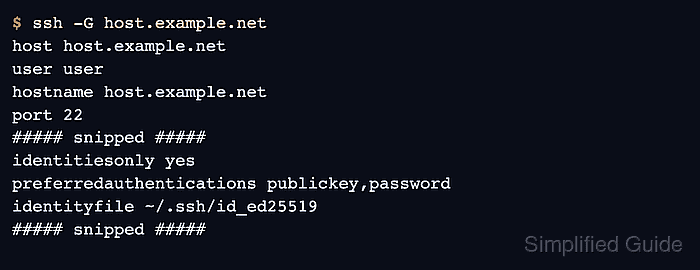
- Print the effective client configuration for the host.
$ ssh -G host.example.net
host host.example.net
user user
hostname host.example.net
port 22
##### snipped #####
identitiesonly yes
preferredauthentications publickey,password
identityfile ~/.ssh/id_ed25519
##### snipped #####
ssh -G evaluates matching Host and Match rules and exits without authenticating to the server.
Related: How to show SSH client configuration - Connect with verbose logging to confirm the attempted authentication method.
$ ssh -vv host.example.net hostname
debug1: Authentications that can continue: publickey,password
debug1: Next authentication method: publickey
Authenticated to host.example.net ([203.0.113.50]:22) using "publickey".
##### snipped #####
host
The Next authentication method line should match the first usable method from PreferredAuthentications. If the connection falls through to password, check the key path, authorized key, and server-side public-key policy before removing the fallback.
Related: How to increase SSH client verbosity