How to check SSH multiplexing session status
Multiplexed SSH sessions can leave later shells, file copies, and tunnels dependent on one local control master. Checking that master before reusing a saved host alias helps separate a missing control socket from a server login problem or a stalled automation run.
OpenSSH records the local listener for a multiplexing master at the ControlPath selected by the client configuration. The effective value from ssh -G shows the exact path for a host alias after Host and Match rules have been applied, including hashed %C socket names.
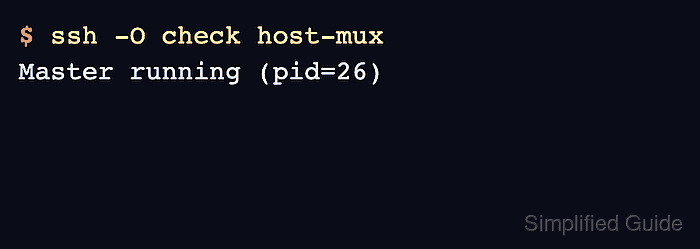
The socket listing and ssh -O check test different parts of the same state. A socket entry shows that the local file exists, while a Master running response proves that the ssh client can speak to the control master through that socket; a Control socket connect error means no master is listening at the resolved path.
Related: How to configure SSH multiplexing
Related: How to stop SSH multiplexing
Related: How to show SSH client configuration
Steps to check SSH multiplexing session status:
- Print the resolved client configuration for the multiplexed host alias.
$ ssh -G host-mux
host host-mux
user user
hostname host.example.net
port 22
##### snipped #####
controlmaster auto
controlpath /home/user/.ssh/muxmasters/25bf3bd04004b80c0f2062755b4bd08f468420a1
controlpersist 600
Use the same alias, user, port, and command-line options that the real session uses. If controlmaster is no or controlpath is none, that target is not using a reusable control master.
Related: How to show SSH client configuration
- List the directory shown by ControlPath.
$ ls -l ~/.ssh/muxmasters
total 0
srw------- 1 user user 0 Jun 13 11:23 25bf3bd04004b80c0f2062755b4bd08f468420a1
The leading s in srw——- marks a Unix-domain socket. An empty directory usually means the master expired, exited, or was created under a different ControlPath.
- Query the control master through the configured socket.
$ ssh -O check host-mux
Master running (pid=26)
ssh -O check uses the target's resolved ControlPath and returns the process ID of the reachable master.
- Match the reported process ID to the local ssh process when ownership or cleanup needs confirmation.
$ ps -fC ssh
UID          PID    PPID  C STIME TTY          TIME CMD
user          26       1  0 11:23 ?        00:00:00 ssh -fN host-mux
The process is local to the client machine, not the remote server. Different platforms may show the command as a master, mux, or background ssh process.
- Interpret a missing control socket as an inactive master for that host alias.
$ ssh -O check host-mux
Control socket connect(/home/user/.ssh/muxmasters/25bf3bd04004b80c0f2062755b4bd08f468420a1): No such file or directory
Do not use ssh -O exit as a status check because it closes multiplexed sessions that still depend on the master. Use the dedicated stop workflow only when ending the master is intentional.
Related: How to stop SSH multiplexing