How to revoke SSH keys with a KRL
A compromised or retired SSH public key should stop working on every server that could still trust it. Editing scattered authorized_keys files can miss accounts, while an OpenSSH Key Revocation List gives sshd one revocation file to consult before accepting public-key authentication.
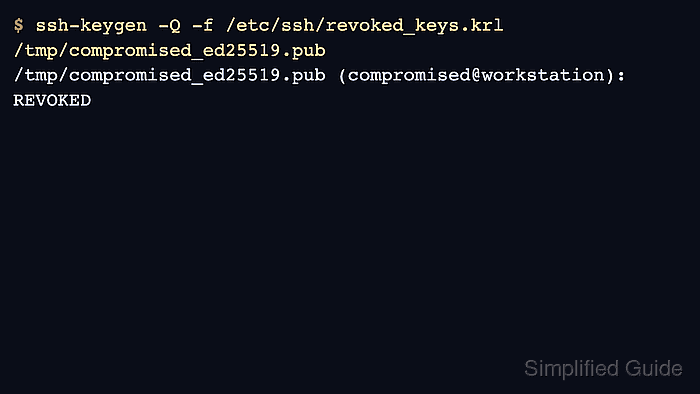
An OpenSSH KRL is a compact binary file built by ssh-keygen. The RevokedKeys directive points sshd at that file, and sshd refuses public keys and user certificates listed in it before completing authentication. The same file can also carry certificate serial or key ID revocations when a certificate-authority workflow is already in place.
The revocation file is part of the login path, so handle it like active security policy. If the file configured with RevokedKeys is unreadable, public-key authentication is refused for all users; replace the KRL atomically and keep a working console or second SSH session until an unaffected key has been tested.
Steps to revoke SSH keys with an OpenSSH KRL:
- Confirm the compromised public key fingerprint before revoking it.
$ ssh-keygen -lf /tmp/compromised_ed25519.pub
256 SHA256:DELMR2C5lpcvOspF4xL2y8Lu5+aFzV0kg1rRl9eVK0c compromised@workstation (ED25519)
Use the public .pub file, not the private key. Match the fingerprint against the incident record, asset inventory, or access request before adding it to the revocation list.
Tool: Secure Shell (SSH) Key Fingerprint Checker - Generate a staged KRL that contains the compromised public key.
$ ssh-keygen -k -f /tmp/revoked_keys.krl /tmp/compromised_ed25519.pub
Revoking from /tmp/compromised_ed25519.pub
If an active KRL already contains other revoked keys, copy that KRL to the staged path first and update it with ssh-keygen -k -u -f /tmp/revoked_keys.krl /tmp/compromised_ed25519.pub so older revocations stay in place.
- Query the staged KRL and confirm the compromised key is marked revoked.
$ ssh-keygen -Q -f /tmp/revoked_keys.krl /tmp/compromised_ed25519.pub
/tmp/compromised_ed25519.pub (compromised@workstation): REVOKED
ssh-keygen -Q returns a non-zero exit status when a tested key is revoked. The visible REVOKED line is the expected result for the compromised key.
- Check an unaffected key against the same KRL when you have a known-good key.
$ ssh-keygen -Q -f /tmp/revoked_keys.krl /tmp/trusted_ed25519.pub
/tmp/trusted_ed25519.pub (trusted@workstation): ok
- Install the staged KRL with root ownership and a readable mode.
$ sudo install -o root -g root -m 0644 /tmp/revoked_keys.krl /etc/ssh/revoked_keys.krl.new
- Replace the active KRL atomically.
$ sudo mv /etc/ssh/revoked_keys.krl.new /etc/ssh/revoked_keys.krl
Do not edit a KRL in place while sshd is running. OpenSSH may consult the file during each public-key authentication attempt, so replace the complete file instead.
- Add the RevokedKeys directive to the SSH server configuration.
$ sudoedit /etc/ssh/sshd_config.d/90-revoked-keys.conf
RevokedKeys /etc/ssh/revoked_keys.krl
Confirm that /etc/ssh/revoked_keys.krl exists and is readable before enabling this directive. An unreadable file refuses public-key authentication for all users.
If the server does not load /etc/ssh/sshd_config.d/*.conf files, add the same directive to /etc/ssh/sshd_config.
- Test the sshd configuration before reloading the service.
$ sudo sshd -t
No output means sshd parsed the configuration and can read the configured revocation file.
Related: Test SSH server configuration - Reload the SSH service to apply the revocation file to new authentication attempts.
$ sudo systemctl reload ssh
Keep the current session open until a separate login test succeeds.
Use sudo systemctl reload sshd on distributions where the service unit is named sshd.
Related: Manage the SSH server service with systemctl - Confirm that the revoked key no longer authenticates.
$ ssh -i ~/.ssh/compromised_ed25519 -o IdentitiesOnly=yes -o BatchMode=yes deploy@host.example.net 'echo revoked key accepted'
deploy@host.example.net: Permission denied (publickey).
BatchMode=yes prevents a password prompt from hiding the public-key refusal.
- Confirm that an unaffected key still authenticates.
$ ssh -i ~/.ssh/trusted_ed25519 -o IdentitiesOnly=yes -o BatchMode=yes deploy@host.example.net 'echo trusted key accepted'
trusted key accepted
The revoked key fails while the trusted key succeeds, which proves the KRL is active without disabling all public-key authentication.
Related: Connect to an SSH server from Linux