How to configure SSH host certificates
Fleet rebuilds, host-key rotations, and autoscaled servers become harder to operate when every client trusts each server key one entry at a time. OpenSSH host certificates let clients trust a host certificate authority instead, so a server can prove its identity with a signed host certificate whose principals match the names users actually connect to.
A host certificate signs an existing public host key; it does not replace the private host key or authenticate users. The HostCertificate directive tells sshd which public certificate to present during key exchange, and clients trust the signing CA through an @cert-authority marker in /etc/ssh/ssh_known_hosts or /home/user/.ssh/known_hosts.
Protect the host CA private key as a fleet-wide trust root, sign only the hostnames and aliases that should identify the server, and reload sshd only after its configuration test passes. A client-side verbose connection must show an ED25519-CERT host certificate, a matching CA trust line, and a successful connection before the change is rolled out broadly.
Steps to configure SSH host certificates:
- Confirm the target server host key that will be certified.
$ sudo ssh-keygen -lf /etc/ssh/ssh_host_ed25519_key.pub
256 SHA256:L4U4k+DFLGChZQ8NNupJ5M8PRt8mwmFjybuUUhgM/Eg host.example.net (ED25519)
The certificate public key must match a private key that sshd already uses as a HostKey. Current OpenSSH defaults normally include /etc/ssh/ssh_host_ed25519_key.
- Generate a dedicated host CA key on the protected signing host when one does not already exist.
$ sudo ssh-keygen -t ed25519 -f /etc/ssh/ssh_host_ca -C "ssh host CA"
Generating public/private ed25519 key pair.
Enter passphrase (empty for no passphrase):
Enter same passphrase again:
Your identification has been saved in /etc/ssh/ssh_host_ca
Your public key has been saved in /etc/ssh/ssh_host_ca.pub
The key fingerprint is:
SHA256:zTk86DpwjrBehpMQ1e8mvuRmm742pUpz/X3xqX4XWMM ssh host CA
##### snipped #####
Do not copy /etc/ssh/ssh_host_ca to ordinary servers or clients. Copy only /etc/ssh/ssh_host_ca.pub and issued -cert.pub files outside the signing host.
- Sign the server public host key as a host certificate.
$ sudo ssh-keygen -h -s /etc/ssh/ssh_host_ca \
  -I host.example.net-2026q2 \
  -n host.example.net,host \
  -V +52w \
  /etc/ssh/ssh_host_ed25519_key.pub
Signed host key /etc/ssh/ssh_host_ed25519_key-cert.pub: id "host.example.net-2026q2" serial 0 for host.example.net,host valid from 2026-06-13T01:25:00 to 2027-06-12T01:26:39
-h creates a host certificate, -I names the certificate for audit trails, -n lists accepted host principals, and -V sets the validity window.
- Inspect the issued host certificate before installing it.
$ sudo ssh-keygen -L -f /etc/ssh/ssh_host_ed25519_key-cert.pub
/etc/ssh/ssh_host_ed25519_key-cert.pub:
        Type: ssh-ed25519-cert-v01@openssh.com host certificate
        Public key: ED25519-CERT SHA256:L4U4k+DFLGChZQ8NNupJ5M8PRt8mwmFjybuUUhgM/Eg
        Signing CA: ED25519 SHA256:zTk86DpwjrBehpMQ1e8mvuRmm742pUpz/X3xqX4XWMM (using ssh-ed25519)
        Key ID: "host.example.net-2026q2"
        Serial: 0
        Valid: from 2026-06-13T01:25:00 to 2027-06-12T01:26:39
        Principals:
                host.example.net
                host
        Critical Options: (none)
        Extensions: (none)
Do not install a certificate when the Public key fingerprint differs from the host key selected in the first step, or when the Principals omit the hostname clients will use.
- Install the host certificate beside the matching private host key on the SSH server.
$ sudo install -o root -g root -m 0644 ./ssh_host_ed25519_key-cert.pub /etc/ssh/ssh_host_ed25519_key-cert.pub
Skip this copy only when the signing command was intentionally run on the server and already wrote the certificate to /etc/ssh/ssh_host_ed25519_key-cert.pub.
- Add the HostCertificate directive to the server configuration.
$ sudoedit /etc/ssh/sshd_config.d/90-host-certificate.conf
HostCertificate /etc/ssh/ssh_host_ed25519_key-cert.pub
Use a certificate path that matches the public key for an existing HostKey. Multiple host certificates can be configured when the server presents several certified host key types.
- Test the sshd configuration before reloading the service.
$ sudo sshd -t
No output means sshd parsed the configuration and accepted the configured host key and certificate files.
Related: Test SSH server configuration
- Reload the SSH service to present the host certificate to new connections.
$ sudo systemctl reload ssh
Keep an existing SSH session or console path open until a separate client test succeeds.
Use sudo systemctl reload sshd on distributions where the unit is named sshd.
- Add the host CA public key to managed clients.
$ sudoedit /etc/ssh/ssh_known_hosts
@cert-authority *.example.net ssh-ed25519 AAAAC3NzaC1lZDI1NTE5AAAAIFIWMlxT6fZ1qxycjnxQ1UJnkViwB4rTewnZYbCFXNTh ssh host CA
The host pattern must cover the names users type into ssh. Use a narrower hostname such as host.example.net instead of *.example.net when only one server should trust that CA line.
- Verify that the client can find the CA trust line for the target hostname.
$ ssh-keygen -F host.example.net -f /etc/ssh/ssh_known_hosts
# Host host.example.net found: line 1 CA
@cert-authority *.example.net ssh-ed25519 AAAAC3NzaC1lZDI1NTE5AAAAIFIWMlxT6fZ1qxycjnxQ1UJnkViwB4rTewnZYbCFXNTh ssh host CA
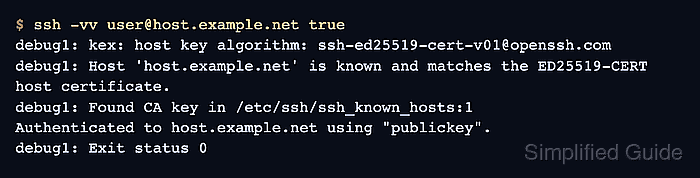
- Connect from a client with verbose logging to confirm host certificate trust.
$ ssh -vv user@host.example.net true
debug1: kex: host key algorithm: ssh-ed25519-cert-v01@openssh.com
debug1: Server host certificate: ssh-ed25519-cert-v01@openssh.com SHA256:L4U4k+DFLGChZQ8NNupJ5M8PRt8mwmFjybuUUhgM/Eg
##### snipped #####
debug1: Host 'host.example.net' is known and matches the ED25519-CERT host certificate.
debug1: Found CA key in /etc/ssh/ssh_known_hosts:1
Authenticated to host.example.net using "publickey".
debug1: Exit status 0
The ED25519-CERT host key algorithm, matching host certificate message, and Found CA key line prove that the client trusted the server through the host CA instead of a per-host key pin.
Related: Connect to an SSH server from Linux