How to enable or disable GSSAPI authentication in SSH
SSH servers that do not use Kerberos or another GSSAPI login system should not spend connection setup time offering that authentication path. Servers that do rely on Kerberos tickets need the same option enabled so ticket-based logins can be accepted without falling back to passwords or keys.
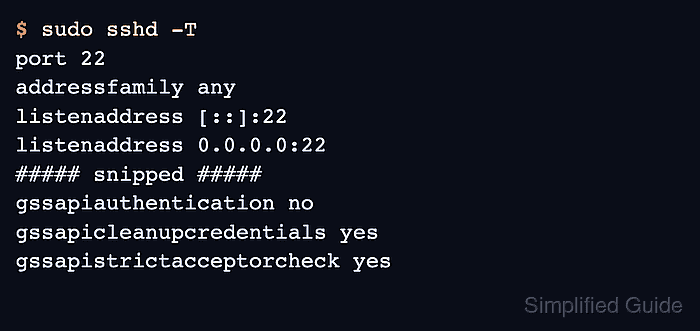
The OpenSSH server controls this behavior with GSSAPIAuthentication in the sshd configuration. The upstream default is no, and setting it to yes only allows the server-side method; a working GSSAPI login still needs the client to request GSSAPI authentication and the Kerberos environment to provide valid tickets, service principals, and keytab material.
Treat the change like any other remote-access policy edit. Check the effective daemon value first, edit the file that supplies the active setting or an included local drop-in, test the configuration before reloading, and keep another login path open until a fresh SSH session succeeds.
Related: How to speed up SSH authentication
Related: How to disable reverse DNS lookup in SSH
Steps to enable or disable SSH GSSAPI authentication:
- Open a terminal on the SSH server with an account that can use sudo.
- Keep a second SSH session or console path available before editing authentication policy.
- Check the effective GSSAPIAuthentication value.
$ sudo sshd -T
port 22
addressfamily any
listenaddress [::]:22
listenaddress 0.0.0.0:22
##### snipped #####
gssapiauthentication no
gssapicleanupcredentials yes
gssapistrictacceptorcheck yes
gssapikeyexchange no
##### snipped #####
sshd -T prints the baseline server policy after defaults and included files are applied. Use sudo sshd -T -C user=user,addr=203.0.113.10 when Match blocks can change authentication by user or source address.
Related: How to view SSH server configuration - Find any active GSSAPIAuthentication directive already saved on the server.
$ sudo grep --recursive --line-number '^GSSAPIAuthentication' /etc/ssh/sshd_config /etc/ssh/sshd_config.d
/etc/ssh/sshd_config.d/90-gssapi.conf:1:GSSAPIAuthentication no
No output means sshd is using the built-in default unless a Match block changes it. Add a top-level setting before any Match block, or use an included drop-in file when the main config has an Include line for /etc/ssh/sshd_config.d.
- Open the file that should carry the local server policy.
$ sudoedit /etc/ssh/sshd_config.d/90-gssapi.conf
Edit the file shown by the previous command when it already contains the active setting. Use /etc/ssh/sshd_config instead when the server does not load drop-in files.
- Set GSSAPIAuthentication to the required value.
GSSAPIAuthentication no
Use no to disable GSSAPI logins on hosts that do not use Kerberos. Use yes only when the server has the needed GSSAPI/Kerberos configuration and clients are expected to authenticate with tickets.
- Save the configuration file.
- Test the SSH daemon configuration.
$ sudo sshd -t
No output means sshd parsed the configuration successfully.
Related: How to test SSH server configuration - Reload the SSH service.
$ sudo systemctl reload ssh
Use sudo systemctl reload sshd on systems where the unit is named sshd. If reload is not supported, restart the unit only after the syntax test succeeds.
Related: How to manage the SSH server service with systemctl - Verify the effective value after the reload.
$ sudo sshd -T
port 22
addressfamily any
##### snipped #####
gssapiauthentication no
gssapicleanupcredentials yes
gssapistrictacceptorcheck yes
##### snipped #####
- Open a new SSH session from a client.
$ ssh user@host.example.net 'echo SSH login ready'
SSH login ready
The smoke test confirms that the daemon accepted the edited policy and still permits a new login. To prove an enabled GSSAPI path, run the test from a Kerberos-configured client that has a valid ticket and client-side GSSAPIAuthentication yes.
Related: How to log in to an SSH server from Linux