How to disable keyboard-interactive authentication in SSH
Keyboard-interactive prompts can keep PAM-backed password or one-time-code flows available even when regular SSH password authentication is controlled separately. On servers that should not offer challenge-style login prompts, disabling this method removes one authentication path from new OpenSSH sessions.
The OpenSSH server exposes the setting as KbdInteractiveAuthentication in /etc/ssh/sshd_config or an included file under /etc/ssh/sshd_config.d. Current Debian and Ubuntu packages load drop-in files near the start of the main configuration, and OpenSSH uses the first value it reads for most global directives, so an early local drop-in can override later packaged defaults.
Keyboard-interactive authentication is also the path used by many PAM-based OTP and 2FA setups. Disable it only after confirming those prompts are no longer required, and keep an existing session or console path available until a new client test confirms the server no longer offers keyboard-interactive.
Steps to disable keyboard-interactive authentication in SSH:
- Open a terminal on the SSH server with sudo privileges.
$ whoami
user
Keep a second session or console access available before changing authentication settings. A bad sshd configuration can block new remote logins.
- Inspect the main sshd configuration for an included drop-in directory.
$ sudo less /etc/ssh/sshd_config
##### snipped #####
Include /etc/ssh/sshd_config.d/*.conf
##### snipped #####
If the server does not include /etc/ssh/sshd_config.d/*.conf, make the same directive change in /etc/ssh/sshd_config instead.
- Open an early local drop-in file for the keyboard-interactive override.
$ sudoedit /etc/ssh/sshd_config.d/01-disable-kbd-interactive.conf
The low numeric prefix helps this local value appear before later package or cloud snippets in the include order.
- Set KbdInteractiveAuthentication to no in the drop-in file.
KbdInteractiveAuthentication no
ChallengeResponseAuthentication is a deprecated alias for the same setting in current OpenSSH. If an older local file still uses that name, set the existing alias to no or replace it with KbdInteractiveAuthentication.
- Test the sshd configuration syntax.
$ sudo sshd -t
No output means the daemon parsed the active configuration without a blocking syntax error.
Related: How to test SSH server configuration - Reload the SSH service.
$ sudo systemctl reload ssh
Use sudo systemctl reload sshd on distributions where the service unit is sshd instead of ssh.
Related: How to manage the SSH server service with systemctl - Confirm the effective daemon setting.
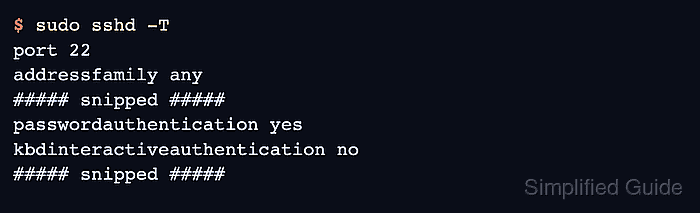
$ sudo sshd -T
port 22
addressfamily any
listenaddress [::]:22
listenaddress 0.0.0.0:22
usepam yes
##### snipped #####
passwordauthentication yes
kbdinteractiveauthentication no
##### snipped #####
PasswordAuthentication can remain yes while keyboard-interactive is disabled. Disable password authentication separately when the policy requires key-only logins.
- Probe the server from a client using only keyboard-interactive authentication.
$ ssh -vv -o PreferredAuthentications=keyboard-interactive -o PubkeyAuthentication=no -o PasswordAuthentication=no user@host.example.net
##### snipped #####
debug1: Authentications that can continue: publickey,password
debug1: No more authentication methods to try.
user@host.example.net: Permission denied (publickey,password).
The command is expected to fail. The offered methods exclude keyboard-interactive, confirming that the server no longer advertises that authentication path.