How to disable reverse DNS lookup in SSH
Slow SSH login prompts can come from a server trying to resolve each client address before authentication. Current OpenSSH builds default UseDNS to no, but older or customized sshd configurations may still enable reverse lookups and wait on broken PTR records or slow resolvers.
The UseDNS directive belongs to the OpenSSH server configuration read from /etc/ssh/sshd_config and included drop-in files. When the effective value is yes, sshd looks up the connecting address and checks that the hostname resolves back to the same address before continuing with authentication logging and host-based matching.
Disabling the lookup keeps new sessions from waiting on reverse DNS, but it also means hostname patterns cannot be used in ~/.ssh/authorized_keys from restrictions or Match Host rules. Check the active setting before editing, change only the file that supplies the first active UseDNS value, validate the daemon configuration, and keep another login path open until a new SSH session succeeds.
Steps to disable reverse DNS lookup in SSH:
- Open a terminal on the SSH server with an account that can use sudo, and keep a second SSH session or console path available.
- Check the effective UseDNS value.
$ sudo sshd -T | grep usedns
usedns yes
If the output is already usedns no, current OpenSSH is not doing reverse DNS lookups for normal new connections and no server change is required.
Related: How to view SSH server configuration
- Open the main SSH daemon configuration file.
$ sudoedit /etc/ssh/sshd_config
sshd uses the first value it obtains, so change an existing active UseDNS line instead of adding a duplicate later in the file. Current Linux packages may also load files from /etc/ssh/sshd_config.d through an Include directive.
- Set the top-level UseDNS directive to no.
UseDNS no
Place a global UseDNS setting before any Match block. If the active setting is in an included drop-in file, update that file instead of leaving a conflicting earlier value in place.
- Save the configuration file.
- Test the SSH daemon configuration.
$ sudo sshd -t
No output means sshd parsed the configuration successfully.
Related: How to test SSH server configuration
- Reload the SSH service.
$ sudo systemctl reload ssh
Use sudo systemctl reload sshd on systems where the unit is named sshd. If the unit does not support reload, restart it only after the syntax test succeeds.
- Verify the effective UseDNS value after the reload.
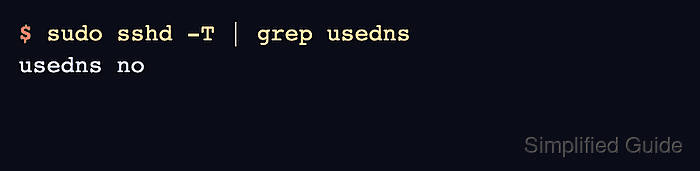
$ sudo sshd -T | grep usedns
usedns no
- Open a new SSH session from another client.
$ ssh user@host.example.net 'echo SSH login ready'
SSH login ready
A successful new session confirms that the daemon accepted the updated configuration while reverse DNS lookup remains disabled.