How to copy an SSH public key to a server
Copying an SSH public key to a server gives a remote account permission to accept the matching private key during login. It is the handoff between creating a local key pair and connecting without typing the remote account password each time.
In an OpenSSH setup, the private key remains on the local machine while the public key is appended to the remote user's ~/.ssh/authorized_keys file. The ssh-copy-id helper logs in over SSH, skips keys already accepted by the server, creates the remote key file when needed, and adds the selected public key in the expected one-line format.
The first copy still needs a working way to authenticate to the remote account, usually the account password or an existing key. Install only the public .pub file for the intended account, keep the private key local, and retest with a fresh ssh command so an old session or cached agent state does not hide a failed install.
Related: How to create an SSH key pair
Related: How to connect with SSH using a private key
Related: How to configure passwordless SSH login
Steps to copy an SSH public key to a server:
- Check the public key file that will be installed.
$ ssh-keygen -lf ~/.ssh/id_ed25519.pub
256 SHA256:mgmhZsjvLm6og8CwKpcX6CiMnuLCosq6LHH+O+mU/5o user@workstation (ED25519)
If the matching .pub file is missing, recreate it from the private key before installing the key.
Related: How to extract a public key from an SSH private key
Tool: SSH Public Key Extractor - Copy the public key to the remote account with ssh-copy-id.
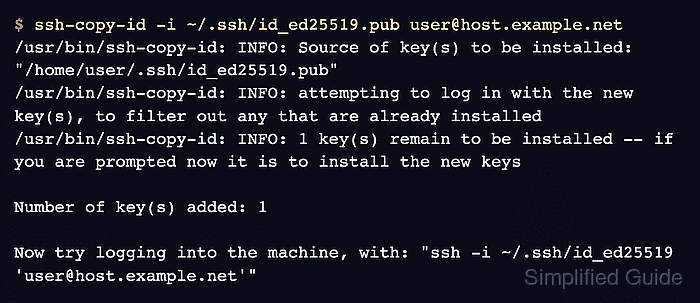
$ ssh-copy-id -i ~/.ssh/id_ed25519.pub user@host.example.net
/usr/bin/ssh-copy-id: INFO: Source of key(s) to be installed: "/home/user/.ssh/id_ed25519.pub"
/usr/bin/ssh-copy-id: INFO: attempting to log in with the new key(s), to filter out any that are already installed
/usr/bin/ssh-copy-id: INFO: 1 key(s) remain to be installed -- if you are prompted now it is to install the new keys

Number of key(s) added: 1

Now try logging into the machine, with: "ssh -i ~/.ssh/id_ed25519 'user@host.example.net'"
and check to make sure that only the key(s) you wanted were added.
The first successful copy usually prompts for the remote account password unless another key or login method already works. Add -p 2222 when the server listens on a non-default port.
Related: How to connect to an SSH server on a different port - Verify that the server accepts the key by running a remote command.
$ ssh -i ~/.ssh/id_ed25519 user@host.example.net 'whoami'
user
A private-key passphrase prompt is local to the client. A remote account password prompt means the server has not accepted the copied key for that account.
Related: How to connect with SSH using a private key - Inspect the remote key file permissions when the copied key is present but login still falls back to password authentication.
$ ssh -i ~/.ssh/id_ed25519 user@host.example.net 'stat -c "%a %n" ~/.ssh ~/.ssh/authorized_keys'
700 /home/user/.ssh
600 /home/user/.ssh/authorized_keys
OpenSSH usually requires the account's .ssh directory and authorized_keys file to be writable only by the account owner. Overly broad permissions can make sshd ignore the key.