How to view SSH server configuration
Auditing an SSH server from the file alone can miss defaults, included drop-ins, and conditional Match rules. The effective daemon output shows the policy sshd will use for new sessions, which is the safer surface when checking a listening port, root-login rule, password authentication state, or forwarding restriction.
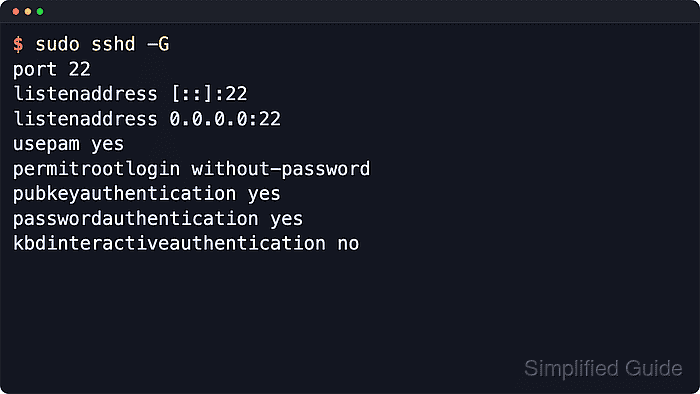
OpenSSH reads /etc/ssh/sshd_config first, then any files named by Include, and it also supplies built-in defaults for directives that are not set in either place. sshd -G parses that configuration tree and prints the effective baseline configuration without starting a new daemon.
Conditional rules need a connection pattern because Match blocks can change settings by user, source address, destination address, local port, host name, or routing domain. Use sshd -T -C when the answer must reflect one simulated login, and keep sensitive values such as internal listen addresses or authorized-key command paths masked before sharing the output.
Related: How to show SSH client configuration
Related: How to test SSH server configuration
Related: How to configure SSH Match blocks
Steps to view SSH server configuration:
- Open a terminal on the SSH server with an account that can use sudo.
- Print the effective baseline sshd configuration.
$ sudo sshd -G
port 22
addressfamily any
listenaddress [::]:22
listenaddress 0.0.0.0:22
usepam yes
pamservicename sshd
logingracetime 120
##### snipped #####
permitrootlogin prohibit-password
pubkeyauthentication yes
passwordauthentication no
kbdinteractiveauthentication no
##### snipped #####
sshd -G validates the configuration, applies included files and defaults, then exits after writing the effective settings.
Related: How to test SSH server configuration
- Compare the lower-case output line with the directive being audited.
PasswordAuthentication appears as passwordauthentication, PermitRootLogin appears as permitrootlogin, and repeated directives such as ListenAddress can appear on multiple lines.
- Simulate a connection pattern when the server uses Match blocks.
$ sudo sshd -T -C user=deploy,addr=192.0.2.50
port 22
addressfamily any
listenaddress [::]:22
listenaddress 0.0.0.0:22
usepam yes
##### snipped #####
permitrootlogin prohibit-password
pubkeyauthentication yes
passwordauthentication yes
kbdinteractiveauthentication no
##### snipped #####
permittty no
##### snipped #####
The example shows password authentication allowed and TTY allocation disabled after matching User and Address conditions are applied.
Related: How to configure SSH Match blocks
- Add only the connection fields used by the server's Match rules.
sshd -T -C accepts user=, addr=, host=, laddr=, lport=, and rdomain= values. Leave unused fields out so the simulated connection stays readable.
- Inspect the source files only when the effective output points to an unexpected value.
$ sudo less /etc/ssh/sshd_config
Look for Include lines and then check the matching files under paths such as /etc/ssh/sshd_config.d/.