How to fix SSH authorized_keys permissions
Public-key login can fail even when the right key is present if sshd refuses to trust the path that contains ~/.ssh/authorized_keys. World-writable directories, loose key-file modes, or ownership that does not match the target account can make OpenSSH skip the key and return Permission denied (publickey).
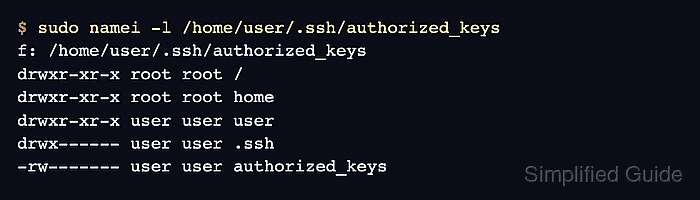
With StrictModes enabled, sshd checks the target user's home directory, the .ssh directory, and the active AuthorizedKeysFile before accepting a public key. The safest repair is to make the account own the path, remove group and other write access from the home directory, and set ~/.ssh to 700 with authorized_keys at 600.
The server may use a custom AuthorizedKeysFile path, especially inside Match blocks for specific users or source addresses. Confirm the effective server settings first, then fix the file that sshd actually reads instead of repairing the wrong account or an unused key file.
Steps to fix SSH authorized_keys permissions:
- Reproduce the failing key login from the client.
$ ssh -i ~/.ssh/id_ed25519 -o IdentitiesOnly=yes -v user@host.example.net true
debug1: Connecting to host.example.net [203.0.113.50] port 22.
debug1: Authenticating to host.example.net:22 as 'user'
##### snipped #####
debug1: Offering public key: /home/user/.ssh/id_ed25519 ED25519 SHA256:RcLq4UjRUMxz9zGUc3qIoG9GU+wYu7eEJ4ilkGBZUTc explicit
debug1: Authentications that can continue: publickey
debug1: No more authentication methods to try.
user@host.example.net: Permission denied (publickey).
Offering public key shows that the client tried the expected identity. The missing Server accepts key line keeps the investigation on the server-side key file and account checks.
- Confirm the effective sshd public-key settings for the target account.
$ sudo sshd -T -C user=user,host=client.example.net,addr=203.0.113.10
port 22
##### snipped #####
pubkeyauthentication yes
strictmodes yes
##### snipped #####
authorizedkeysfile .ssh/authorized_keys .ssh/authorized_keys2
Use the real username and representative client address, because Match rules can change the active AuthorizedKeysFile for one user or source network.
Related: How to view SSH server configuration
- Inspect the ownership and modes on the active authorized-keys path.
$ sudo namei -l /home/user/.ssh/authorized_keys
f: /home/user/.ssh/authorized_keys
drwxr-xr-x root root /
drwxr-xr-x root root home
drwxrwxrwx user user user
drwxrwxrwx user user .ssh
-rw-rw-rw- user user authorized_keys
World-writable path components allow another local account to replace or alter trusted keys, so sshd should not accept this path while StrictModes is enabled.
- Restore ownership for the account path and key file.
$ sudo chown user:user /home/user /home/user/.ssh /home/user/.ssh/authorized_keys
Use the actual remote account name. If a configuration-management system intentionally keeps authorized_keys root-owned, follow that policy but keep the file unwritable by group and others.
- Remove group and other write access from the home directory.
$ sudo chmod go-w /home/user
This preserves existing read and execute choices on the home directory while removing the write bits that can make the path unsafe for StrictModes checks.
Tool: chmod Calculator
- Restrict the .ssh directory to the account owner.
$ sudo chmod 700 /home/user/.ssh
The directory needs owner read, write, and execute access so the account can manage key files, while group and other users should have no access.
- Restrict the authorized_keys file to owner read and write access.
$ sudo chmod 600 /home/user/.ssh/authorized_keys
Use the custom file path from authorizedkeysfile when the effective sshd settings point somewhere other than ~/.ssh/authorized_keys.
- Recheck the authorized-keys path after the repair.
$ sudo namei -l /home/user/.ssh/authorized_keys
f: /home/user/.ssh/authorized_keys
drwxr-xr-x root root /
drwxr-xr-x root root home
drwxr-xr-x user user user
drwx------ user user .ssh
-rw------- user user authorized_keys
- Test public-key login again from the client.
$ ssh -i ~/.ssh/id_ed25519 -o IdentitiesOnly=yes user@host.example.net 'whoami'
user
A successful remote command without a remote account password prompt confirms that sshd accepted the key from the repaired authorized_keys path.