How to show failed SSH attempts
Failed SSH attempts matter when a server starts rejecting real users, stale automation keeps retrying old credentials, or public probes are cycling through account names. The authentication log shows the attempted user, source address, and rejection type so the failed access can be separated from successful login activity.
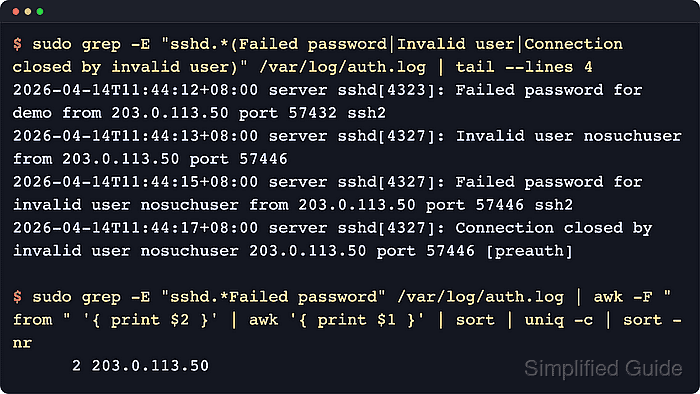
The OpenSSH server records rejected authentication through the host logging stack. On current Ubuntu and Debian systems with classic authentication logs enabled, failed password lines appear in /var/log/auth.log and may be tagged by sshd or by the newer sshd-session process name.
Reading authentication logs requires sudo or membership in a log-reading group such as adm. The current log file only covers the retention window still present on the host, so older attempts may be in rotated files or only in the systemd journal on journal-only systems.
Steps to show failed SSH attempts:
- Open a terminal on the SSH server with privileges to read authentication logs.
- Show failed password entries from the authentication log.
$ sudo grep "Failed password" /var/log/auth.log
2026-06-13T01:24:26.553303+00:00 host sshd-session[256]: Failed password for user from 203.0.113.10 port 54218 ssh2
2026-06-13T01:24:28.598697+00:00 host sshd-session[261]: Failed password for invalid user nosuchuser from 203.0.113.10 port 54218 ssh2
No output means the current file has no matching failed-password lines. On journal-only hosts, run sudo journalctl --identifier=sshd --identifier=sshd-session --since today --grep "Failed password" --no-pager instead.
- Read the account name and source address from the failed-password line.
Failed password for user points to an existing account with rejected credentials. Failed password for invalid user points to a username that does not exist on the server.
- Check unknown-user probes when the failed-password line does not show the earlier username discovery event.
$ sudo grep "Invalid user" /var/log/auth.log
2026-06-13T01:24:27.182816+00:00 host sshd-session[261]: Invalid user nosuchuser from 203.0.113.10 port 54218
Invalid-user lines are common during automated scans. Treat repeated attempts from the same address as input for rate limiting or banning rather than as proof that an account was compromised.
- Watch new failed password entries while reproducing a login problem.
$ sudo journalctl --identifier=sshd --identifier=sshd-session --since now --follow --grep "Failed password" --no-pager
Jun 13 01:28:10 host sshd-session[314]: Failed password for user from 203.0.113.10 port 54218 ssh2
Press Ctrl+C to stop following the journal after the test attempt appears.