How to run Snort against a packet capture
Packet-capture replay lets a Snort sensor inspect traffic from an incident, lab test, or rule change without waiting for the packets to appear again on an interface. Reading a saved pcap keeps the live sensor out of the test path while still exercising the rule, decoder, DAQ, and alert logger that matter for detection.
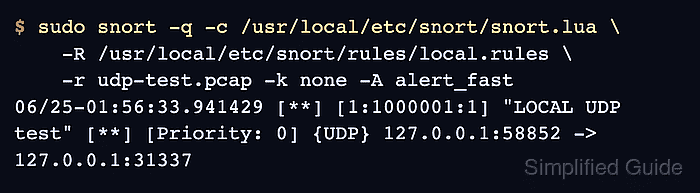
Snort 3 reads capture files with the pcap DAQ when -r points at a pcap. A source-build layout normally uses /usr/local/etc/snort/snort.lua for the Lua configuration, and -R can add a local rule file for focused replay tests.
Use a pcap that should contain the traffic your rule expects. Loopback-generated captures often carry checksum metadata that Snort would otherwise reject, so -k none belongs on lab replay commands only when the capture source needs that exception.
Related: How to test a Snort rule
Related: How to view Snort alert logs
Steps to run Snort against a packet capture:
- Confirm that the pcap file is readable.
$ ls -lh udp-test.pcap
-rw-r--r-- 1 analyst analyst 92 Jun 25 01:56 udp-test.pcap
- Inspect the packet payload when the replay should trigger a specific content rule.
$ tcpdump -nn -XX -r udp-test.pcap
reading from file udp-test.pcap, link-type EN10MB (Ethernet), snapshot length 262144
01:56:33.941429 IP 127.0.0.1.58852 > 127.0.0.1.31337: UDP, length 10
	0x0000:  0000 0000 0000 0000 0000 0000 0800 4500  ..............E.
	0x0010:  0026 e92e 4000 4011 5396 7f00 0001 7f00  .&..@.@.S.......
	0x0020:  0001 e5e4 7a69 0012 fe25 534e 4f52 5454  ....zi...%SNORTT
	0x0030:  4553 540a                                EST.
- Validate the Snort configuration and local rule file.
$ sudo snort -c /usr/local/etc/snort/snort.lua \
    -R /usr/local/etc/snort/rules/local.rules -T
--------------------------------------------------
o")~   Snort++ 3.12.2.0
--------------------------------------------------
Loading /usr/local/etc/snort/snort.lua:
##### snipped #####
Loading /usr/local/etc/snort/rules/local.rules:
Finished /usr/local/etc/snort/rules/local.rules:
##### snipped #####
rule counts
       total rules loaded: 220
               text rules: 220
            option chains: 220
            chain headers: 2
##### snipped #####
pcap DAQ configured to passive.

Snort successfully validated the configuration (with 0 warnings).
o")~   Snort exiting
Use -q only when automation checks the exit status, because it suppresses the normal validation transcript.
Related: How to test Snort configuration - Run Snort against the pcap with fast alerts on stdout.
$ sudo snort -q -c /usr/local/etc/snort/snort.lua \
    -R /usr/local/etc/snort/rules/local.rules \
    -r udp-test.pcap -k none -A alert_fast
06/25-01:56:33.941429 [**] [1:1000001:1] "LOCAL UDP test" [**] [Priority: 0] {UDP} 127.0.0.1:58852 -> 127.0.0.1:31337
-r selects pcap readback. Use -k none only for captures with checksum metadata that blocks the lab packet from matching.
- Create the alert log directory when replay evidence should be saved.
$ sudo install -d -m 0755 /var/log/snort
- Replay the pcap with the fast alert logger set to file output.
$ sudo snort -q -c /usr/local/etc/snort/snort.lua \
    -R /usr/local/etc/snort/rules/local.rules \
    -r udp-test.pcap -k none -A alert_fast \
    --lua 'alert_fast = { file = true }' \
    -l /var/log/snort
alert_fast prints to stdout by default. Setting alert_fast.file to true writes the same compact alert format to /var/log/snort/alert_fast.txt.
Related: How to view Snort alert logs - Read the saved alert file.
$ sudo cat /var/log/snort/alert_fast.txt
06/25-01:56:33.941429 [**] [1:1000001:1] "LOCAL UDP test" [**] [Priority: 0] {UDP} 127.0.0.1:58852 -> 127.0.0.1:31337
- Confirm packet and detection counters without quiet mode.
$ sudo snort -c /usr/local/etc/snort/snort.lua \
    -R /usr/local/etc/snort/rules/local.rules \
    -r udp-test.pcap -k none -A alert_fast
##### snipped #####
pcap DAQ configured to read-file.
Commencing packet processing
++ [0] udp-test.pcap
06/25-01:56:33.941429 [**] [1:1000001:1] "LOCAL UDP test" [**] [Priority: 0] {UDP} 127.0.0.1:58852 -> 127.0.0.1:31337
-- [0] udp-test.pcap
--------------------------------------------------
Packet Statistics
--------------------------------------------------
daq
                    pcaps: 1
                 received: 1
                 analyzed: 1
                    allow: 1
                 rx_bytes: 52
--------------------------------------------------
codec
                    total: 1           	(100.000%)
                      eth: 1           	(100.000%)
                     ipv4: 1           	(100.000%)
                      udp: 1           	(100.000%)
##### snipped #####
detection
                 analyzed: 1
             raw_searches: 1
             pkt_searches: 1
                   alerts: 1
             total_alerts: 1
                   logged: 1
--------------------------------------------------
ips_actions
                    alert: 1
##### snipped #####
o")~   Snort exiting
Use this non-quiet run when an alert is missing or when the evidence must show that Snort received, decoded, inspected, and logged the pcap traffic.
Related: How to read Snort run statistics