How to switch snap channels
Snap channels let a publisher offer different release streams for the same package. Switching the channel changes which stream an installed snap tracks, which is useful when moving from a test revision to a stable release, following a versioned track, or temporarily testing a candidate build.
A channel is made from a track and a risk level, such as latest/stable or 5.21/candidate. The snap refresh –channel command changes the tracked channel and installs the current revision from that channel when one is available.
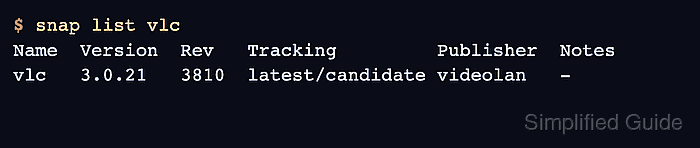
A completed switch should show the new channel in the Tracking column of snap list and the application should still pass its normal smoke test. Switching channels is different from snap revert, which activates a retained revision without changing the tracked channel.
Related: How to check snap package information
Related: How to revert a snap package
Related: How to manage snap refresh schedule
Steps to switch snap channels:
- Inspect the channels published for the snap.
$ snap info vlc
name:      vlc
publisher: VideoLAN
channels:
  latest/stable:    3.0.20
  latest/candidate: 3.0.21
  latest/beta:      4.0.0
  latest/edge:      4.0.0
Choose a channel that the publisher actually exposes. Not every snap has beta, edge, or versioned tracks.
- Check the currently tracked channel.
$ snap list vlc
Name  Version  Rev   Tracking       Publisher  Notes
vlc   3.0.20   3777  latest/stable  videolan   -
- Switch the snap to the target channel.
$ sudo snap refresh vlc --channel=latest/candidate
vlc 3.0.21 from VideoLAN refreshed
Candidate, beta, and edge channels can contain builds that have not reached the publisher's stable channel. Use them only when that release risk is acceptable.
- Confirm the new tracking channel.
$ snap list vlc
Name  Version  Rev   Tracking         Publisher  Notes
vlc   3.0.21   3810  latest/candidate videolan   -
- Run a smoke test for the application or command.
$ vlc --version
VLC media player 3.0.21 Vetinari
- Switch back to the stable channel when testing ends.
$ sudo snap refresh vlc --channel=latest/stable
vlc 3.0.20 from VideoLAN refreshed