How to calculate text similarity with Sentence Transformers
Embedding models place semantically related text near the same region of vector space even when the wording differs. Comparing those vectors exposes which candidate best matches an input before the same scoring logic is used in search, clustering, or reranking code.
The SentenceTransformer.similarity() method returns an all-pairs score matrix. Each row represents one input text, each column represents one reference text, and the largest value in a row identifies the closest reference under the model's configured metric.
Cosine is the default similarity function for SentenceTransformer models. Its values are relative scores for texts encoded by the same model and preprocessing path, because changing the model or metric changes how the numbers should be interpreted.
Steps to calculate Sentence Transformers text similarity:
- Create calculate_similarity.py with a cosine SentenceTransformer model.
- calculate_similarity.py
from sentence_transformers import SentenceTransformer, SimilarityFunction


model = SentenceTransformer(
    "sentence-transformers/all-MiniLM-L6-v2",
    similarity_fn_name=SimilarityFunction.COSINE,
)
The model and similarity function must match any embeddings compared later.
Related: How to install Sentence Transformers with pip - Add both comparison text batches below the model definition.
- calculate_similarity.py
reference_texts = [
    "Reset an account password.",
    "Schedule a database backup.",
    "Bake sourdough bread.",
]
input_texts = [
    "Change my account password.",
    "Schedule a backup for the database.",
]
- Encode both text batches below their list definitions.
- calculate_similarity.py
reference_embeddings = model.encode(reference_texts, show_progress_bar=False)
input_embeddings = model.encode(input_texts, show_progress_bar=False)
- Calculate the all-pairs similarity matrix below the embedding calls.
- calculate_similarity.py
scores = model.similarity(input_embeddings, reference_embeddings)
- Add the score reporting block below the similarity calculation.
- calculate_similarity.py
print("similarity function:", model.similarity_fn_name)
print("score matrix:")
print(scores)
print("top matches:")
for input_text, row in zip(input_texts, scores):
    best_index = int(row.argmax())
    print(
        f"{float(row[best_index]):.4f} | "
        f"{input_text} -> {reference_texts[best_index]}"
    )
- Run the completed similarity script in the selected Python environment.
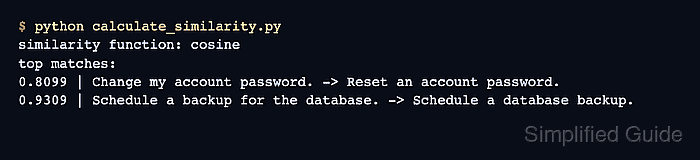
$ python calculate_similarity.py similarity function: cosine score matrix: tensor([[0.8099, 0.2072, 0.0756], [0.3381, 0.9309, 0.1168]]) top matches: 0.8099 | Change my account password. -> Reset an account password. 0.9309 | Schedule a backup for the database. -> Schedule a database backup. - Confirm that each score-matrix row selects the intended reference text.
The columns follow the order of reference_texts. Higher cosine values indicate closer embedding direction, so the first input should select the password-reset reference and the second should select the database-backup reference.