How to troubleshoot Selenium timeout errors
Selenium timeout errors usually mean the browser did not reach the state the test expected before a wait deadline expired. The same visible symptom can come from an element wait, navigation wait, async script, frame context, stale DOM, or blocked click target, so increasing a number often hides the actual cause.
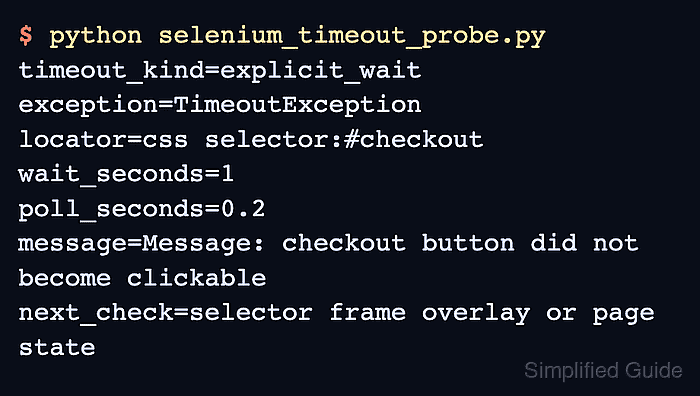
Selenium exposes separate timeout paths. WebDriverWait raises TimeoutException when an explicit condition stays false, the session pageLoad timeout applies to navigation, the script timeout applies to async scripts, and implicit waits change element lookup polling. Treat those paths separately so a selector problem does not become a global slow-test setting.
A focused pass starts by reproducing one failing wait, adding a locator-specific message, confirming the active window or frame, and retesting the original path. Keep sample hostnames and selectors sanitized when sharing output because timeout traces often include application URLs, element names, and user-flow details.
Steps to troubleshoot Selenium timeout errors:
- Run the narrowest test or local probe that reproduces the timeout.
$ python selenium_timeout_probe.py
timeout_kind=explicit_wait
exception=TimeoutException
locator=css selector:#checkout
wait_seconds=1
poll_seconds=0.2
message=Message: checkout button did not become clickable
next_check=selector frame overlay or page state
The exception message should name the locator, condition, or user action that timed out. If the message is blank, add a custom wait message before changing timeout values.
- Classify the timeout layer before changing wait lengths.
TimeoutException from WebDriverWait means the explicit condition did not become true. Navigation timeouts usually happen at driver.get(), and async script timeouts happen when execute_async_script() does not call its callback before the script timeout expires.
- Set implicit wait to zero while diagnosing explicit element waits.
driver.implicitly_wait(0)
Selenium treats implicit wait as element-location polling. A high implicit wait can make each explicit-wait poll slower and blur which locator is actually failing.
- Add a locator-specific message to the failing explicit wait.
wait = WebDriverWait(driver, 10, poll_frequency=0.5)
button = wait.until(
    EC.element_to_be_clickable((By.CSS_SELECTOR, "#checkout")),
    "checkout button did not become clickable",
)
- Match the expected condition to the action that follows it.
checkout = wait.until(EC.element_to_be_clickable((By.CSS_SELECTOR, "#checkout")))
checkout.click()
Waiting only for presence can still time out later if the element is hidden, covered, disabled, or replaced before the click.
- Switch into the required frame before waiting for elements inside it.
driver.switch_to.default_content()
WebDriverWait(driver, 5).until(
    EC.frame_to_be_available_and_switch_to_it((By.CSS_SELECTOR, "iframe#checkout"))
)
Use this only when the target element is inside an iframe; otherwise the timeout usually points back to selector, page state, overlay timing, or stale DOM replacement.
- Set a page-load timeout only when the failure happens during navigation.
driver.set_page_load_timeout(30)
The pageLoad timeout controls how long navigation may run. It does not fix an element condition that times out after the page has already loaded.
- Wait for application readiness after navigation completes.
WebDriverWait(driver, 10).until(
    lambda d: d.execute_script("return document.readyState") == "complete"
)
Single-page apps may need a more specific condition, such as a route marker, enabled button, or loaded data row, because document.readyState can become complete before the UI is ready for the next action.
- Retest the original failing path after correcting the wait, selector, frame, or timeout layer.
$ python -m pytest tests/test_checkout.py::test_checkout_button -q
.
1 passed in 4.82s
- Remove any throwaway timeout probe that is not part of the test suite.
$ rm selenium_timeout_probe.py