How to find Selenium elements with CSS selectors
A browser test is easiest to maintain when each locator describes a stable piece of the page rather than its current visual layout. An id or durable attribute can identify the intended field directly, while a lookup scoped to a parent element prevents a repeated child selector from drifting into another form or component.
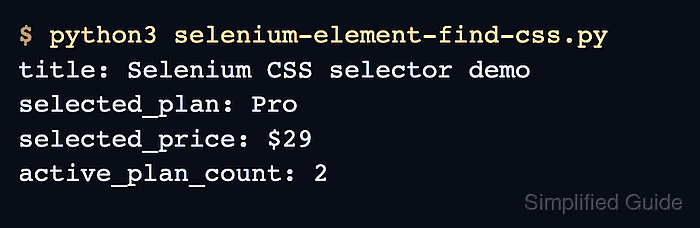
Python Selenium passes By.CSS_SELECTOR values to the browser's CSS selector engine. find_element() returns the first match and raises an exception when no element matches; find_elements() returns every match as a list, including an empty list when the selector matches nothing.
The runnable check uses Selenium's locator test page with headless Firefox. It assumes the Python bindings and a compatible Firefox driver are already available, then proves both a page-level id selector and a form-scoped attribute selector with assertions against the returned DOM state.
Steps to find Selenium elements with CSS selectors:
- Create selenium-css-locators.py with the imports and browser lifetime.
- selenium-css-locators.py
from selenium import webdriver
from selenium.webdriver.common.by import By
from selenium.webdriver.support import expected_conditions as EC
from selenium.webdriver.support.ui import WebDriverWait


options = webdriver.FirefoxOptions()
options.add_argument("-headless")

driver = webdriver.Firefox(options=options)
try:
    pass
finally:
    driver.quit()
The finally block closes Firefox even when a locator or assertion fails.
- Replace pass inside the try block with the first locator section.
driver.get(
    "https://www.selenium.dev/selenium/web/locators_tests/locators.html"
)

first_name = WebDriverWait(driver, 10).until(
    EC.visibility_of_element_located((By.CSS_SELECTOR, "#fname"))
)
WebDriverWait retries the #fname lookup until the field is visible or the timeout expires. Mixing an explicit wait with an implicit wait can make the combined timeout unpredictable.
Related: How to use explicit waits in Selenium - Append the parent-scoped collection section below the first_name lookup.
contact_form = driver.find_element(By.CSS_SELECTOR, "form")
newsletter_fields = contact_form.find_elements(
    By.CSS_SELECTOR, "input[name='newsletter']"
)
The attribute selector searches only below contact_form. A driver-level find_elements() lookup is appropriate when matching fields across the entire current document is intentional.
- Replace the work-in-progress file with this consolidated selector check.
- selenium-css-locators.py
from selenium import webdriver
from selenium.webdriver.common.by import By
from selenium.webdriver.support import expected_conditions as EC
from selenium.webdriver.support.ui import WebDriverWait


options = webdriver.FirefoxOptions()
options.add_argument("-headless")

driver = webdriver.Firefox(options=options)
try:
    driver.get(
        "https://www.selenium.dev/selenium/web/locators_tests/locators.html"
    )

    first_name = WebDriverWait(driver, 10).until(
        EC.visibility_of_element_located((By.CSS_SELECTOR, "#fname"))
    )

    contact_form = driver.find_element(By.CSS_SELECTOR, "form")
    newsletter_fields = contact_form.find_elements(
        By.CSS_SELECTOR, "input[name='newsletter']"
    )

    first_name_value = first_name.get_attribute("value")
    assert first_name_value == "Jane"
    assert len(newsletter_fields) == 1

    print(f"first_name_value: {first_name_value}")
    print(f"newsletter_matches: {len(newsletter_fields)}")
finally:
    driver.quit()
The assertions make the script fail if either selector resolves to a different DOM state. Stable attributes such as id, name, or application-owned data-* values usually outlast generated classes and long ancestry chains.
- Run the completed selector check to verify both CSS lookups against the live DOM.
$ python3 selenium-css-locators.py
first_name_value: Jane
newsletter_matches: 1