How to select a dropdown option with Selenium
Native HTML select lists expose option labels and values as part of the page's form state. A browser test needs to change that state through the control and confirm the application reacted, because clicking the menu alone does not prove which option remained selected.
The Python binding's Select helper wraps an element found through an ordinary WebDriver locator. select_by_visible_text() matches the label shown in the menu, while select_by_value() targets the option's value attribute when that is the application's stable contract.
The local data page used here fires a change event and writes the chosen label into a status element. Custom dropdowns assembled from <div>, <button>, or <li> elements do not support Select and require locators and clicks that match the widget's own markup.
Steps to select a Selenium dropdown option:
- Create select_dropdown.py with the imports and native dropdown contract.
- select_dropdown.py
import shutil
from urllib.parse import quote

from selenium import webdriver
from selenium.webdriver.chrome.options import Options
from selenium.webdriver.chrome.service import Service
from selenium.webdriver.common.by import By
from selenium.webdriver.support.ui import Select


HTML = """<!doctype html>
<html lang="en">
  <body>
    <label for="plan">Plan</label>
    <select id="plan" name="plan">
      <option value="">Choose a plan</option>
      <option value="starter">Starter</option>
      <option value="team">Team</option>
      <option value="enterprise">Enterprise</option>
    </select>
    <p id="result"></p>
    <script>
      document.querySelector("#plan").addEventListener("change", (event) => {
        const label = event.target.selectedOptions[0].text;
        document.querySelector("#result").textContent = `${label} plan selected`;
      });
    </script>
  </body>
</html>"""
The helper accepts only native <select> and <option> elements. The status element makes the browser's change event observable after selection.
- Append the headless browser function to select_dropdown.py.
def open_dropdown():
    options = Options()
    options.add_argument("--headless=new")
    options.add_argument("--window-size=1280,720")

    browser_path = shutil.which("google-chrome") or shutil.which("chromium")
    if browser_path:
        options.binary_location = browser_path

    driver_path = shutil.which("chromedriver")
    service = Service(driver_path) if driver_path else Service()
    driver = webdriver.Chrome(service=service, options=options)
    driver.get("data:text/html;charset=utf-8," + quote(HTML))
    return driver
The explicit paths use an installed Chrome or Chromium binary and ChromeDriver when available. An empty driver path lets Selenium Manager resolve a compatible driver on supported systems.
- Append the visible-text selection function to select_dropdown.py.
def select_plan(driver):
    menu = Select(driver.find_element(By.ID, "plan"))
    menu.select_by_visible_text("Team")
    return menu
select_by_value(“team”) is the equivalent choice when the option's value attribute is more stable than its displayed label.
- Append the selected-option verification function to select_dropdown.py.
def verify_plan(driver, menu):
    selected = menu.first_selected_option
    selected_text = selected.text
    selected_value = selected.get_attribute("value")
    page_status = driver.find_element(By.ID, "result").text

    assert selected_text == "Team"
    assert selected_value == "team"
    assert page_status == "Team plan selected"

    print(f"selected_text: {selected_text}")
    print(f"selected_value: {selected_value}")
    print(f"page_status: {page_status}")
The three assertions separate the user-facing label, submitted value, and page reaction. A wrong option or missing change event causes the script to exit with an assertion failure.
- Append the browser lifecycle entry point to select_dropdown.py.
if __name__ == "__main__":
    browser = open_dropdown()
    try:
        plan_menu = select_plan(browser)
        verify_plan(browser, plan_menu)
    finally:
        browser.quit()
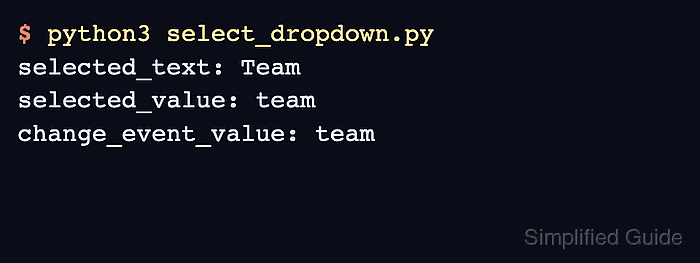
- Run select_dropdown.py to confirm the selected label, value, and page reaction.
$ python3 select_dropdown.py
selected_text: Team
selected_value: team
page_status: Team plan selected