How to move a window in Screen
Window numbers decide where Screen sends quick switches such as C-a 0 and remote commands that target a window with screen -p. Moving a window keeps a busy shell, editor, or monitor running while putting it in the number slot operators expect.
Screen changes the selected window number with its number command. When the destination number is already occupied, Screen exchanges the two windows instead of shifting later windows or closing either program.
Check the window list before and after the change, especially when a title such as logs is selected from another shell. The command flow below was verified with GNU Screen 4.09.01 on Ubuntu 26.04, and the numbering applies only inside the named Screen session.
Related: How to create a window in Screen
Related: How to select a window in Screen
Related: How to rename a window in Screen
Related: How to customize the Screen status line
Steps to move a Screen window:
- List the windows in the target Screen session.
$ screen -S work -Q windows
0 shell  1 logs  2 monitor
Use the session name from screen -ls when the session is not named work. Inside an attached session, C-a " opens the interactive window list.
- Move the logs window to number 2 by title.
$ screen -S work -p logs -X number 2
number 2 swaps with an occupied window. In the verified session, logs takes 2 and monitor moves to 1.
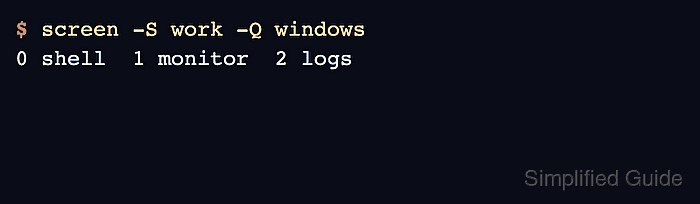
- Confirm the new window order.
$ screen -S work -Q windows
0 shell  1 monitor  2 logs
The logs window is now number 2, and the shell or command running inside it stayed active during the move.
- Move the current window from inside an attached Screen session.
C-a :
number 2
The command prompt form runs number 2 on the current window. Press C-a N afterward to show that window's current number and title in the message line.