Generic Screen window names such as sh or bash become ambiguous when one session contains shells for logs, editors, and long-running jobs. Renaming the current window gives the status line, window list, and remote control commands a label that matches the work still running there.
Screen changes a window label with the title command. In an attached session, the default C-a A binding opens a prompt for the current window; from another terminal, screen -S work -p 0 -X title logs sends the same command to window 0 in the work session.
The command output below was verified with GNU Screen 4.09.01 on Ubuntu 26.04. The rename changes only Screen's title for that window. It does not restart the shell, move the window, or change the session name, and applications can still replace the title later by sending Screen title escape sequences. Verify the window list after the rename before using the label in instructions or automation.
Related: How to create a window in Screen
Related: How to rename a Screen session
Related: How to customize the Screen status line
Steps to rename a Screen window:
- List windows in the target session if renaming from outside the attached Screen client.
$ screen -S work -Q windows
0 sh
The number at the start of the output is the window target for the -p option. In an attached Screen client, use C-a “ to open the interactive window list instead.
- Open the title prompt in the current Screen window when working interactively.
C-a A
C-a A runs Screen's title command without an argument, so Screen prompts for the new title of the current window.
- Type the new window title and press Enter.
logs
Use a short title that still identifies the task in the status line and window list.
- Rename a specific window from another terminal when the session is detached or the target should be explicit.
$ screen -S work -p 0 -X title logs
The -S work option selects the session, -p 0 selects window 0, and title logs applies the new label.
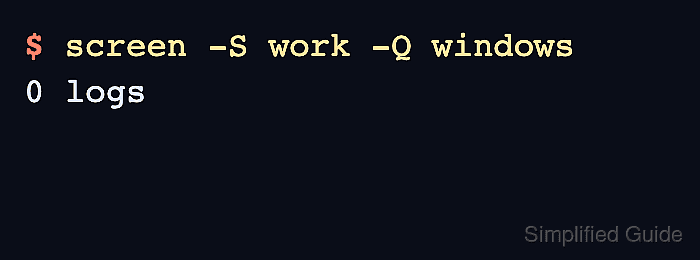
- Query the window list again and confirm the same number now has the new label.
$ screen -S work -Q windows
0 logs
screen -Q windows asks the running session for the same window list Screen shows in the message line. If multiple sessions match work, list sessions first and target the full process-qualified session name.
Programs can change Screen's window title with terminal title escape sequences. Set the title again after changing the prompt or program behavior that replaced it.
Related: How to list Screen sessions

Mohd Shakir Zakaria is a cloud architect with deep roots in software development and open-source advocacy. Certified in AWS, Red Hat, VMware, ITIL, and Linux, he specializes in designing and managing robust cloud and on-premises infrastructures.


