How to export Scrapy items to JSON
Exporting Scrapy items to JSON writes the crawl result as one structured file that can be archived, compared between runs, or handed to another tool without a separate conversion step.
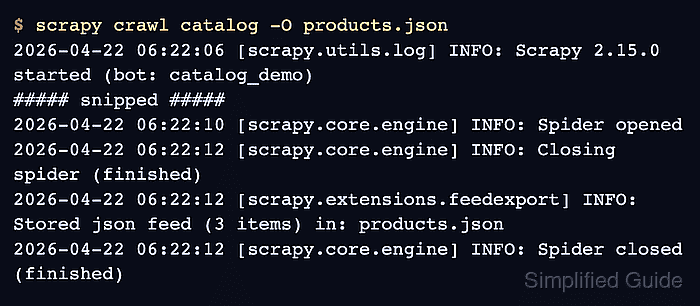
Running scrapy crawl from the project directory with -O products.json uses Scrapy's feed export system, and the .json suffix selects the built-in JsonItemExporter automatically. Scrapy writes the exported items as one JSON array and stores the file when the crawl finishes.
JSON export is best for finished crawl snapshots rather than append-heavy workflows. Current Scrapy command-line docs still distinguish -o as append and -O as overwrite, while the JSON exporter docs still warn that large feeds are better handled as JSON Lines; keep FEED_EXPORT_FIELDS in settings.py when downstream tools need a stable key order in the saved objects.
Related: How to export Scrapy items to CSV
Related: How to enable item pipelines in Scrapy
Tool: JSON Validator
Steps to export Scrapy items to JSON:
- Open a terminal in the Scrapy project directory.
$ cd /srv/catalog_demo
Run the command from the directory that contains scrapy.cfg so Scrapy loads the correct project settings and spider names.
- Run the spider with -O and a .json output file.
$ scrapy crawl catalog -O products.json
2026-04-22 06:22:06 [scrapy.utils.log] INFO: Scrapy 2.15.0 started (bot: catalog_demo)
##### snipped #####
2026-04-22 06:22:10 [scrapy.core.engine] INFO: Spider opened
2026-04-22 06:22:12 [scrapy.core.engine] INFO: Closing spider (finished)
2026-04-22 06:22:12 [scrapy.extensions.feedexport] INFO: Stored json feed (3 items) in: products.json
2026-04-22 06:22:12 [scrapy.core.engine] INFO: Spider closed (finished)
The .json file extension selects Scrapy's built-in JSON feed exporter automatically.
-O replaces any existing products.json before the crawl writes new items.
- Read the saved file to confirm that the crawl produced one complete JSON array.
$ cat products.json
[
{"name": "Starter Plan", "price": "$29", "url": "https://shop.example.com/products/starter-plan"},
{"name": "Team Plan", "price": "$79", "url": "https://shop.example.com/products/team-plan"},
{"name": "Growth Plan", "price": "$129", "url": "https://shop.example.com/products/growth-plan"}
]
The closing ] is written at the end of a successful crawl. Use How to export a feed as JSON Lines in Scrapy when exported items should stay appendable between runs or be consumed before the crawl finishes.
- Parse the file once before handing it to another tool.
$ python3 -c "import json; json.load(open('products.json', encoding='utf-8')); print('OK')"
OK
A successful parse confirms that the saved file is complete JSON instead of a truncated array.