How to define item fields in Scrapy
Defining item fields in Scrapy gives each scraped record a fixed set of keys before loaders, pipelines, or feed exports touch it. That keeps crawl output easier to review and makes missing or renamed data easier to spot when a spider changes.
An item class subclasses scrapy.Item and declares each field with scrapy.Field() inside items.py. Scrapy collects those declarations in Item.fields, and later components can read that registry for field metadata such as serializer instead of guessing which keys the spider might yield.
Field declarations do not clean values or enforce runtime types on their own. Define the field names first, then keep trimming, coercion, and validation in the spider, an ItemLoader, or a pipeline. If a spider assigns an undeclared key, Scrapy raises KeyError, which is useful during development but means every new output key should be added in items.py before the crawl runs.
Related: How to create a Scrapy spider
Related: How to use Item Loaders in Scrapy
Steps to define item fields in Scrapy:
- Open the project item definitions file.
$ vi catalogdemo/items.py
Replace catalogdemo with the Python package name created by scrapy startproject.
- Declare one Field for each value the spider should yield.
import scrapy


class CatalogItem(scrapy.Item):
    name = scrapy.Field()
    price = scrapy.Field(serializer=str)
    url = scrapy.Field()
serializer=str is field metadata stored under CatalogItem.fields[“price”], so exporters or other project code can read it later.
- List the declared fields from Python to confirm that Scrapy registered them.
$ python3 -c "from catalogdemo.items import CatalogItem; print(list(CatalogItem.fields.keys())); print(CatalogItem.fields['price'])"
['name', 'price', 'url']
{'serializer': <class 'str'>}
The Field objects do not stay on the class as normal attributes; CatalogItem.fields is the registry that Scrapy builds from the declarations.
- Update the spider to import the item class and populate only the declared keys.
$ vi catalogdemo/spiders/catalog.py
import scrapy

from catalogdemo.items import CatalogItem


class CatalogSpider(scrapy.Spider):
    name = "catalog"
    allowed_domains = ["catalog.internal.example"]
    start_urls = ["http://catalog.internal.example/"]

    def parse(self, response):
        for product in response.css("article.product"):
            item = CatalogItem()
            item["name"] = product.css("h2 a::text").get()
            price = product.css("p.price::text").get()
            if price:
                item["price"] = price.strip("$")
            href = product.css("h2 a::attr(href)").get()
            item["url"] = response.urljoin(href) if href else None
            yield item
Assigning an undeclared key such as item["title"] raises KeyError, so rename the field in items.py first instead of adding ad-hoc keys in the spider.
- Run the spider and overwrite the JSON export with the current crawl results.
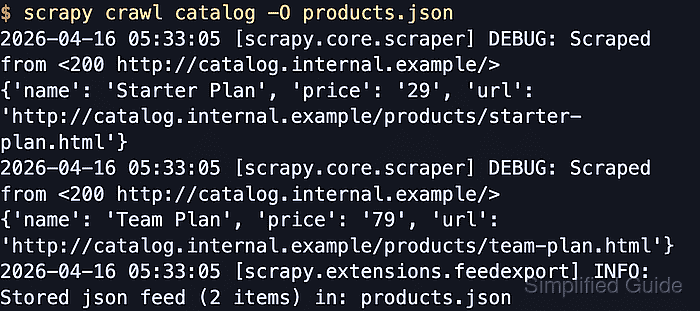
$ scrapy crawl catalog -O products.json
##### snipped #####
2026-04-16 05:33:05 [scrapy.core.scraper] DEBUG: Scraped from <200 http://catalog.internal.example/>
{'name': 'Starter Plan', 'price': '29', 'url': 'http://catalog.internal.example/products/starter-plan.html'}
2026-04-16 05:33:05 [scrapy.core.scraper] DEBUG: Scraped from <200 http://catalog.internal.example/>
{'name': 'Team Plan', 'price': '79', 'url': 'http://catalog.internal.example/products/team-plan.html'}
2026-04-16 05:33:05 [scrapy.extensions.feedexport] INFO: Stored json feed (2 items) in: products.json
-O replaces any existing products.json at that path.
- Open the exported file to confirm that the crawl wrote the declared field names.
$ cat products.json
[
{"name": "Starter Plan", "price": "29", "url": "http://catalog.internal.example/products/starter-plan.html"},
{"name": "Team Plan", "price": "79", "url": "http://catalog.internal.example/products/team-plan.html"}
]
Declaring the fields up front keeps the exported keys stable even when later pages leave one field empty.
Tool: JSON Validator