How to solve a linear system with SciPy
Many numerical models reduce several coupled equations to the matrix form A x = b, where one unknown vector must satisfy every row at once. SciPy exposes LAPACK-backed dense solvers that compute this vector directly without forming a matrix inverse.
The scipy.linalg.solve() function accepts a square coefficient matrix and a compatible vector or matrix right-hand side. The general solver is appropriate for a small dense system; rectangular problems need a least-squares routine, while matrices with mostly zero entries belong in a sparse solver.
A returned vector is only useful if it reproduces the original right-hand side within a suitable floating-point tolerance. Multiplying A @ x and measuring A @ x - b with the infinity norm checks the largest residual component instead of trusting the printed solution values.
Steps to solve a dense linear system with SciPy:
- Create linear_system_solve.py with the imports and dense linear system.
- linear_system_solve.py
import numpy as np
from scipy.linalg import solve


A = np.array(
    [
        [3.0, 1.0, -1.0],
        [2.0, 4.0, 1.0],
        [-1.0, 2.0, 5.0],
    ]
)
b = np.array([4.0, 1.0, 1.0])
- Append the linear-system solution below the input arrays.
x = solve(A, b)
solve() raises LinAlgError for a singular coefficient matrix and may emit LinAlgWarning when the matrix is ill-conditioned.
- Append the residual calculation below the solver call.
reconstructed = A @ x
residual = reconstructed - b
residual_norm = np.linalg.norm(residual, ord=np.inf)
verified = residual_norm < 1e-10
- Append the result display below the residual calculation.
np.set_printoptions(precision=6, suppress=True)
print("solution x:", x)
print("A @ x:", reconstructed)
print(f"residual_inf_norm: {residual_norm:.2e}")
print("verified:", bool(verified))
- Check the residual tolerance with the completed linear-system script.
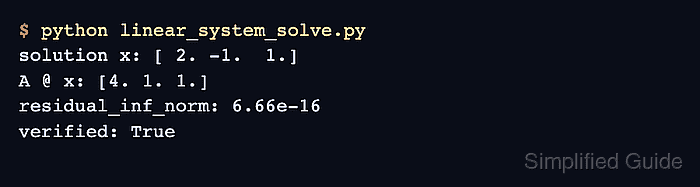
$ python3 linear_system_solve.py
solution x: [ 2. -1.  1.]
A @ x: [4. 1. 1.]
residual_inf_norm: 6.66e-16
verified: True
The reconstructed vector matches b, and verified: True confirms that the largest absolute residual is below 1e-10.