How to update Rust toolchains with rustup
Rust release channels move on a regular cadence, and rustup keeps the compiler, standard library, Cargo, and installed components tied to those channels. Updating before dependency work or release checks keeps the local compiler aligned with the toolchain that the project expects.
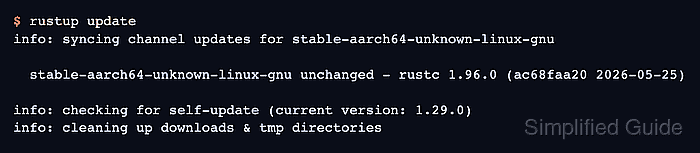
rustup update refreshes every installed channel toolchain, such as stable, beta, or nightly. Exact version toolchains remain pinned to that version; change the project pin or install a different toolchain when the project must move from one fixed Rust release to another.
Run the update from the project directory when the project uses rust-toolchain.toml, rust-toolchain, or a directory override. Checking the active toolchain first prevents updating stable while the project actually builds with a pinned or overridden compiler.
Related: How to install Rust components with rustup
Related: How to check Rust code with Cargo
Steps to update Rust toolchains with rustup:
- Open a terminal in the Rust project directory.
$ cd /work/hello-rust
Replace /work/hello-rust with the directory that contains the project's Cargo.toml file.
- Check the toolchain that Cargo and rustc will use from this directory.
$ rustup show active-toolchain
stable-aarch64-unknown-linux-gnu (default)
A directory override or a rust-toolchain.toml file can select a different toolchain than the global default.
- Update the installed rustup channel toolchains.
$ rustup update
info: syncing channel updates for stable-aarch64-unknown-linux-gnu

  stable-aarch64-unknown-linux-gnu unchanged - rustc 1.96.0 (ac68faa20 2026-05-25)

info: checking for self-update (current version: 1.29.0)
info: cleaning up downloads & tmp directories
unchanged means the channel was already at the newest release available for that host. To update only one installed channel, pass the channel name, for example rustup update stable.
- Confirm the compiler version selected after the update.
$ rustc --version
rustc 1.96.0 (ac68faa20 2026-05-25)
- Check the project with the updated compiler.
$ cargo check
    Checking hello-rust v0.1.0 (/work/hello-rust)
    Finished `dev` profile [unoptimized + debuginfo] target(s) in 0.08s
cargo check confirms the package still compiles after the toolchain refresh. Run the test suite as the next proof when compiler changes can affect behavior.
Related: How to run Rust tests with Cargo