How to add a Cargo feature to a Rust crate
Cargo features let a Rust crate compile optional code paths without splitting the crate or forcing every build to include the same behavior. They are useful for format support, integrations, or heavier code paths that only some callers need.
Cargo reads feature names from the [features] table in Cargo.toml. Rust code checks those names with #[cfg(feature = "name")], and Cargo passes the selected names to rustc when a build or test command uses --features.
Keep a new feature additive. Enabling it should add code or dependencies without removing existing behavior, and the feature should stay out of default unless ordinary builds should receive it automatically.
Related: How to add a Rust dependency with Cargo
Related: How to check Rust code with Cargo
Steps to add a Cargo feature to a Rust crate:
- Open a terminal in the Rust crate root.
The directory should contain the Cargo.toml file for the crate that will define the feature. In a workspace, open the member package that owns the feature unless the feature belongs in the workspace root package.
- Add the feature name to Cargo.toml.
- Cargo.toml
[features]
default = []
json = []
If Cargo.toml already has a [features] table, add the new key inside the existing table instead of creating a second one. Replace json with the feature name for the code path being gated, and leave it out of default when normal builds should not include it.
- Gate the Rust code with the feature name.
- src/lib.rs
pub fn output_format() -> &'static str {
    "text"
}

#[cfg(feature = "json")]
pub fn json_output_format() -> &'static str {
    "json"
}

#[cfg(test)]
mod tests {
    use super::*;

    #[test]
    fn default_format_is_text() {
        assert_eq!(output_format(), "text");
    }

    #[cfg(feature = "json")]
    #[test]
    fn json_format_is_available() {
        assert_eq!(json_output_format(), "json");
    }
}
The #[cfg(feature = "json")] attribute removes the item from builds where json is not enabled.
- Run the default test build.
$ cargo test
   Compiling demo-lib v0.1.0 (/work/demo-lib)
    Finished `test` profile [unoptimized + debuginfo] target(s) in 0.24s
     Running unittests src/lib.rs (target/debug/deps/demo_lib-6a7ce554cb315fe2)

running 1 test
test tests::default_format_is_text ... ok

test result: ok. 1 passed; 0 failed; 0 ignored; 0 measured; 0 filtered out; finished in 0.00s
##### snipped #####
The default run includes only the test that is active without the json feature.
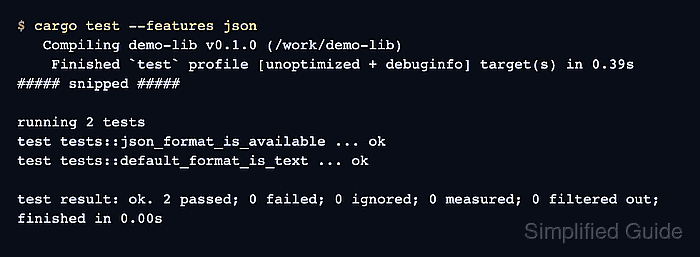
- Run the feature-enabled test build.
$ cargo test --features json
   Compiling demo-lib v0.1.0 (/work/demo-lib)
    Finished `test` profile [unoptimized + debuginfo] target(s) in 0.39s
     Running unittests src/lib.rs (target/debug/deps/demo_lib-f151f5f7b9bc5ce8)

running 2 tests
test tests::json_format_is_available ... ok
test tests::default_format_is_text ... ok

test result: ok. 2 passed; 0 failed; 0 ignored; 0 measured; 0 filtered out; finished in 0.00s
##### snipped #####
The second run includes json_format_is_available because Cargo passes json as an enabled feature.
Related: How to run Rust tests with Cargo