How to require a password for an rsync daemon module
File distribution over an rsync daemon does not have to give every reachable client anonymous access. A module-level credential boundary makes the daemon challenge clients for a named rsync user before it exposes a listing or sends a file.
The auth users directive activates challenge-response authentication for the selected module, while secrets file maps each permitted daemon name to a plaintext password. A simple daemon username such as backup does not need a matching Linux login account.
The daemon rereads /etc/rsyncd.conf for every new connection, so this module change does not need a service restart. Authentication does not encrypt native daemon traffic; retain the module's hosts allow and hosts deny restrictions, keep TCP port 873 on a trusted network or VPN, or use rsync over SSH across an untrusted path.
Steps to require a password for an rsync daemon module:
- Open the active daemon configuration file on the server.
$ sudoedit /etc/rsyncd.conf
- Add the authentication settings inside the existing [archives] module.
/etc/rsyncd.conf
    auth users = backup
    secrets file = /etc/rsyncd.secrets
Keep the module's current path, read only, uid, gid, use chroot, hosts allow, and hosts deny settings. The daemon applies the saved authentication settings to the next client connection.
- Create the server secrets file if it does not already exist.
$ sudo touch /etc/rsyncd.secrets
- Restrict the server secrets file to its owner.
$ sudo chmod 600 /etc/rsyncd.secrets
- Open the server secrets file.
$ sudoedit /etc/rsyncd.secrets
- Add the permitted daemon username and its password.
/etc/rsyncd.secrets
backup:replace-with-a-long-random-password
/etc/rsyncd.secrets stores plaintext passwords. Keep it owned by the account that runs the daemon and unreadable by every other user ID; the default strict modes check rejects a broader mode.
- Verify the server secrets file owner and mode.
$ sudo stat -c '%a %U %G %n' /etc/rsyncd.secrets
600 root root /etc/rsyncd.secrets
- Test the module without daemon credentials and press Enter at the password prompt.
$ rsync rsync://source.example.net/archives/
Password: @ERROR: auth failed on module archives
rsync error: error starting client-server protocol (code 5) at main.c(1872) [Receiver=3.4.1]
A password prompt followed by @ERROR: auth failed confirms the module no longer allows anonymous listing.
- Create a unique client password file for the smoke test.
$ password_file=$(mktemp ~/.rsync-pass.XXXXXX)
- Store only the password in the client password file.
$ nano "$password_file"
replace-with-a-long-random-password
The client file also contains a plaintext password. Do not place the daemon username in it or keep this test file after verification.
- Verify the temporary client password file is readable only by its owner.
$ stat -c '%a %U %G %n' "$password_file"
600 backup backup /home/backup/.rsync-pass.aKf5hN
- List the module with the permitted daemon username.
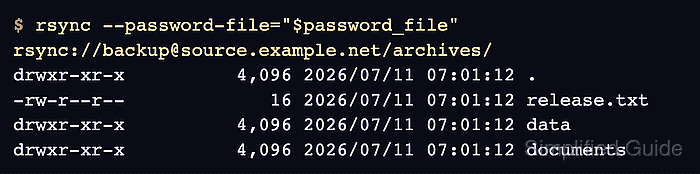
$ rsync --password-file="$password_file" rsync://backup@source.example.net/archives/
drwxr-xr-x          4,096 2026/07/11 12:23:43 .
-rw-r--r--             16 2026/07/11 12:23:43 release.txt
drwxr-xr-x          4,096 2026/07/11 12:23:42 data
drwxr-xr-x          4,096 2026/07/11 12:23:42 documents
- Pull a known file through the authenticated module.
$ rsync -av --password-file="$password_file" rsync://backup@source.example.net/archives/release.txt ./archives-test/
receiving incremental file list
created directory ./archives-test
release.txt

sent 43 bytes  received 113 bytes  104.00 bytes/sec
total size is 16  speedup is 0.10
- Read the copied file to confirm the authenticated pull returned the expected content.
$ cat ./archives-test/release.txt
release 2026.07
- Remove the temporary client test copy.
$ rm -rf ./archives-test
- Remove the temporary client password file.
$ rm -f "$password_file"
Create a separately managed mode-600 client password file only when an automated client needs persistent access.
- List the known remote file without a password file, then enter the daemon password at the prompt.
$ rsync rsync://backup@source.example.net/archives/release.txt
Password:
-rw-r--r--             16 2026/07/11 12:23:43 release.txt
The fresh listing confirms that the protected module still accepts the named daemon user after the temporary client credential file is gone.