How to exclude files and folders when using rsync
Backup and deployment sources often mix deliverable files with caches and temporary output that belong only on the sending host. Rsync can omit those paths while building its file list, so the source remains unchanged and the destination receives only the intended content.
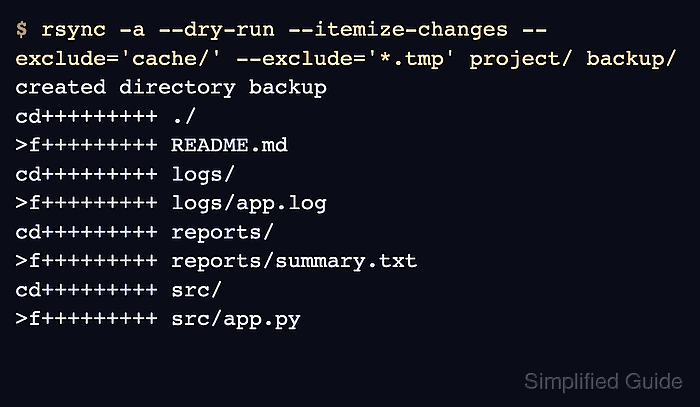
An --exclude-from file keeps one rule set beside a repeatable job and applies the same transfer scope to the preview, live copy, and post-run check. Patterns are relative to the transfer root: /cache/ anchors a directory at the root, while *.tmp matches temporary filenames at any depth.
Filter rules are evaluated in order, and rsync stops at the first match. Lines in an --exclude-from file are exclusions by default, though + and - prefixes can mix explicit includes and excludes; put specific includes before broader excludes if the rule set grows. Ordinary exclusions also protect matching receiver paths from --delete, while --delete-excluded removes that protection.
Related: How to preview rsync changes before syncing
Related: How to debug rsync filter rules
Steps to exclude files and folders with rsync:
- Create an exclude file outside the source tree with one pattern per line.
# /srv/fixture/exclude-rules.txt
/cache/
*.tmp
Blank lines and whole-line comments beginning with # or ; are ignored. The first rule excludes only the root-level cache directory; the second excludes filenames ending in *.tmp anywhere under the transfer root.
- Preview the transfer with the reusable rule file.
$ rsync --archive --dry-run --itemize-changes --exclude-from=/srv/fixture/exclude-rules.txt /srv/fixture/source/ /srv/fixture/destination/
.d..t...... ./
>f+++++++++ README.md
cd+++++++++ logs/
>f+++++++++ logs/app.log
cd+++++++++ reports/
>f+++++++++ reports/summary.txt
cd+++++++++ src/
>f+++++++++ src/app.py
Keep the trailing slash on /srv/fixture/source/ so the source directory's contents become the destination contents. The preview omits cache/session.dat and reports/draft.tmp because they match the two exclude patterns.
Related: How to preview rsync changes before syncing - Review the itemized paths and stop if an intended file is absent or an unwanted path appears.
Do not add --delete-excluded unless excluded receiver-side files should be removed. Preview the exact deletion policy before using it against an important destination.
- Run the live transfer by removing only --dry-run from the approved command.
$ rsync --archive --itemize-changes --exclude-from=/srv/fixture/exclude-rules.txt /srv/fixture/source/ /srv/fixture/destination/
.d..t...... ./
>f+++++++++ README.md
cd+++++++++ logs/
>f+++++++++ logs/app.log
cd+++++++++ reports/
>f+++++++++ reports/summary.txt
cd+++++++++ src/
>f+++++++++ src/app.py
- Repeat the dry run with the same rule file and paths.
$ rsync --archive --dry-run --itemize-changes --exclude-from=/srv/fixture/exclude-rules.txt /srv/fixture/source/ /srv/fixture/destination/
No itemized lines means the included source paths and destination match for the selected archive options.
- Inspect the destination inventory and confirm that every intended path is present and every excluded path is absent.
$ find /srv/fixture/destination -mindepth 1 -print
/srv/fixture/destination/README.md
/srv/fixture/destination/src
/srv/fixture/destination/src/app.py
/srv/fixture/destination/logs
/srv/fixture/destination/logs/app.log
/srv/fixture/destination/reports
/srv/fixture/destination/reports/summary.txt
The inventory contains the README, source, log, and final report files without the root-level cache directory or reports/draft.tmp. If the inventory differs, debug the ordered rule matches before rerunning the live transfer.
Related: How to debug rsync filter rules