How to create remote server backups with rsync
A remote backup protects a server only when the copied tree comes from one settled state and can be restored away from the source host. Pulling a completed export through SSH into a dated local directory keeps the retained copy off the application server without exposing an rsync daemon.
The remote source must be a completed export that applications no longer change; do not point this transfer at a live database data directory. A dedicated remote account needs read and traverse access to the export but no effective write access to its directory or files.
Keep the local backup root owned by root and grant the local backup account only the new dated directory. An empty checksum-aware dry run after the pull and a readable restored file prove that the retained copy matches the export and can be recovered.
Steps to create remote server backups with rsync:
- Confirm the remote backup account can read a representative file but cannot write that file or its export directory.
$ sudo -u backup ssh source.example.net "test -r /srv/exports/uploads-2026-07-11/releases/current.txt && test ! -w /srv/exports/uploads-2026-07-11/releases/current.txt && test ! -w /srv/exports/uploads-2026-07-11"
The command succeeds with no output only when all three effective-access checks pass. Stop if it exits nonzero; mode-bit listings alone do not account for every access-control path.
- Create a new dated destination from an administrative shell and assign only that directory to the local backup account.
$ sudo install -d -o backup -g backup -m 0750 /backups/source-2026-07-11
Use an unused date. The local /backups/ parent should remain owned by root so the account cannot create or replace sibling backup directories.
- Check the local account's effective write boundary.
$ sudo -u backup sh -c 'test -w /backups/source-2026-07-11 && test ! -w /backups'
This check succeeds silently only when the account can write the new dated directory but cannot write its parent.
- Preview the pull with the same source, destination, and archive behavior intended for the live run.
$ sudo -u backup rsync --archive --itemize-changes --dry-run backup@source.example.net:/srv/exports/uploads-2026-07-11/ /backups/source-2026-07-11/
.d..tp..... ./
>f+++++++++ index.html
cd+++++++++ assets/
>f+++++++++ assets/logo.txt
cd+++++++++ releases/
>f+++++++++ releases/current.txt
The trailing slash copies the export's contents into the dated directory rather than creating an extra uploads-2026-07-11 level. Review every itemized path before continuing.
Related: How to preview rsync changes before syncing - Pull the completed remote export after the preview lists only the intended paths.
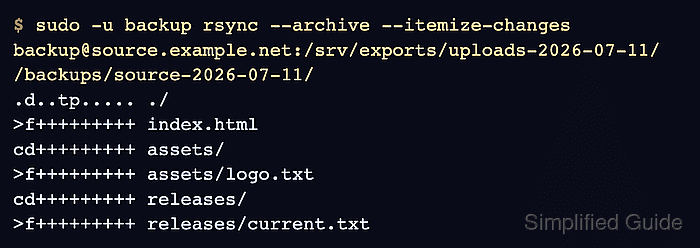
$ sudo -u backup rsync --archive --itemize-changes backup@source.example.net:/srv/exports/uploads-2026-07-11/ /backups/source-2026-07-11/
.d..tp..... ./
>f+++++++++ index.html
cd+++++++++ assets/
>f+++++++++ assets/logo.txt
cd+++++++++ releases/
>f+++++++++ releases/current.txt
Archive mode preserves the export's directory structure, timestamps, permissions, and links. The unprivileged receiver does not acquire root ownership from the remote files.
- Compare the remote export with the dated backup by file checksum.
$ sudo -u backup rsync --archive --checksum --itemize-changes --dry-run backup@source.example.net:/srv/exports/uploads-2026-07-11/ /backups/source-2026-07-11/
Success is exit status 0 with no itemized paths. Any output means the export and backup differ, so do not accept the backup until the cause is resolved and the check is empty.
- Create an empty private directory for a restore smoke test.
$ sudo -u backup install -d -m 0700 /tmp/rsync-restore-test
- Restore a representative file from the dated backup.
$ sudo -u backup rsync --archive --itemize-changes /backups/source-2026-07-11/releases/current.txt /tmp/rsync-restore-test/
>f+++++++++ current.txt
- Compare the retained file with the restored copy.
$ sudo -u backup sha256sum /backups/source-2026-07-11/releases/current.txt /tmp/rsync-restore-test/current.txt
11c90be7d6716ca81845ea736d84d0785cab1ee542e9d48b20cf083048b1a152  /backups/source-2026-07-11/releases/current.txt
11c90be7d6716ca81845ea736d84d0785cab1ee542e9d48b20cf083048b1a152  /tmp/rsync-restore-test/current.txt
The two SHA-256 values must match. A mismatch means the restored copy is not identical to the retained backup file.
- Read the restored file from the temporary directory.
$ sudo -u backup cat /tmp/rsync-restore-test/current.txt
Release 2026.07
- Remove only the temporary restore directory after the smoke test.
$ sudo -u backup rm -r /tmp/rsync-restore-test
Check the path before running rm. The dated backup under /backups/source-2026-07-11/ must remain in place.
- Read the retained file after removing the temporary restore directory.
$ sudo -u backup cat /backups/source-2026-07-11/releases/current.txt
Release 2026.07
This command fails if the retained file is missing or unreadable. The displayed release confirms that the dated backup remains usable after cleanup.