How to save and restore a PyTorch training checkpoint
Interrupted training loses more than learned weights when the optimizer has momentum or adaptive buffers that shape the next update. A PyTorch checkpoint keeps that evolving state with the epoch boundary so a new process can continue training instead of using the saved parameters only for inference.
The portable core is a pair of state_dict dictionaries: one for model tensors and registered buffers, and one for optimizer hyperparameters and per-parameter state. Loading code must instantiate matching model and optimizer objects before applying both dictionaries, while the saved epoch selects the next loop iteration.
The runnable example stays on CPU and loads a plain checkpoint dictionary with weights_only=True. When resuming on another device, use map_location for that device and keep the model, input batches, and optimizer state together; load checkpoint files only from a trusted source.
Related: How to save and load a PyTorch model
Related: How to run a training loop in PyTorch
Steps to save and restore a PyTorch training checkpoint:
- Create the model, data, and training helper in checkpoint_resume.py.
- checkpoint_resume.py
import torch
from torch import nn


torch.manual_seed(7)
checkpoint_path = "training-checkpoint.tar"


def build_model():
    return nn.Sequential(
        nn.Linear(3, 4),
        nn.ReLU(),
        nn.Linear(4, 1),
    )


x = torch.tensor(
    [
        [0.1, 0.2, 0.3],
        [0.4, 0.5, 0.6],
    ],
    dtype=torch.float32,
)
y = torch.tensor(
    [
        [0.6],
        [1.5],
    ],
    dtype=torch.float32,
)
loss_fn = nn.MSELoss()


def train_step(model, optimizer):
    model.train()
    optimizer.zero_grad()
    loss = loss_fn(model(x), y)
    loss.backward()
    optimizer.step()
    return loss.item()
- Append the training and checkpoint-writing block to checkpoint_resume.py.
model = build_model()
optimizer = torch.optim.Adam(model.parameters(), lr=0.01)

loss_before_save = train_step(model, optimizer)
torch.save(
    {
        "epoch": 1,
        "model_state_dict": model.state_dict(),
        "optimizer_state_dict": optimizer.state_dict(),
        "loss": loss_before_save,
    },
    checkpoint_path,
)
print(f"saved epoch=1 loss={loss_before_save:.4f}")
The model and optimizer state dictionaries are both required for training continuation. The epoch and loss values preserve the resume position and recent training log context.
- Append the checkpoint-restore block for matching model and optimizer objects to checkpoint_resume.py.
restored_model = build_model()
restored_optimizer = torch.optim.Adam(restored_model.parameters(), lr=0.01)
checkpoint = torch.load(
    checkpoint_path,
    map_location="cpu",
    weights_only=True,
)
restored_model.load_state_dict(checkpoint["model_state_dict"])
restored_optimizer.load_state_dict(checkpoint["optimizer_state_dict"])
restored_model.train()
A checkpoint from an untrusted source can still trigger denial of service or other unsafe behavior even with weights_only=True.
- Append the resume-verification block to checkpoint_resume.py.
parameters_restored = all(
    torch.equal(model.state_dict()[name], restored_model.state_dict()[name])
    for name in model.state_dict()
)
optimizer_state_entries = len(restored_optimizer.state_dict()["state"])
start_epoch = checkpoint["epoch"] + 1
parameters_before_resume = {
    name: value.detach().clone()
    for name, value in restored_model.state_dict().items()
}
resumed_loss = train_step(restored_model, restored_optimizer)
resume_step_changed_parameters = any(
    not torch.equal(parameters_before_resume[name], value)
    for name, value in restored_model.state_dict().items()
)

print(f"parameters_restored={parameters_restored}")
print(f"optimizer_state_entries={optimizer_state_entries}")
print(f"resume_epoch={start_epoch} previous_loss={checkpoint['loss']:.4f}")
print(f"resumed_loss={resumed_loss:.4f}")
print(f"resume_step_changed_parameters={resume_step_changed_parameters}")
- Run checkpoint_resume.py to verify checkpoint restoration through a resumed optimizer step.
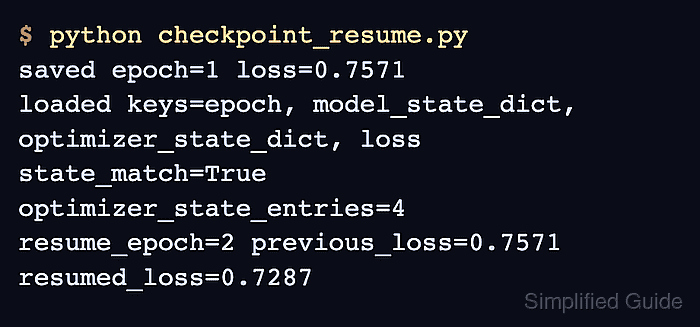
$ python checkpoint_resume.py
saved epoch=1 loss=0.7571
parameters_restored=True
optimizer_state_entries=4
resume_epoch=2 previous_loss=0.7571
resumed_loss=0.7287
resume_step_changed_parameters=True
parameters_restored=True confirms that the model tensors match the saved state. A nonzero optimizer state count plus resume_step_changed_parameters=True confirms that the restored Adam state participated in another parameter update.