How to configure a proxy for pip
Setting a proxy for pip keeps package installs, downloads, and metadata lookups working on networks that send outbound traffic through an HTTP or HTTPS proxy. That matters on corporate workstations, CI runners, and restricted servers where direct access to PyPI or an internal package mirror is blocked.
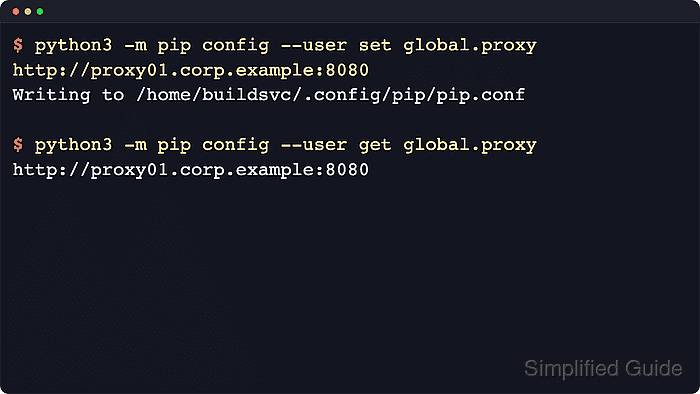
The pip command accepts the --proxy option directly, stores a default value as global.proxy in its INI-style configuration files, and can also be influenced by environment variables. Current pip documentation keeps the same precedence order: command-line options override environment variables, and environment variables override configuration files, so a saved proxy acts as the default path only when nothing higher in the stack replaces it.
The steps below use a POSIX shell with python3 on the PATH and store the proxy in the per-user configuration so the change stays limited to one account. On Windows, replace python3 with py and expect the per-user file under \%APPDATA\%\pip\pip.ini, while an active virtual environment can use --site to keep the proxy inside that environment only. If PIP_CONFIG_FILE points to an existing file, pip loads that file last and skips the normal user config file, so confirm the active file list before troubleshooting overrides.
Related: How to configure a pip index URL
Steps to configure a proxy for pip:
- Inspect the configuration files that pip can read before choosing where to store the proxy.
$ python3 -m pip config debug
env_var:
env:
##### snipped #####
site:
  /usr/pip.conf, exists: False
user:
  /home/buildsvc/.pip/pip.conf, exists: False
  /home/buildsvc/.config/pip/pip.conf, exists: False
The debug output shows whether the proxy should live in the per-user file, an environment-specific file, or a system-wide file. On macOS, the user path can also resolve under $HOME/Library/Application Support/pip/pip.conf when that directory already exists.
- Store the proxy URL in the intended configuration scope.
$ python3 -m pip config --user set global.proxy http://proxy01.corp.example:8080
Writing to /home/buildsvc/.config/pip/pip.conf
Use --site inside an active virtual environment when only that environment should use the proxy, or --global for a system-wide default.
If the proxy requires authentication, use a URL such as http://svc-pypi:%21Q4Outbound%23@proxy01.corp.example:8080. Percent-encode reserved characters in the username or password before saving the URL, or pip can parse the proxy address incorrectly.
Related: How to create a virtual environment in Python
Tool: URL Encoder - Read the stored value back from the same scope to confirm the key was written correctly.
$ python3 -m pip config --user get global.proxy
http://proxy01.corp.example:8080
Using the same file option for set and get avoids reading from a different scope while a virtual environment is active.
- List the active settings that pip sees from configuration files.
$ python3 -m pip config list
global.proxy='http://proxy01.corp.example:8080'
- Check whether a higher-precedence environment override is masking the saved proxy.
$ PIP_PROXY=http://proxy-dr.corp.example:8443 python3 -m pip config list
:env:.proxy='http://proxy-dr.corp.example:8443'
global.proxy='http://proxy01.corp.example:8080'
PIP_PROXY maps directly to pip's --proxy option, while the standard http_proxy, https_proxy, and no_proxy environment variables can also affect outbound requests. Clear or adjust those variables when pip appears to ignore the saved proxy.
Use python3 -m pip --isolated ... while troubleshooting to ignore environment variables and the user configuration file.
- Download a known package after replacing the example proxy URL with the real proxy address.
$ python3 -m pip download --no-cache-dir --no-deps --dest ./pip-proxy-test requests
Collecting requests
  Downloading requests-2.34.2-py3-none-any.whl.metadata (4.8 kB)
Downloading requests-2.34.2-py3-none-any.whl (73 kB)
Saved ./pip-proxy-test/requests-2.34.2-py3-none-any.whl
Successfully downloaded requests
Using --no-cache-dir forces pip to reach the configured repository instead of satisfying the request from a local cache.
If a TLS-inspecting proxy causes certificate verification failures, configure a trusted CA bundle for pip instead of disabling HTTPS verification.
- Remove the temporary download directory created for the proxy test.
$ rm -rf ./pip-proxy-test