How to upgrade a Python package with pip
When one dependency needs a security fix, bug fix, or compatibility update, upgrading only that Python package limits the change to the distribution that actually needs to move. A targeted package upgrade keeps the rest of the environment in place and makes it easier to confirm which version changed.
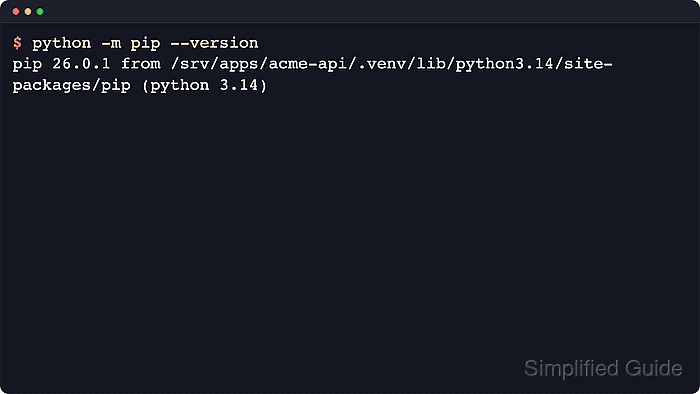
The supported workflow is to run the upgrade through the same interpreter that owns the package, usually as python -m pip inside an active virtual environment on POSIX shells or py -m pip on Windows. Current pip behavior leaves an installed package unchanged unless --upgrade is supplied, and the default only-if-needed upgrade strategy moves indirect dependencies only when the upgraded package requires newer versions.
A project virtual environment keeps the package change inside the application instead of the operating system interpreter. Operating-system-managed Python installations can be marked as externally managed and reject direct interpreter-wide package changes, and projects that rebuild environments from a generated requirements.txt snapshot need that file refreshed after the package version changes.
Steps to upgrade a Python package with pip:
- Activate the target virtual environment and confirm which pip installation will receive the package upgrade.
$ source .venv/bin/activate
(.venv) $ python -m pip --version
pip 26.1.2 from /srv/apps/acme-api/.venv/lib/python3.14/site-packages/pip (python 3.14)
The path after from identifies the exact virtual environment or interpreter prefix that the upgrade command will modify. Use .\.venv\Scripts\activate and py -m pip --version on Windows when the py launcher is the normal entry point.
Related: How to create a virtual environment in Python
Related: How to activate a Python virtual environment - Inspect the currently installed package metadata before changing it.
(.venv) $ python -m pip show idna
Name: idna
Version: 3.10
Summary: Internationalized Domain Names in Applications (IDNA)
Home-page:
Author:
Author-email: Kim Davies <kim+pypi@gumleaf.org>
License:
Location: /srv/apps/acme-api/.venv/lib/python3.14/site-packages
Requires:
Required-by: requests
If pip show returns WARNING: Package(s) not found, the package is not installed in the current interpreter context.
- Upgrade the package to the newest compatible release visible to the active pip configuration.
(.venv) $ python -m pip install --upgrade idna
Requirement already satisfied: idna in ./.venv/lib/python3.14/site-packages (3.10)
Collecting idna
  Using cached idna-3.18-py3-none-any.whl.metadata (6.1 kB)
Using cached idna-3.18-py3-none-any.whl (65 kB)
Installing collected packages: idna
  Attempting uninstall: idna
    Found existing installation: idna 3.10
    Uninstalling idna-3.10:
      Successfully uninstalled idna-3.10
Successfully installed idna-3.18
The default only-if-needed upgrade strategy keeps indirect dependencies unchanged unless the upgraded package now requires newer versions. Add --upgrade-strategy eager only when the whole dependency chain is meant to move together.
Pin a tested release with python -m pip install "idna==3.10" when the application is not ready for the newest compatible version.
If error: externally-managed-environment appears, stop and switch to a virtual environment or the operating system package manager instead of forcing the change with --break-system-packages.
- Verify that the expected package version is now installed in the same environment.
(.venv) $ python -m pip show idna
Name: idna
Version: 3.18
Summary: Internationalized Domain Names in Applications (IDNA)
Home-page:
Author:
Author-email: Kim Davies <kim+pypi@gumleaf.org>
License-Expression: BSD-3-Clause
Location: /srv/apps/acme-api/.venv/lib/python3.14/site-packages
Requires:
Required-by: requests
The Version field should increase while the Location field still points to the same environment checked earlier.
- Run pip check to confirm that the upgraded environment still has compatible dependency metadata.
(.venv) $ python -m pip check
No broken requirements found.
If pip check reports a conflict, restore the project's tested dependency set instead of leaving the environment partially upgraded.
- Rewrite the generated dependency snapshot when the project rebuilds environments from a frozen requirements file.
(.venv) $ python -m pip freeze > requirements.txt
pip freeze reports the currently installed packages in requirements format; it does not compute a lockfile or decide which versions should exist. Current pip releases omit pip by default, and on Python 3.12 or later they no longer automatically omit setuptools or wheel when those packages are installed.
- Review the refreshed requirements file before committing it.
(.venv) $ cat requirements.txt
certifi==2026.5.20
charset-normalizer==3.4.7
idna==3.18
requests==2.34.2
urllib3==2.7.0