How to check outdated Python packages
Python dependency reviews can miss real upgrade work when the outdated check runs against a different interpreter than the project uses. Checking the active environment first shows which installed distributions have newer releases visible to that environment before any package is changed.
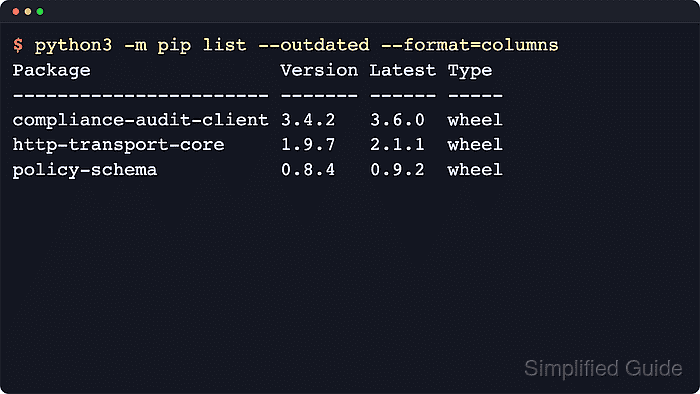
The python3 -m pip list –outdated command asks the pip attached to that interpreter to compare installed distribution metadata with the configured package index. A project virtual environment, a user-site install, and a system interpreter can each return a different outdated list on the same host.
Run the check through the exact interpreter that owns the environment, usually as python3 -m pip on POSIX shells or py -m pip on Windows. In virtual environments created with global site access, add --local when inherited packages should be hidden, and treat the output as availability evidence rather than upgrade approval because compatibility still depends on the project and its constraints.
Steps to check outdated Python packages with pip:
- Confirm the interpreter and pip context before treating any outdated result as authoritative.
$ python3 -c "import sys; print(sys.executable)"
/srv/release-audit/.venv/bin/python3

$ python3 -m pip --version
pip 25.1.1 from /srv/release-audit/.venv/lib/python3.14/site-packages/pip (python 3.14)
The executable path and the site-packages location show exactly which environment the outdated check will query. Use py -m pip on Windows when the py launcher selects the project interpreter.
- List the installed packages that have newer releases available from the configured package index.
$ python3 -m pip list --outdated --format=columns
Package       Version Latest Type
------------- ------- ------ -----
audit-schema  0.1.0   0.3.0  wheel
report-runner 1.0.0   1.3.0  wheel
The table shows the installed version, the newest version visible to the active pip configuration, and the distribution type that would be fetched for that newer release. If no rows appear beneath the header, the active environment is already current for the package indexes that pip can see.
- Narrow the review to top-level packages when transitive dependencies would add noise to the outdated list.
$ python3 -m pip list --outdated --not-required
Package       Version Latest Type
------------- ------- ------ -----
report-runner 1.0.0   1.3.0  wheel
--not-required hides packages that are dependencies of other installed packages, which keeps the first review focused on packages that were installed directly.
- Switch to JSON output when the outdated report needs to be reviewed programmatically or copied into another workflow.
$ python3 -m pip list --outdated --format=json
[{"name": "audit-schema", "version": "0.1.0", "latest_version": "0.3.0", "latest_filetype": "wheel"}, {"name": "report-runner", "version": "1.0.0", "latest_version": "1.3.0", "latest_filetype": "wheel"}]
Current pip releases support columns and json for outdated output. --format=freeze cannot be combined with --outdated because freeze-style output records installed pins instead of latest-version metadata.
Tool: JSON Formatter - Inspect one package from the outdated list before deciding whether it belongs in the next upgrade window.
$ python3 -m pip show report-runner
Name: report-runner
Version: 1.0.0
Summary: Sample reporting workflow package.
Home-page: https://packages.example.com/report-runner
Author: Platform Engineering
Author-email: python-maintainers@example.com
License: Apache-2.0
Location: /srv/release-audit/.venv/lib/python3.14/site-packages
Requires: audit-schema
Required-by:
Replace report-runner with a package name from the outdated table. The Location, Requires, and Required-by fields help distinguish a package that belongs to a specific project environment from one that is only shared tooling.
- Pass the reviewed package names into a targeted upgrade instead of bulk-upgrading every outdated entry at once.