How to activate a Python virtual environment
Activating a Python virtual environment keeps project commands, console scripts, and package installs bound to one interpreter instead of the system installation or another project's dependency set. That isolation helps prevent package changes in one codebase from leaking into unrelated applications, shell sessions, or automation jobs.
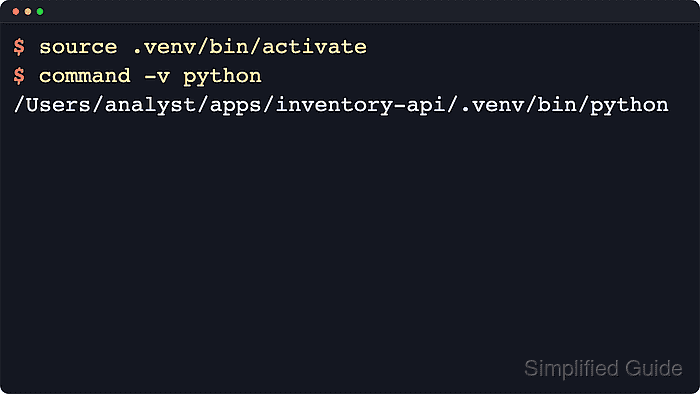
A virtual environment created with venv stores its interpreter and activation helpers inside the environment directory, usually under /.venv/bin on Linux and macOS. Running the activation script in the current shell prepends that directory to PATH, sets VIRTUAL_ENV for the activated session, and makes repeated python or pip commands resolve to the environment without typing full paths.
An existing environment such as .venv is assumed here in a bash or zsh session. Python's venv documentation notes that activation is optional because commands can call the environment's interpreter directly, but environments should still be recreated after being moved because their scripts and shebangs keep absolute paths to the original location.
Steps to activate a Python virtual environment:
- Change to the project directory that contains the virtual environment.
$ cd ~/apps/inventory-api
Running activation from the environment's parent directory keeps the path explicit and makes follow-up package and interpreter checks easier to read.
- Confirm that the activation script exists at the expected path before changing the current shell state.
$ ls .venv/bin/activate
.venv/bin/activate
Replace /.venv with the actual environment path when the project uses venv or another directory name.
fish uses activate.fish, csh or tcsh use activate.csh, and PowerShell Core on POSIX can use Activate.ps1 from the same bin directory.
- Source the activation script in the current shell session.
$ source .venv/bin/activate
The shell prompt often gains a prefix such as (.venv) after activation, but command-path or interpreter-prefix checks remain the more reliable confirmation.
Running bash .venv/bin/activate or sh .venv/bin/activate starts a child shell and does not keep the environment active in the current session.
- Verify that python and pip now resolve from the virtual environment.
$ command -v python
/Users/analyst/apps/inventory-api/.venv/bin/python
$ command -v pip
/Users/analyst/apps/inventory-api/.venv/bin/pip
The activation script prepends the environment's bin directory to PATH, so these commands should point inside the virtual environment.
Environments created with --without-pip still activate normally, but pip will not exist until it is bootstrapped or installed.
- Confirm that the active interpreter is using the virtual environment prefix instead of the base Python installation.
$ python -c 'import sys; print(sys.prefix); print(sys.base_prefix); print(sys.prefix != sys.base_prefix)'
/Users/analyst/apps/inventory-api/.venv
/opt/homebrew/opt/python@3.14/Frameworks/Python.framework/Versions/3.14
True
A True result from sys.prefix != sys.base_prefix is the standard interpreter-level check that the current shell is running inside a virtual environment.
- Deactivate the virtual environment when the project interpreter no longer needs to stay first in PATH.
$ deactivate
Activation only affects the current shell session, so a new terminal window or tab requires activation again.