How to vacuum and analyze tables in PostgreSQL
Run manual VACUUM and ANALYZE when a PostgreSQL table has accumulated dead rows or stale planner statistics faster than background maintenance can clear them. The usual clues are rising n_dead_tup estimates, recent bulk deletes or updates, table files that do not shrink after deletes, or query plans that change after heavy data churn.
PostgreSQL uses MVCC, so updates and deletes leave old row versions behind as dead tuples until vacuuming marks that space reusable. ANALYZE samples table contents to update statistics (row counts, value distribution, correlation) that the query planner uses to pick indexes, join strategies, and parallelism.
The autovacuum worker normally runs VACUUM and ANALYZE automatically, but manual maintenance is still useful after bulk loads, mass deletes, restores, and maintenance windows. Run the commands as the table owner, database owner, superuser, or a role with MAINTAIN privilege. Plain VACUUM can run alongside ordinary reads and writes while adding I/O, while VACUUM FULL rewrites the table, takes an ACCESS EXCLUSIVE lock, and should be reserved for deliberate disk-space reclamation.
Related: How to tune autovacuum in PostgreSQL
Related: How to optimize PostgreSQL performance
Steps to vacuum and analyze tables in PostgreSQL:
- List user tables with the most estimated dead tuples in the current database.
$ sudo -u postgres psql -d appdb -c "SELECT relname, n_live_tup, n_dead_tup, last_vacuum, last_analyze FROM pg_stat_user_tables ORDER BY n_dead_tup DESC LIMIT 10;"
 relname | n_live_tup | n_dead_tup | last_vacuum |         last_analyze
---------+------------+------------+-------------+-------------------------------
 orders  |       4000 |       2000 |             | 2026-06-07 05:22:12.781419+00
(1 row)
n_live_tup and n_dead_tup are estimates. Use them to choose candidates for maintenance, then confirm the result with timestamps and counters.
- Run VACUUM with VERBOSE and ANALYZE on a target table after major churn.
$ sudo -u postgres psql -d appdb -c "VACUUM (VERBOSE, ANALYZE) public.orders;"
INFO:  vacuuming "appdb.public.orders"
INFO:  finished vacuuming "appdb.public.orders": index scans: 1
pages: 0 removed, 45 remain, 45 scanned (100.00% of total), 0 eagerly scanned
tuples: 2000 removed, 4000 remain, 0 are dead but not yet removable
##### snipped #####
INFO:  analyzing "public.orders"
INFO:  "orders": scanned 45 of 45 pages, containing 4000 live rows and 0 dead rows; 4000 rows in sample, 4000 estimated total rows
INFO:  finished analyzing table "appdb.public.orders"
##### snipped #####
VACUUM
Run VACUUM as a standalone command, not inside an explicit transaction block.
- Run ANALYZE on a table when only planner statistics need refreshing.
$ sudo -u postgres psql -d appdb -c "ANALYZE public.orders;"
ANALYZE
ANALYZE takes a sample instead of reading every row on large tables, so row estimates can shift slightly between runs.
- Run a database-wide VACUUM with ANALYZE after a restore or large batch change window.
$ sudo -u postgres psql -d appdb -c "VACUUM (ANALYZE);"
VACUUM
Database-wide maintenance can be I/O heavy and long-running on large databases.
- Use VACUUM FULL only during a maintenance window when on-disk space reclamation is required.
$ sudo -u postgres psql -d appdb -c "VACUUM (FULL, VERBOSE, ANALYZE) public.orders;"
INFO:  vacuuming "public.orders"
INFO:  "public.orders": found 0 removable, 4000 nonremovable row versions in 45 pages
DETAIL:  0 dead row versions cannot be removed yet.
##### snipped #####
INFO:  analyzing "public.orders"
INFO:  "orders": scanned 30 of 30 pages, containing 4000 live rows and 0 dead rows; 4000 rows in sample, 4000 estimated total rows
##### snipped #####
VACUUM
VACUUM FULL takes an ACCESS EXCLUSIVE lock on the table, blocking reads and writes until completion.
- Confirm the manual maintenance counters and timestamps on the affected table.
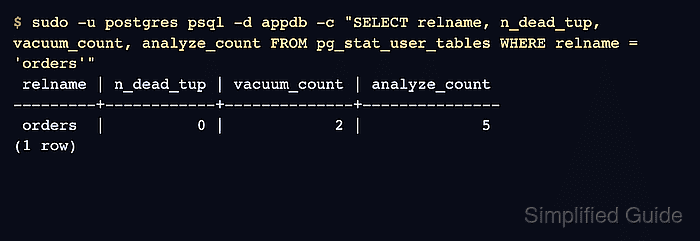
$ sudo -u postgres psql -d appdb -c "SELECT relname, n_dead_tup, vacuum_count, analyze_count, last_vacuum, last_analyze FROM pg_stat_user_tables WHERE relname = 'orders';"
 relname | n_dead_tup | vacuum_count | analyze_count |          last_vacuum          |         last_analyze
---------+------------+--------------+---------------+-------------------------------+-------------------------------
 orders  |          0 |            2 |             5 | 2026-06-07 05:22:13.333497+00 | 2026-06-07 05:22:13.571436+00
(1 row)
- Tune autovacuum settings for tables where dead tuples accumulate faster than cleanup between manual maintenance windows.
Related: How to tune autovacuum in PostgreSQL