How to set Playwright worker count
Large Playwright Test suites compete for CPU, browser processes, and shared test services when many files run at once. Setting the worker count gives the project an explicit concurrency ceiling so local runs and CI jobs do not start more parallel browser work than the environment can handle.
Playwright runs tests in separate worker processes, and each worker starts its own browser when a test uses browser fixtures. The top-level workers option in playwright.config.ts or playwright.config.js caps the maximum number of concurrent workers; it belongs beside options such as testDir and reporter, not inside the use block.
The default worker count is half of the host's logical CPU cores, so the same suite can run with different concurrency on a laptop and a CI runner. Use a persistent config value when every run should share the same ceiling, and use --workers for a one-off run while isolating contention, watching headed browsers, or checking whether tests depend on shared state.
Related: How to run Playwright tests
Related: How to run Playwright tests in headed mode
Related: How to shard Playwright tests in CI
Steps to set Playwright worker count:
- Open the Playwright configuration file in the project root.
- Set workers as a top-level config option.
- playwright.config.ts
import { defineConfig } from '@playwright/test';

export default defineConfig({
  testDir: './tests',
  workers: 2,
});
Use a number for a fixed ceiling, or a percentage string such as workers: '50%' when the limit should scale with logical CPU cores. Use workers: process.env.CI ? 2 : undefined when only CI should use the explicit cap.
- List the tests collected by the current config.
$ npx playwright test --list
Listing tests:
  account.spec.ts:3:5 › account menu exposes settings link
  cart.spec.ts:3:5 › cart summary totals items
  home.spec.ts:3:5 › home page shows ready state
  search.spec.ts:3:5 › search filters visible records
Total: 4 tests in 4 files
The --list check confirms that the command is running from the project root and reading the intended config before the full suite starts.
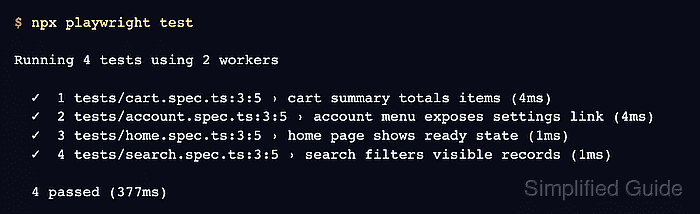
- Run the suite with the configured worker count.
$ npx playwright test

Running 4 tests using 2 workers

  ✓  1 tests/cart.spec.ts:3:5 › cart summary totals items (4ms)
  ✓  2 tests/account.spec.ts:3:5 › account menu exposes settings link (4ms)
  ✓  3 tests/home.spec.ts:3:5 › home page shows ready state (1ms)
  ✓  4 tests/search.spec.ts:3:5 › search filters visible records (1ms)

  4 passed (377ms)
The summary line should show the configured worker count. If it still shows the default count, check for a different config file, a package script that passes --workers, or a CI environment variable that changes the value.
- Override the worker count for one diagnostic run when needed.
$ npx playwright test --workers=1

Running 4 tests using 1 worker

  ✓  1 tests/account.spec.ts:3:5 › account menu exposes settings link (7ms)
  ✓  2 tests/cart.spec.ts:3:5 › cart summary totals items (1ms)
  ✓  3 tests/home.spec.ts:3:5 › home page shows ready state (1ms)
  ✓  4 tests/search.spec.ts:3:5 › search filters visible records (3ms)

  4 passed (487ms)
--workers=1 affects only that command. Keep fixing tests that require file order, a shared account, or mutable database rows instead of leaving the whole suite serialized by default.