How to run specific Playwright tests
Large browser test suites rarely need a full run for every local edit. Playwright Test can narrow a run to the file, line, title pattern, tag, or project that covers the change, which keeps debugging focused while preserving the normal runner configuration.
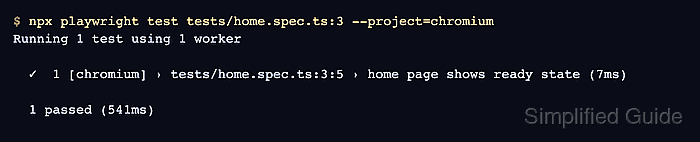
A focused run still starts from the project root, reads playwright.config.ts or playwright.config.js, and applies the same reporters, retries, base URL, and project definitions as a full run. A file argument selects matching spec files, file:line selects the test that contains that line, --grep matches titles or tags, and --project keeps the run inside one configured browser project.
Use a focused run for diagnosis, test authoring, and quick validation after a narrow change. Treat the selected test count and project name as part of the result, then run the broader suite or CI job before accepting a release-level change.
Related: How to run Playwright tests
Related: How to run Playwright tests in Chromium
Related: How to debug Playwright tests
Steps to run specific Playwright tests:
- Open a terminal at the Playwright project root.
$ cd ~/projects/playwright-demo
The project root is the directory that owns playwright.config.ts or playwright.config.js.
- List the selected file and project before running it.
$ npx playwright test tests/home.spec.ts --project=chromium --list
Listing tests:
  [chromium] › home.spec.ts:3:5 › home page shows ready state
  [chromium] › home.spec.ts:7:5 › account menu exposes settings link
  [chromium] › home.spec.ts:11:5 › password reset shows confirmation @smoke
Total: 3 tests in 1 file
--list collects matching tests without running assertions or opening browsers. Use the exact project name from the Playwright config.
Related: How to run Playwright tests in Chromium - Run one spec file inside the selected project.
$ npx playwright test tests/home.spec.ts --project=chromium

Running 3 tests using 1 worker

  ✓  1 [chromium] › tests/home.spec.ts:3:5 › home page shows ready state (11ms)
  ✓  2 [chromium] › tests/home.spec.ts:7:5 › account menu exposes settings link (2ms)
  ✓  3 [chromium] › tests/home.spec.ts:11:5 › password reset shows confirmation @smoke (1ms)

  3 passed (735ms)
- Run the test that contains the target line.
$ npx playwright test tests/home.spec.ts:3 --project=chromium

Running 1 test using 1 worker

  ✓  1 [chromium] › tests/home.spec.ts:3:5 › home page shows ready state (7ms)

  1 passed (541ms)
Use a line inside the test body or title block. A line outside any test can match more of the file than intended.
- Run tests whose titles or tags match a text pattern.
$ npx playwright test --grep "password reset" --project=chromium

Running 1 test using 1 worker

  ✓  1 [chromium] › tests/home.spec.ts:11:5 › password reset shows confirmation @smoke (6ms)

  1 passed (469ms)
--grep accepts a regular expression and can also match tags such as @smoke.