How to run Playwright tests in Chromium
Browser project filters let a Playwright suite stay focused on one engine while the rest of the matrix waits. A Chromium-only run is useful when a layout, routing, or automation failure appears in Chrome-like browsers and a full cross-browser pass would slow the first diagnosis.
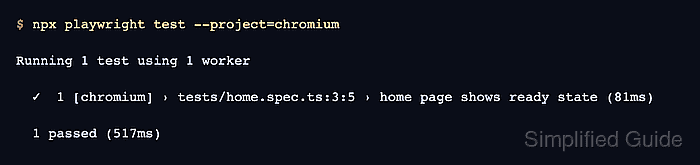
Playwright takes the browser target from named projects in playwright.config.ts or playwright.config.js. The default browser matrix commonly uses chromium, firefox, and webkit project names, and --project=chromium selects only the matching project before tests are scheduled.
A Chromium pass is a focused debugging and CI shortcut, not a replacement for the browser matrix. Keep the project name stable in local commands and CI jobs so both environments schedule the same browser project.
Related: How to run Playwright tests
Related: How to run specific Playwright tests
Related: How to emulate devices in Playwright
Steps to run Playwright tests in Chromium:
- List the configured Playwright projects.
$ npx playwright test --list
Listing tests:
  [chromium] › home.spec.ts:3:5 › home page shows ready state
  [firefox] › home.spec.ts:3:5 › home page shows ready state
  [webkit] › home.spec.ts:3:5 › home page shows ready state
Total: 3 tests in 1 file
Use the exact project name shown in square brackets. If chromium is missing, add or rename the project before using the project filter.
Related: How to configure Playwright browser projects - Run only the chromium project.
$ npx playwright test --project=chromium

Running 1 test using 1 worker

  ✓  1 [chromium] › tests/home.spec.ts:3:5 › home page shows ready state (81ms)

  1 passed (517ms)
Keep the project filter in CI jobs that intentionally run only Chromium. Run the full matrix separately before accepting browser-independent changes.
- Confirm that the passing lines are tagged with [chromium] only.
Output that includes [firefox], [webkit], or a mobile project means the command did not limit the run to the intended project.