How to capture Playwright screenshots on failure
Failed browser tests often need the page state as well as the assertion message. Playwright Test can save a screenshot only for failed tests, which keeps passing runs from filling the artifact directory while preserving the UI state needed for debugging.
The setting belongs in the project-level playwright.config.ts file under use. only-on-failure does not call page.screenshot() from the test body; Playwright adds the screenshot after a failed test and stores it with the test output artifacts.
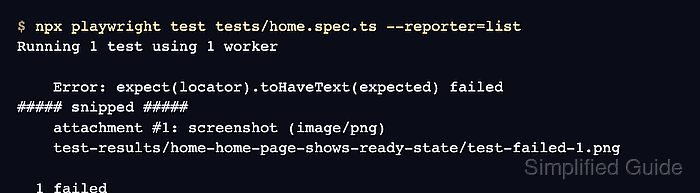
The list reporter prints the attachment path in terminal output, while the screenshot setting itself works with reporters that preserve test attachments. In CI, keep test-results/ or the HTML report as a build artifact if screenshots need to survive after the job finishes.
Steps to capture Playwright screenshots on failure:
- Set screenshot to only-on-failure in playwright.config.ts.
import { defineConfig } from '@playwright/test'; export default defineConfig({ testDir: './tests', use: { screenshot: 'only-on-failure' } }); - Run a test that fails under the configured project.
$ npx playwright test tests/home.spec.ts --reporter=list
Running 1 test using 1 worker

    Error: expect(locator).toHaveText(expected) failed
##### snipped #####
    attachment #1: screenshot (image/png)
    test-results/home-home-page-shows-ready-state/test-failed-1.png

  1 failed
Use the path printed under the screenshot attachment line. Test names and project names change the generated directory name.
- Check the screenshot file in the test output directory.
$ ls -lh test-results/home-home-page-shows-ready-state/test-failed-1.png
-rw-r--r-- 1 user user 9.8K Jul  7 01:02 test-results/home-home-page-shows-ready-state/test-failed-1.png
Screenshots can show signed-in pages, customer data, or tokens rendered in the UI. Store test-results/ as controlled CI artifacts instead of committing it to the repository.