How to create Playwright page objects
Playwright test suites become harder to maintain when several specs repeat the same locators and UI actions. A page object keeps selectors and page-specific behavior behind a small class, so a test can describe the user flow it is checking instead of the markup details it clicks.
A page object receives the Page fixture from Playwright Test, stores Locator objects in one place, and exposes methods such as open() or resetStatus(). Keeping expectations near the page object can also make the class check the state it owns while the spec stays focused on the user journey.
A self-contained demo can use page.setContent() so the pattern runs without a separate web server. In an application suite, the same class shape usually calls page.goto('/') or another app route and keeps locators aligned with user-facing roles, labels, or test IDs.
Related: How to use Playwright role locators
Related: How to create Playwright test fixtures
Steps to create a Playwright page object:
- From the Playwright project root, create pages/ready-page.ts for the page object class.
- pages/ready-page.ts
import { expect, type Locator, type Page } from '@playwright/test';

export class ReadyPage {
  readonly heading: Locator;
  readonly status: Locator;
  readonly resetButton: Locator;

  constructor(private readonly page: Page) {
    this.heading = page.getByRole('heading', { name: 'Playwright fixture ready' });
    this.status = page.getByTestId('status');
    this.resetButton = page.getByRole('button', { name: 'Reset status' });
  }

  async open() {
    await this.page.setContent(`
      <main>
        <h1>Playwright fixture ready</h1>
        <p data-testid="status">Ready</p>
        <button type="button">Reset status</button>
      </main>
      <script>
        document.querySelector('button')?.addEventListener('click', () => {
          document.querySelector('[data-testid="status"]').textContent = 'Reset';
        });
      </script>
    `);
  }

  async expectReady() {
    await expect(this.heading).toBeVisible();
    await expect(this.status).toHaveText('Ready');
  }

  async resetStatus() {
    await this.resetButton.click();
  }

  async expectReset() {
    await expect(this.status).toHaveText('Reset');
  }
}
Use page.goto('/') instead of page.setContent() when the class opens a real app route. Keep route choices inside the page object so specs do not repeat navigation details.
Related: How to set base URL in Playwright tests - Import the page object from the spec that should use it.
- tests/ready-page.spec.ts
import { test } from '@playwright/test';
import { ReadyPage } from '../pages/ready-page';

test('home page uses a page object', async ({ page }) => {
  const home = new ReadyPage(page);

  await home.open();
  await home.expectReady();
  await home.resetStatus();
  await home.expectReset();
});
The spec creates the class with the built-in page fixture, then calls named methods instead of repeating locators and click logic in the test body.
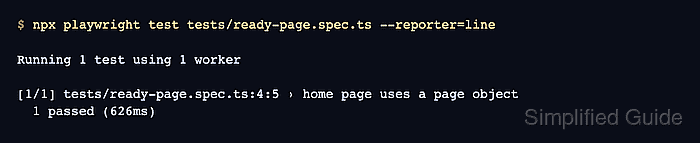
- Run the page-object-backed spec through Playwright Test.
$ npx playwright test tests/ready-page.spec.ts --reporter=line

Running 1 test using 1 worker

[1/1] tests/ready-page.spec.ts:4:5 › home page uses a page object
  1 passed (626ms)
A passing run confirms the imported class received the Playwright page fixture, found its locators, clicked the button, and checked the updated status.
Related: How to run specific Playwright tests