How to set geolocation in Playwright
Location-aware interfaces can change delivery choices, nearby results, regional content, or map behavior according to the browser's reported position. Automated tests need that position to come from the test case instead of the machine running the suite.
Each Playwright Test receives a browser context with the options supplied through test.use(). Setting both geolocation and the matching browser permission lets page code read the chosen coordinates without granting the same override to unrelated spec files.
Use non-personal coordinates that represent a meaningful application fixture. The page under test must use HTTPS or a trustworthy local origin such as localhost because browser geolocation is restricted to secure contexts.
Related: How to emulate devices in Playwright
Related: How to run Playwright tests
Steps to set Playwright geolocation:
- Create tests/geolocation.spec.ts as the file-scoped coordinate fixture.
- tests/geolocation.spec.ts
import { test, expect } from '@playwright/test';

const targetLocation = {
  latitude: 37.7749,
  longitude: -122.4194,
};
The coordinate values should represent a city, store area, or other fixture that exercises location-aware behavior without identifying a real user.
- Add the file-scoped geolocation and permission settings after targetLocation.
test.use({
  geolocation: targetLocation,
  permissions: ['geolocation'],
});
A project use block is appropriate only when every test in that browser project should receive the same location.
- Append a test that verifies the page receives targetLocation through navigator.geolocation.
test('page receives configured coordinates', async ({ page }) => {
  await page.goto('https://example.com/');

  const coords = await page.evaluate(() =>
    new Promise<{ latitude: number; longitude: number }>((resolve, reject) => {
      navigator.geolocation.getCurrentPosition(
        position => resolve({
          latitude: position.coords.latitude,
          longitude: position.coords.longitude,
        }),
        reject,
      );
    }),
  );

  expect(coords.latitude).toBeCloseTo(37.7749, 4);
  expect(coords.longitude).toBeCloseTo(-122.4194, 4);
});
The placeholder URL stands for the secure application page that consumes geolocation. The assertions fail if the browser does not expose the configured latitude and longitude.
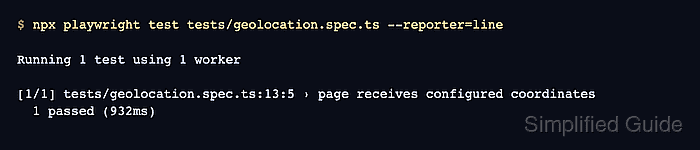
- Run the geolocation spec with the line reporter.
$ npx playwright test tests/geolocation.spec.ts --reporter=line

Running 1 test using 1 worker

[1/1] tests/geolocation.spec.ts:13:5 › page receives configured coordinates
  1 passed (1.9s)