How to install PHP on CentOS, Fedora, or Red Hat
Installing the distro-packaged PHP runtime on CentOS Stream, Fedora, or Red Hat Enterprise Linux (RHEL) adds a supported interpreter for cron jobs, deployment helpers, maintenance scripts, and later application work without forcing the host into a web-server stack during the first install.
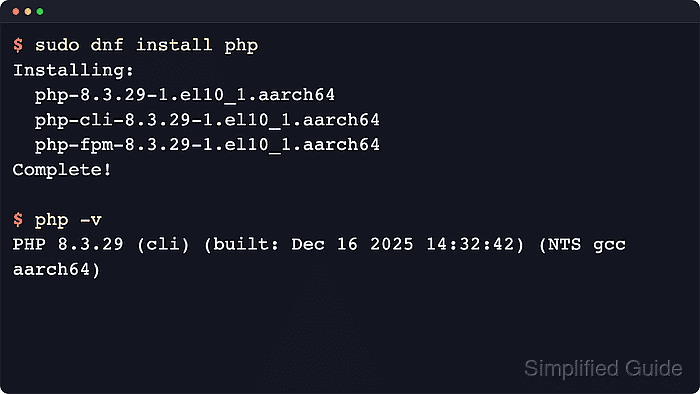
Current Red Hat family packages split PHP into a small php metapackage, the CLI binary in php-cli, common runtime files in php-common, and optional pieces such as php-mysqlnd, php-xml, or php-fpm in separate subpackages. That layout keeps the first install flexible, but it also means a plain dnf install php transaction can pull web-serving packages that a script-only host does not need.
Current package behavior differs by release. Fedora 44 resolves php-cli to PHP 8.5, current CentOS Stream 10 and the default unversioned RHEL 10.2 path resolve it to PHP 8.3, and the default RHEL 9.8 path still resolves it to PHP 8.0 while exposing newer php module streams. DNF installs weak dependencies by default, so narrowing the first transaction keeps php-fpm, httpd, and extra modules out of the base runtime unless the host actually needs them.
Related: Install PHP-FPM for Apache or Nginx workloads
Related: Find PHP configuration files
Steps to install PHP on CentOS, Fedora, or Red Hat:
- Inspect the PHP CLI package currently exposed by the enabled repositories.
$ sudo dnf info php-cli
Available Packages
Name         : php-cli
Version      : 8.3.31
Release      : 1.el10
Architecture : aarch64
Repository   : appstream
Summary      : Command-line interface for PHP
Current package checks show Fedora 44 exposing PHP 8.5.6, CentOS Stream 10 exposing PHP 8.3.31, the default RHEL 10.2 path exposing PHP 8.3.31, and the default RHEL 9.8 path exposing PHP 8.0.30.
- List the available PHP module streams on RHEL 9 when the host needs a newer branch than the default PHP 8.0 path.
$ sudo dnf module list php
Red Hat Universal Base Image 9 (RPMs) - AppStream
Name Stream Profiles               Summary
php  8.1    common, devel, minimal PHP scripting language
php  8.2    common, devel, minimal PHP scripting language
php  8.3    common, devel, minimal PHP scripting language
Skip this step on Fedora, CentOS Stream 10, or RHEL 10, where the packaged PHP path is already non-modular.
Use the minimal profile when RHEL 9 needs a newer CLI runtime without the web stack, for example sudo dnf module install --assumeyes php:8.3/minimal.
- Install the packaged CLI runtime without the default weak web-stack dependencies.
$ sudo dnf install --assumeyes --setopt=install_weak_deps=False php php-cli
Dependencies resolved.
================================================================================
 Package           Architecture   Version                Repository        Size
================================================================================
Installing:
 php               aarch64        8.3.31-1.el10          appstream        4.2 k
 php-cli           aarch64        8.3.31-1.el10          appstream        2.1 M
Installing dependencies:
 php-common        aarch64        8.3.31-1.el10          appstream        716 k

Transaction Summary
================================================================================
Install  3 Packages

Complete!
Current CentOS Stream 10 transaction checks resolve only php, php-cli, and php-common with this command. Fedora and RHEL may add normal CLI library dependencies such as libedit, but the weak web-stack packages stay out of the transaction.
A plain sudo dnf install php preview on current CentOS Stream 10 also recommends php-cli, php-fpm, httpd, php-mbstring, php-opcache, php-pdo, and php-xml.
- Verify that the php interpreter is installed and reporting the packaged CLI build.
$ php -v
PHP 8.3.31 (cli) (built: May  5 2026 13:35:55) (NTS gcc aarch64)
Copyright (c) The PHP Group
Zend Engine v4.3.31, Copyright (c) Zend Technologies
The first line shows the dotted PHP release and the cli SAPI. The exact version depends on the distro release or selected RHEL 9 module stream.
Related: How to check PHP version
- Install only the additional extension packages the application still needs after the base runtime is working.
$ sudo dnf install --assumeyes php-mysqlnd
The narrowed CLI install above leaves database drivers as an explicit follow-up choice. That keeps the first install focused on the interpreter instead of assuming every host also needs MySQL or MariaDB client support.
- Confirm that the requested database extension is loaded by the interpreter.
$ php -m
[PHP Modules]
##### snipped #####
mysqli
mysqlnd
PDO
pdo_mysql
##### snipped #####

[Zend Modules]
The php-mysqlnd package enables the common MySQL client interfaces for PHP, so seeing mysqli, mysqlnd, and pdo_mysql confirms that the driver stack is active in the same CLI runtime the shell resolves.
Related: Show loaded PHP extensions