How to show loaded PHP extensions
Checking the loaded PHP extension set is one of the fastest ways to explain why database drivers, archive support, image processing, or outbound HTTP features are missing even when the interpreter itself still starts. A quick module check confirms whether the runtime that actually executes the code exposes the capability an application, script, or health check expects.
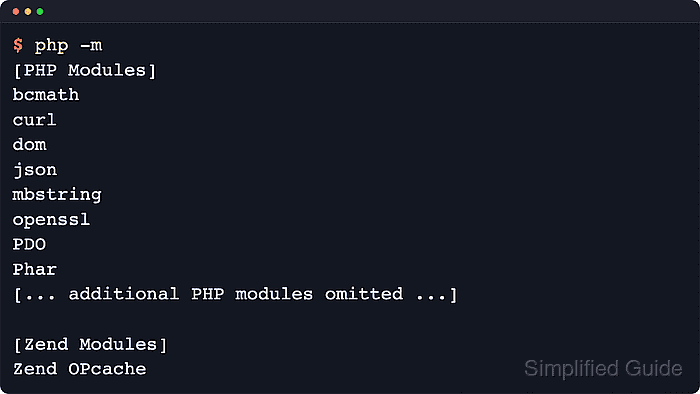
The PHP CLI can report active extensions in a few complementary ways. The -m switch prints the built-in and loaded PHP and Zend modules for the current binary, --ri shows the configuration block that phpinfo() exposes for one loaded extension, and extension_loaded() can return a direct loaded or not-loaded result inside an inline php -r check.
Extension state is tied to the SAPI that runs the code. The CLI binary, PHP-FPM pools, and the Apache module can each load different php.ini files and additional .ini fragments, so a module shown by php -m is authoritative only for that runtime. When the shell result and the web result do not match, compare the active configuration files before enabling or disabling anything.
Steps to show loaded PHP extensions:
- Print the loaded module list for the current CLI runtime.
$ php -m
[PHP Modules]
Core
curl
date
fileinfo
##### snipped
zlib

[Zend Modules]
Zend OPcache
The output includes built-in modules, shared extensions loaded from the active configuration tree, and a separate Zend section for Zend extensions such as Zend OPcache. The exact module list varies by build and loaded configuration files.
- Show the runtime details for one loaded extension by replacing curl with the target module name.
$ php --ri curl

curl

cURL support => enabled
cURL Information => 8.18.0
Age => 11
Features
AsynchDNS => Yes
IDN => Yes
IPv6 => Yes
SSL => Yes
HTTP2 => Yes
HTTP3 => No

Directive => Local Value => Master Value
curl.cainfo => no value => no value
If the target module is not loaded, PHP prints Extension 'imagick' not present. instead of the configuration block. Exact feature flags and linked library versions vary by build.
- Show the active configuration files when the loaded module list does not match another shell, service, or web request.
$ php --ini
Configuration File (php.ini) Path: "/etc/php/8.5/cli"
Loaded Configuration File:         "/etc/php/8.5/cli/php.ini"
Scan for additional .ini files in: "/etc/php/8.5/cli/conf.d"
Additional .ini files parsed:      /etc/php/8.5/cli/conf.d/10-pdo.ini,
/etc/php/8.5/cli/conf.d/20-calendar.ini,
/etc/php/8.5/cli/conf.d/20-ctype.ini,
/etc/php/8.5/cli/conf.d/20-curl.ini,
##### snipped
The reported main file and scan directory show where extension= and zend_extension= directives come from for the current CLI binary. Exact paths vary by package source and runtime.
Related: How to find PHP configuration files
- Run an inline PHP check when a script, deployment hook, or health probe only needs a yes or no result.
$ php -r 'printf("SAPI=%s\ncurl=%s\n", PHP_SAPI, extension_loaded("curl") ? "loaded" : "not loaded");'
SAPI=cli
curl=loaded
The extension name passed to extension_loaded() is case-insensitive, but the result still applies only to the SAPI that executed the code.