How to handle HTTP errors with PHP cURL
PHP cURL can complete the network transfer even when an API returns a status such as 404 or 500. Code that only checks whether curl_exec() returned false can mistake an application-level HTTP error for a usable response body.
With CURLOPT_RETURNTRANSFER enabled, curl_exec() returns the response body on transfer success and returns boolean false only for cURL-level failures. Check for strict false first, read curl_errno() and curl_error() before closing the handle, then use curl_getinfo() with CURLINFO_HTTP_CODE to decide whether the server returned an error response.
Leave CURLOPT_FAILONERROR disabled when the application needs to read the response body for 4xx or 5xx replies. Enabling it can turn those statuses into cURL errors and close the connection before the body is available, which is useful for some downloads but awkward for API clients that need structured error details.
Steps to handle HTTP errors with PHP cURL:
- Confirm that the PHP cURL extension is loaded in the runtime that will run the request.
$ php -r 'var_export(extension_loaded("curl")); echo PHP_EOL;'
true
If this prints false, install or enable the PHP cURL extension for the PHP runtime that runs the script before testing the request.
- Create a local JSON endpoint that returns one successful user and a 404 error for everything else.
- http-error-server.php
<?php
$path = parse_url($_SERVER['REQUEST_URI'], PHP_URL_PATH);

header('Content-Type: application/json');

if ($path === '/users/42') {
    echo json_encode([
        'id' => 42,
        'name' => 'Ada'
    ]);
    return;
}

http_response_code(404);
echo json_encode([
    'error' => 'user not found'
]);
- Start the local endpoint in a second terminal.
$ php -S 127.0.0.1:8080 http-error-server.php
The local server keeps the example repeatable without sending test requests to a production API. Stop it with Ctrl+C after the checks are complete.
- Create the PHP cURL client script.
- handle-http-errors.php
<?php
$baseUrl = rtrim(getenv('API_BASE_URL') ?: 'http://127.0.0.1:8080', '/');
$path = $argv[1] ?? '/users/99';
$url = $baseUrl . '/' . ltrim($path, '/');

$ch = curl_init($url);
curl_setopt_array($ch, [
    CURLOPT_RETURNTRANSFER => true,
    CURLOPT_FAILONERROR => false,
    CURLOPT_TIMEOUT => 10,
]);

$body = curl_exec($ch);

if ($body === false) {
    $errno = curl_errno($ch);
    $error = curl_error($ch);
    curl_close($ch);

    echo "cURL error {$errno}: {$error}" . PHP_EOL;
    exit(1);
}

$status = curl_getinfo($ch, CURLINFO_HTTP_CODE);
curl_close($ch);

if ($status >= 400) {
    echo "HTTP error: {$status}" . PHP_EOL;
    echo "Response body: " . trim($body) . PHP_EOL;
    exit(1);
}

echo "HTTP status: {$status}" . PHP_EOL;
echo "Response body: " . trim($body) . PHP_EOL;
Replace the local API_BASE_URL default with the real API base URL in application code. Keep CURLOPT_FAILONERROR set to false when the API returns useful JSON, XML, or text in error responses.
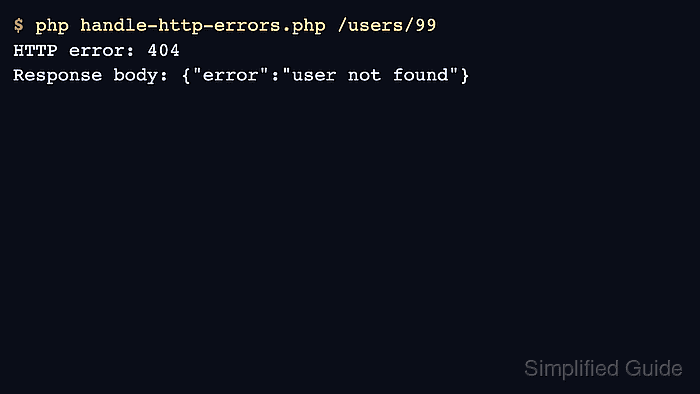
- Run the script against a missing resource and confirm that the HTTP error branch keeps the response body visible.
$ php handle-http-errors.php /users/99
HTTP error: 404
Response body: {"error":"user not found"}
The script exits with status 1 after printing the HTTP error. Use the same split in application code by throwing an exception, returning an error object, or logging the status and body before the caller decides what to do next.
- Run the same script against the successful resource and confirm the 2xx path still returns the body.
$ php handle-http-errors.php /users/42 HTTP status: 200 Response body: {"id":42,"name":"Ada"} - Point the client at an unused local port and confirm that transport failures stay separate from HTTP status handling.
$ API_BASE_URL=http://127.0.0.1:8099 php handle-http-errors.php /users/99
cURL error 7: Failed to connect to 127.0.0.1 port 8099 after 0 ms: Could not connect to server
A cURL error means the transfer did not produce an HTTP response for the application to classify. Fix DNS, TLS trust, proxy settings, timeouts, or connectivity before debugging the API's status code or response body.