How to convert columns to categorical data in pandas
Repeated labels in a DataFrame often represent a small vocabulary rather than unrestricted text. The pandas category dtype stores those labels with category metadata and integer codes, which also lets downstream operations recognize the column as categorical.
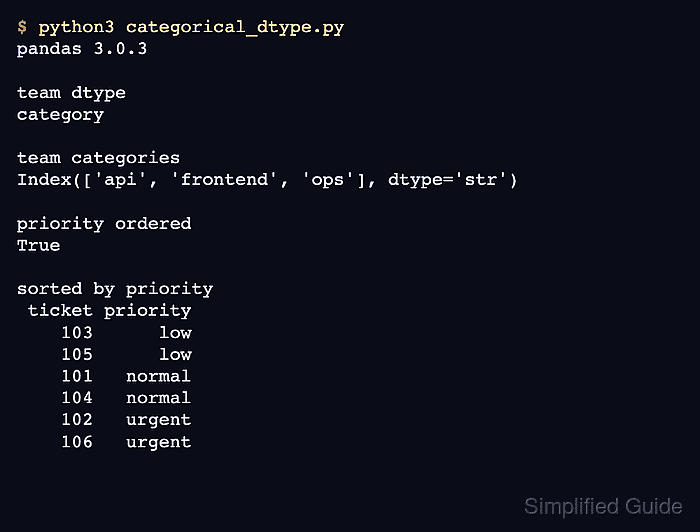
An inferred conversion is suitable when every label already present in the column is valid and no label order is required. CategoricalDtype is the stronger choice when the allowed labels or their logical order must remain explicit.
An explicit category list turns any unlisted source value into a missing value during conversion. Check the category metadata and missing-value counts before sorting, grouping, plotting, or exporting the converted DataFrame.
Related: How to convert data types in pandas
Related: How to reduce pandas DataFrame memory usage
Related: How to sort a pandas DataFrame
Steps to convert pandas columns to category dtype:
- Create the sample ticket DataFrame in categorical_dtype.py.
- categorical_dtype.py
import pandas as pd
from pandas.api.types import CategoricalDtype

df = pd.DataFrame(
    {
        "ticket": [101, 102, 103, 104, 105, 106],
        "team": ["api", "frontend", "api", "ops", "frontend", "api"],
        "priority": ["normal", "urgent", "low", "normal", "low", "urgent"],
    }
)
The sample DataFrame supplies a runnable starting point; an existing DataFrame can use the same column-level conversions.
- Append the inferred categorical conversion for the team column.
df["team"] = df["team"].astype("category")
astype(“category”) infers an unordered category set from the labels present in the column.
- Define the ordered category vocabulary for the priority column.
priority_dtype = CategoricalDtype(
    categories=["low", "normal", "urgent"],
    ordered=True,
)
- Append the explicit categorical conversion for the priority column.
df["priority"] = df["priority"].astype(priority_dtype)
A non-missing source value outside low, normal, and urgent becomes missing during this conversion. The allowed category list must cover every valid production label.
- Append the validation block below to categorical_dtype.py.
assert str(df["team"].dtype) == "category"
assert df["priority"].cat.ordered
assert df["priority"].cat.categories.to_list() == ["low", "normal", "urgent"]
assert df[["team", "priority"]].isna().sum().eq(0).all()

print("column dtypes")
print(df.dtypes)
print()
print("team categories")
print(df["team"].cat.categories.to_list())
print()
print("priority categories")
print(df["priority"].cat.categories.to_list())
print("priority ordered")
print(df["priority"].cat.ordered)
print()
print("missing after conversion")
print(df[["team", "priority"]].isna().sum())
print()
print("sorted by priority")
print(df.sort_values("priority")[["ticket", "priority"]].to_string(index=False))
The assertions stop the script when either dtype, the declared order, or the missing-value boundary differs from the intended conversion.
- Run categorical_dtype.py to confirm the converted metadata and priority sort order.
$ python3 categorical_dtype.py
column dtypes
ticket         int64
team        category
priority    category
dtype: object

team categories
['api', 'frontend', 'ops']

priority categories
['low', 'normal', 'urgent']
priority ordered
True

missing after conversion
team        0
priority    0
dtype: int64

sorted by priority
 ticket priority
    103      low
    105      low
    101   normal
    104   normal
    102   urgent
    106   urgent
The zero missing-value counts preserve every source label, while the sorted rows follow low, normal, and urgent instead of lexical order.