How to secure OTLP traffic with TLS in the OpenTelemetry Collector
Securing OTLP traffic with TLS protects telemetry as it moves between a forwarding OpenTelemetry Collector and a gateway Collector. Use it when traces, metrics, or logs cross a host, container, cluster, or network boundary where plaintext telemetry should not travel.
OTLP/HTTP keeps the smoke test inspectable with curl, while the same receiver tls block can be placed under grpc when the protected listener is OTLP/gRPC. The gateway Collector owns the server certificate and private key, and the forwarding Collector trusts the issuing CA through its otlp_http exporter.
Use certificates issued for the DNS name exporters actually call, not only the host short name. A wrong SAN entry, a missing ca_file, or insecure_skip_verify carried over from a lab test can leave the pipeline either broken or encrypted without server identity verification.
Steps to secure OTLP traffic with TLS in the OpenTelemetry Collector:
- Confirm the gateway certificate files are in place.
$ sudo ls -l /etc/otelcol/certs
-rw-r--r-- 1 root root    1220 Jun 18 08:39 ca.crt
-rw-r----- 1 root otelcol 1269 Jun 18 08:39 gateway.crt
-rw------- 1 root otelcol 1704 Jun 18 08:39 gateway.key
The gateway needs the server certificate and private key. The forwarding Collector only needs the issuing CA file unless mutual TLS is required.
Related: Check certificate SAN names - Create the gateway Collector configuration with a TLS-enabled OTLP/HTTP receiver.
- gateway.yaml
receivers:
  otlp:
    protocols:
      http:
        endpoint: 0.0.0.0:4318
        tls:
          cert_file: /etc/otelcol/certs/gateway.crt
          key_file: /etc/otelcol/certs/gateway.key

exporters:
  debug:
    verbosity: detailed

service:
  pipelines:
    traces:
      receivers: [otlp]
      exporters: [debug]
Add client_ca_file under the receiver tls block only when the gateway must require client certificates. For mutual TLS, the forwarding exporter also needs its own cert_file and key_file.
- Validate the gateway Collector configuration.
$ otelcol validate --config=gateway.yaml
No output with a zero exit status means the file parsed and the selected receiver, exporter, and pipeline are available in the running Collector distribution.
- Start the gateway Collector.
$ otelcol --config=gateway.yaml
info Starting HTTP server component=otlp endpoint=[::]:4318
info Everything is ready. Begin running and processing data.
For a packaged service, restart the unit that owns the gateway Collector and read the same startup lines from its logs.
- Create the forwarding Collector configuration with a verified OTLP/HTTP exporter.
- agent.yaml
receivers:
  otlp:
    protocols:
      http:
        endpoint: 0.0.0.0:4318

exporters:
  otlp_http:
    endpoint: https://otel-gateway.example.net:4318
    tls:
      ca_file: /etc/otelcol/certs/ca.crt

service:
  pipelines:
    traces:
      receivers: [otlp]
      exporters: [otlp_http]
The exporter endpoint hostname must match a SAN on the gateway certificate. Do not keep tls.insecure or insecure_skip_verify in shared traffic unless the goal is an explicitly unverified test path.
- Validate the forwarding Collector configuration.
$ otelcol validate --config=agent.yaml
- Start the forwarding Collector.
$ otelcol --config=agent.yaml
info Starting HTTP server component=otlp endpoint=[::]:4318
info Everything is ready. Begin running and processing data.
When both Collectors run on one host for a lab, put them in separate containers or map one listener to a different host port so the two 4318 listeners do not collide.
- Create a small trace payload for the TLS export smoke test.
- trace.json
{
  "resourceSpans": [
    {
      "resource": {
        "attributes": [
          {
            "key": "service.name",
            "value": {
              "stringValue": "checkout-api"
            }
          }
        ]
      },
      "scopeSpans": [
        {
          "scope": {
            "name": "manual-otlp-tls"
          },
          "spans": [
            {
              "traceId": "5b8efff798038103d269b633813fc60c",
              "spanId": "eee19b7ec3c1b174",
              "name": "otlp-tls-smoke",
              "kind": 1,
              "startTimeUnixNano": "1717260000000000000",
              "endTimeUnixNano": "1717260001000000000"
            }
          ]
        }
      ]
    }
  ]
}
- Send the trace to the forwarding Collector's local receiver.
$ curl --silent --show-error --include --request POST http://127.0.0.1:4318/v1/traces \
  --header 'Content-Type: application/json' \
  --data @trace.json
HTTP/1.1 200 OK
Content-Type: application/json
Content-Length: 21

{"partialSuccess":{}}
The 200 OK response confirms the forwarding Collector accepted the trace. The gateway log check confirms the exporter delivered it over the TLS-protected hop.
- Check the gateway Collector log for the forwarded span.
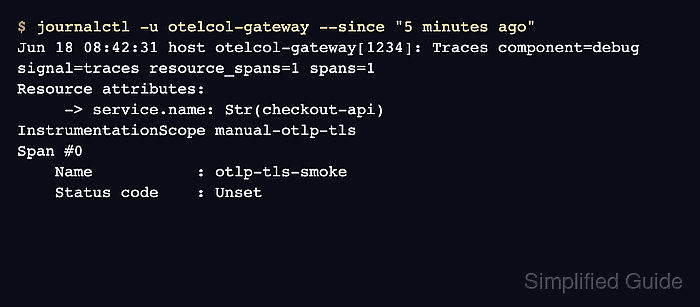
$ journalctl -u otelcol-gateway --since "5 minutes ago"
Jun 18 08:42:31 host otelcol-gateway[1234]: Traces component=debug signal=traces resource_spans=1 spans=1
Resource attributes:
     -> service.name: Str(checkout-api)
InstrumentationScope manual-otlp-tls
Span #0
    Trace ID       : 5b8efff798038103d269b633813fc60c
    ID             : eee19b7ec3c1b174
    Name           : otlp-tls-smoke
    Status code    : Unset
If the gateway Collector is running in the foreground, read the same debug exporter output from that terminal. For a container test, use the gateway container logs.
- Remove the smoke-test payload.
$ rm trace.json
Keep the certificate files and Collector configs after the smoke test only when their hostnames, trust paths, permissions, and pipeline destinations match the intended rollout.