How to run the OpenTelemetry Collector in Docker
Running the OpenTelemetry Collector in Docker gives development and validation work a disposable telemetry endpoint without installing the Collector as a host service. A containerized Collector is useful when an application, SDK, or pipeline needs a local OTLP receiver before the same configuration moves to a longer-running agent or gateway.
The core Collector image reads a default configuration file inside the container. A bind-mounted YAML file keeps the container easy to replace while making the active receiver, exporter, and pipeline settings explicit. Publishing the OTLP/gRPC and OTLP/HTTP ports on the host loopback address keeps the smoke-test endpoint local to the Docker host.
The local configuration uses a debug exporter so the smoke trace appears in container logs instead of leaving the machine. Detailed debug output can include service names, span names, attributes, and other telemetry fields, so use it for local proof and replace it with the production exporter before shared traffic reaches the Collector.
Steps to run the OpenTelemetry Collector in Docker:
- Create the Collector configuration file.
- collector-docker.yaml
receivers:
  otlp:
    protocols:
      grpc:
        endpoint: 0.0.0.0:4317
      http:
        endpoint: 0.0.0.0:4318

exporters:
  debug:
    verbosity: detailed

service:
  pipelines:
    traces:
      receivers: [otlp]
      exporters: [debug]
The 0.0.0.0 listener is inside the container. The Docker publish flags later bind the host side to 127.0.0.1 so only local host clients can reach the smoke-test Collector.
Tool: OpenTelemetry Collector Config Generator - Pull the tagged Collector image.
$ docker pull otel/opentelemetry-collector:0.154.0
0.154.0: Pulling from otel/opentelemetry-collector
Digest: sha256:ea527f0f9a220c7b595863a658c262f31d08c07e034a16b502bfb2206aa987ff
Status: Image is up to date for otel/opentelemetry-collector:0.154.0
docker.io/otel/opentelemetry-collector:0.154.0
Use an explicit version tag so later tests do not change behavior when a new latest image is published.
- Start the Collector container with the mounted configuration.
$ docker run --detach \
  --name otelcol-dev \
  --publish 127.0.0.1:4317:4317 \
  --publish 127.0.0.1:4318:4318 \
  --mount type=bind,source="$PWD/collector-docker.yaml",target=/etc/otelcol/config.yaml,readonly \
  otel/opentelemetry-collector:0.154.0
8349444cc0fb7e918e168e2221b5f861ce797df5e874139c5bfd6e48a28dbbb5
4317 is the local OTLP/gRPC endpoint. 4318 is the local OTLP/HTTP endpoint used by the smoke test.
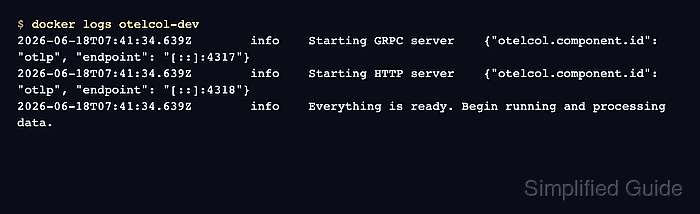
- Check the Collector startup log.
$ docker logs otelcol-dev
##### snipped #####
2026-06-18T07:41:34.639Z info Starting GRPC server {"otelcol.component.id":"otlp","otelcol.component.kind":"receiver","endpoint":"[::]:4317"}
2026-06-18T07:41:34.639Z info Starting HTTP server {"otelcol.component.id":"otlp","otelcol.component.kind":"receiver","endpoint":"[::]:4318"}
2026-06-18T07:41:34.639Z info Everything is ready. Begin running and processing data.
- Create a small OTLP/HTTP trace payload.
- trace.json
{
  "resourceSpans": [
    {
      "resource": {
        "attributes": [
          {
            "key": "service.name",
            "value": {
              "stringValue": "checkout-api"
            }
          }
        ]
      },
      "scopeSpans": [
        {
          "scope": {
            "name": "docker-smoke"
          },
          "spans": [
            {
              "traceId": "5b8efff798038103d269b633813fc60c",
              "spanId": "eee19b7ec3c1b174",
              "name": "collector-docker-smoke",
              "kind": 1,
              "startTimeUnixNano": "1717260000000000000",
              "endTimeUnixNano": "1717260001000000000"
            }
          ]
        }
      ]
    }
  ]
}
- Send the trace payload to the local OTLP/HTTP receiver.
$ curl --silent --show-error --include --request POST http://127.0.0.1:4318/v1/traces \
  --header 'Content-Type: application/json' \
  --data @trace.json
HTTP/1.1 200 OK
Content-Type: application/json
Content-Length: 21

{"partialSuccess":{}}
The 200 OK response confirms that the OTLP/HTTP receiver accepted the trace request.
- Inspect the Collector log for the debug exporter record.
$ docker logs otelcol-dev
##### snipped #####
2026-06-18T07:41:37.632Z info Traces {"otelcol.component.id":"debug","otelcol.component.kind":"exporter","otelcol.signal":"traces","resource spans":1,"spans":1}
2026-06-18T07:41:37.633Z info ResourceSpans #0
Resource attributes:
     -> service.name: Str(checkout-api)
InstrumentationScope docker-smoke
Span #0
    Trace ID       : 5b8efff798038103d269b633813fc60c
    ID             : eee19b7ec3c1b174
    Name           : collector-docker-smoke
    Kind           : Internal
The otelcol.signal value, service.name attribute, and span name show that the container received the trace and exported it to its own log.
- Remove the smoke-test payload file.
$ rm trace.json
- Stop and remove the disposable Collector container.
$ docker rm --force otelcol-dev
otelcol-dev
Remove or reduce debug exporter verbosity before using the configuration with real application traffic, because detailed logs can expose telemetry contents.