How to configure an OTLP receiver in the OpenTelemetry Collector
An OTLP receiver lets the OpenTelemetry Collector accept traces, metrics, and logs from SDKs, agents, and other Collectors. Configure it when applications need a local or gateway endpoint before telemetry is processed and exported to an observability backend.
The receiver is declared under receivers, but it does not handle data until a service pipeline lists it. OTLP/gRPC commonly listens on port 4317, while OTLP/HTTP commonly listens on port 4318 and receives signal data on paths such as /v1/traces, /v1/metrics, and /v1/logs.
Use the narrowest listener address that still allows the intended clients to connect. Same-host clients can use 127.0.0.1, while containers, Kubernetes pods, or gateway collectors may need 0.0.0.0 plus firewall, network policy, or TLS controls. The debug exporter is included only to prove the receiver path before replacing it with the production exporter.
Steps to configure an OTLP receiver in the OpenTelemetry Collector:
- Open the active Collector configuration file.
$ sudoedit /etc/otelcol/config.yaml
Packaged Linux services commonly read /etc/otelcol/config.yaml, but the active file can be changed by a service unit, container mount, or --config argument.
- Add an otlp receiver and attach it to the signal pipelines that should accept telemetry.
- /etc/otelcol/config.yaml
receivers:
  otlp:
    protocols:
      grpc:
        endpoint: 0.0.0.0:4317
      http:
        endpoint: 0.0.0.0:4318

exporters:
  debug:
    verbosity: detailed

service:
  pipelines:
    traces:
      receivers: [otlp]
      exporters: [debug]
    metrics:
      receivers: [otlp]
      exporters: [debug]
    logs:
      receivers: [otlp]
      exporters: [debug]
Binding to 0.0.0.0 accepts client connections on every interface exposed by the host or container. Use 127.0.0.1 for local-only collection, and add TLS or network controls before exposing OTLP on a shared network.
debug with detailed verbosity can print telemetry attributes and span data. Keep it for the smoke test, then replace it with the backend exporter or reduce its verbosity.
Related: How to export telemetry from the OpenTelemetry Collector with OTLP - Validate the Collector configuration.
$ otelcol validate --config=/etc/otelcol/config.yaml
No output with a zero exit status means the file parsed and the referenced receiver, exporter, and pipelines are available in the running Collector distribution.
- Start the Collector with the updated configuration.
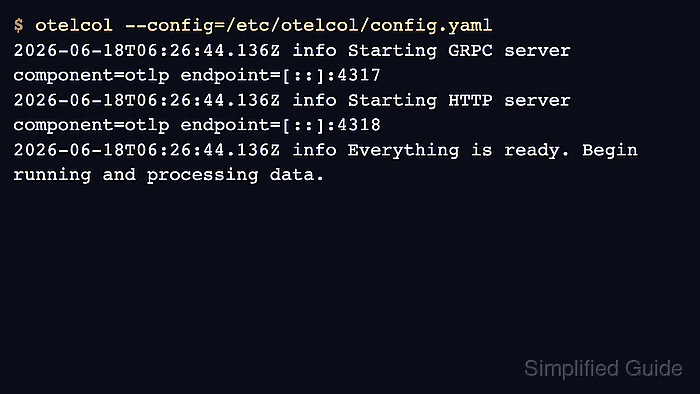
$ otelcol --config=/etc/otelcol/config.yaml
2026-06-18T06:26:44.136Z info Starting GRPC server component=otlp endpoint=[::]:4317
2026-06-18T06:26:44.136Z info Starting HTTP server component=otlp endpoint=[::]:4318
2026-06-18T06:26:44.136Z info Everything is ready. Begin running and processing data.
For a packaged service, restart the unit that owns the Collector process, such as otelcol or otelcol-contrib, then read the same startup lines from the service logs.
- Send a small trace to the OTLP/HTTP receiver.
$ curl -sS -i -X POST http://127.0.0.1:4318/v1/traces \
  -H 'Content-Type: application/json' \
  --data @- <<'JSON'
{"resourceSpans":[{"resource":{"attributes":[{"key":"service.name","value":{"stringValue":"checkout-api"}}]},"scopeSpans":[{"scope":{"name":"manual-otlp-http"},"spans":[{"traceId":"5b8efff798038103d269b633813fc60c","spanId":"eee19b7ec3c1b174","name":"checkout","kind":1,"startTimeUnixNano":"1717260000000000000","endTimeUnixNano":"1717260001000000000"}]}]}]}
JSON
HTTP/1.1 200 OK
Content-Type: application/json
Content-Length: 21

{"partialSuccess":{}}
The default OTLP/HTTP trace path is /v1/traces. Metrics and logs use /v1/metrics and /v1/logs unless the receiver configuration changes those paths.
- Send a small trace to the OTLP/gRPC receiver.
$ telemetrygen traces --otlp-endpoint 127.0.0.1:4317 --otlp-insecure --traces 1 --service checkout-api
2026-06-18T06:27:18.035Z INFO starting gRPC exporter
2026-06-18T06:27:19.036Z INFO traces generated {"worker": 0, "traces": 1}
2026-06-18T06:27:19.073Z INFO stopping the exporter
telemetrygen is the upstream test client used by OpenTelemetry Collector examples. Use an instrumented application instead when the real client is already available.
- Confirm the debug exporter printed both receiver tests.
2026-06-18T06:27:02.155Z info Traces exporter=debug signal=traces resource_spans=1 spans=1
Resource attributes:
     -> service.name: Str(checkout-api)
InstrumentationScope manual-otlp-http
Span #0
    Trace ID       : 5b8efff798038103d269b633813fc60c
    ID             : eee19b7ec3c1b174
    Name           : checkout
##### snipped #####
2026-06-18T06:27:19.071Z info Traces exporter=debug signal=traces resource_spans=1 spans=2
Resource attributes:
     -> service.name: Str(checkout-api)
InstrumentationScope telemetrygen
Span #0
    Name           : okey-dokey-0
Span #1
    Name           : lets-go
The first log entry shows the HTTP endpoint accepted the manual trace. The second log entry shows the gRPC endpoint accepted the telemetrygen trace.