How to create a CSR using OpenSSL
A certificate signing request is the file a key owner sends to a certificate authority when a TLS certificate needs to be issued. OpenSSL can build that PKCS#10 request from an existing private key while keeping the private key on the server, workstation, or protected signing host.
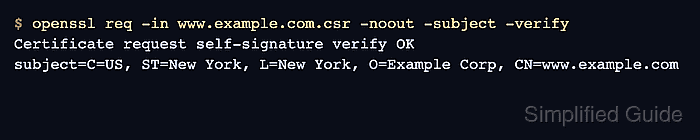
The openssl req -new command signs the request with the private key and writes only the public request to the CSR file. The subject identifies the requester, and the Subject Alternative Name extension asks for the DNS names or IP addresses that clients should trust in the issued certificate.
Modern TLS clients check Subject Alternative Name values instead of relying on the common name alone. Confirm the names before creating the request, inspect the completed CSR before submission, and send only the .csr file to the issuer because the private key must never be uploaded to a portal or ticket.
Steps to create a CSR using OpenSSL:
- Choose the subject and Subject Alternative Name values for the request.
Use DNS: entries for hostnames such as server.example.com and IP: entries for literal IP addresses. A common name by itself is not enough for ordinary modern TLS server certificates.
- Check that OpenSSL can read the private key.
$ openssl pkey -in server.key -noout -check
Key is valid
- Create the CSR with the existing key, subject, and SAN list.
$ openssl req -new -key server.key -out request.csr \
  -subj "/C=US/O=Example Corp/CN=server.example.com" \
  -addext "subjectAltName = DNS:server.example.com,DNS:www.example.com"
Submit request.csr to the issuer. Do not send server.key or paste the private key into a certificate request form.
- Verify the CSR self-signature and subject.
$ openssl req -in request.csr -noout -subject -verify
Certificate request self-signature verify OK
subject=C=US, O=Example Corp, CN=server.example.com
Self-signature verification confirms the request was signed with the private key that matches the embedded public key. It does not prove domain control, requester authorization, or CA approval.
Tool: Certificate Signing Request (CSR) Decoder - Inspect the requested SAN extension and public key details.
$ openssl req -in request.csr -noout -text
Certificate Request:
    Data:
        Version: 1 (0x0)
        Subject: C=US, O=Example Corp, CN=server.example.com
        Subject Public Key Info:
            Public Key Algorithm: rsaEncryption
                Public-Key: (3072 bit)
##### snipped #####
        Attributes:
            Requested Extensions:
                X509v3 Subject Alternative Name:
                    DNS:server.example.com, DNS:www.example.com
    Signature Algorithm: sha256WithRSAEncryption
    Signature Value:
##### snipped #####