How to log in to OpenNebula Sunstone
OpenNebula Sunstone is the browser interface for managing virtual machines, templates, storage, networks, users, and other cloud resources. A successful login proves that the FireEdge web service is reachable and that the account can authenticate against the OpenNebula core.
Current OpenNebula releases deliver Sunstone through the opennebula-fireedge service. The service listens on port 2616 by default and redirects the frontend root address to the Sunstone path, although miniONE deployments or reverse proxies may expose a shorter URL such as http://<frontend-address>/.
Package-based frontends seed the initial oneadmin credential in /var/lib/one/.one/one_auth before the first service start, while miniONE prints the same login details at the end of installation. Normal users sign in with the password or external authentication method assigned to their OpenNebula account.
Steps to log in to OpenNebula Sunstone:
- Confirm that the FireEdge service is active on the frontend.
$ systemctl is-active opennebula-fireedge
active
On systems installed with miniONE behind a reverse proxy, the public browser URL may use port 80 while FireEdge still serves Sunstone behind the proxy.
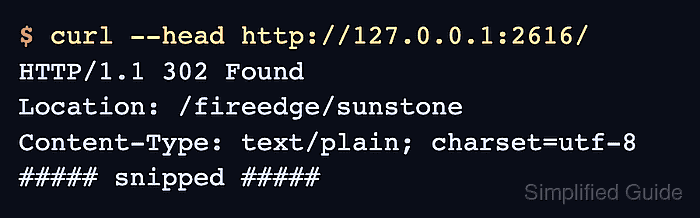
- Check the local Sunstone redirect from the frontend.
$ curl --head http://127.0.0.1:2616/
HTTP/1.1 302 Found
Location: /fireedge/sunstone
Content-Type: text/plain; charset=utf-8
##### snipped #####
- Read the initial oneadmin credential when signing in to a new package-based frontend.
$ sudo cat /var/lib/one/.one/one_auth
oneadmin:<initial-password>
Protect /var/lib/one/.one/one_auth as an administrator secret. Change the oneadmin password after first access when the frontend is no longer a disposable lab.
- Open the Sunstone address from an administrator workstation.
http://<frontend-address>:2616/
Use the URL printed by miniONE or the configured reverse proxy URL when the frontend is not exposed directly on port 2616.
- Open the direct Sunstone path if the browser does not follow the root redirect.
http://<frontend-address>:2616/fireedge/sunstone
- Enter the OpenNebula account name in Username.
- Enter the account password in Password.
- Leave Keep me logged in cleared on shared or temporary administrator workstations.
- Click Log in.
- Verify that the expected Sunstone view opens and the user menu shows the authenticated account name.
Administrator accounts usually see System sections such as Users and Groups. Tenant or end-user accounts may open a narrower view based on their group and Sunstone view assignment.