How to manage OpenNebula services with systemctl in Linux
An OpenNebula front end runs as a group of package-provided services rather than one standalone process. The core daemon exposes the XML-RPC API, FireEdge delivers Sunstone, and optional OneGate or OneFlow units support VM communication and multi-VM services, so a maintenance window often depends on controlling the right units in the right order.
On Linux hosts that use systemd, OpenNebula 7.2 packages use service units such as opennebula.service, opennebula-fireedge.service, opennebula-gate.service, and opennebula-flow.service. Package dependencies may also start helper services and timers for hooks, Guacamole, showback, SSH agent support, and persistent SSH connection cleanup.
Stopping or restarting the core daemon can interrupt scheduling, API calls, and management operations. Stop FireEdge first when the web console should close to users, check for transient VM or image operations before taking the daemon down, and use an OpenNebula CLI or HTTP check after services return because an active systemd unit does not prove the cloud API is usable.
Steps to manage OpenNebula services with systemctl in Linux:
- List the installed OpenNebula unit files.
$ systemctl list-unit-files 'opennebula*'
UNIT FILE                                STATE   PRESET
opennebula.service                       enabled enabled
opennebula-fireedge.service              enabled enabled
opennebula-flow.service                  enabled enabled
opennebula-gate.service                  enabled enabled
opennebula-guacd.service                 static  -
opennebula-hem.service                   static  -
opennebula-showback.timer                enabled enabled
opennebula-ssh-agent.service             static  -
opennebula-ssh-socks-cleaner.timer       enabled enabled

9 unit files listed.
Current OpenNebula releases use opennebula-fireedge for the Sunstone web interface. Older installations may still show legacy units that are not part of the OpenNebula 7.2 front-end service set.
- Start the required front-end services.
$ sudo systemctl start opennebula opennebula-fireedge opennebula-gate opennebula-flow
Remove opennebula-gate or opennebula-flow from the command when those optional services were not configured for the front end.
- Enable the required services to start during boot.
$ sudo systemctl enable opennebula opennebula-fireedge opennebula-gate opennebula-flow
Created symlink /etc/systemd/system/multi-user.target.wants/opennebula.service -> /usr/lib/systemd/system/opennebula.service.
Created symlink /etc/systemd/system/multi-user.target.wants/opennebula-fireedge.service -> /usr/lib/systemd/system/opennebula-fireedge.service.
Created symlink /etc/systemd/system/multi-user.target.wants/opennebula-gate.service -> /usr/lib/systemd/system/opennebula-gate.service.
Created symlink /etc/systemd/system/multi-user.target.wants/opennebula-flow.service -> /usr/lib/systemd/system/opennebula-flow.service.
- Check the active state of the front-end services.
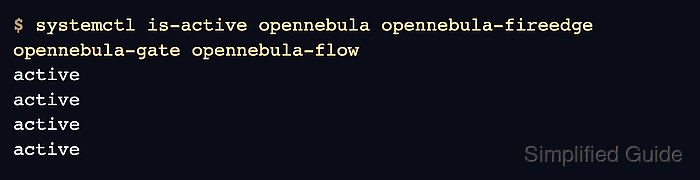
$ systemctl is-active opennebula opennebula-fireedge opennebula-gate opennebula-flow
active
active
active
active
Each line maps to the unit names in command order. A value such as inactive, failed, or activating needs a full status or journal check before returning the service to users.
- Verify that the OpenNebula CLI can reach the core daemon.
$ sudo -u oneadmin oneuser show
USER 0 INFORMATION
ID              : 0
NAME            : oneadmin
GROUP           : oneadmin
AUTH_DRIVER     : core
ENABLED         : Yes
##### snipped #####
A connection-refused error usually means opennebula.service is stopped, still starting, or failing before it opens the XML-RPC API on port 2633.
- Verify that FireEdge is answering the Sunstone URL.
$ curl --head --silent --show-error http://localhost:2616/fireedge/sunstone
HTTP/1.1 200 OK
Content-Type: text/html; charset=UTF-8
X-Frame-Options: SAMEORIGIN
##### snipped #####
Use the front-end hostname or load-balanced URL instead of localhost when users reach Sunstone through another address. The default FireEdge listener uses port 2616.
- Restart FireEdge after changing web interface configuration.
$ sudo systemctl restart opennebula-fireedge
Restarting FireEdge temporarily interrupts Sunstone and Provision GUI access, but it does not stop the core OpenNebula daemon.
- Restart the core daemon after changes that require oned to reinitialize.
$ sudo systemctl restart opennebula
Restarting opennebula.service can interrupt XML-RPC API calls, scheduling, hooks, and management actions while the daemon exits and starts again.
- Restart already-running companion services after related configuration changes.
$ sudo systemctl try-restart opennebula-hem opennebula-fireedge opennebula-gate opennebula-flow opennebula-guacd opennebula-novnc opennebula-ssh-agent
try-restart restarts units that are already active and leaves stopped optional units stopped.
- Stop FireEdge before closing the web console for maintenance.
$ sudo systemctl stop opennebula-fireedge
Sunstone users lose web access while the service is stopped, but existing core daemon work continues unless another service is stopped.
- Stop optional automation-facing services before core daemon maintenance.
$ sudo systemctl stop opennebula-flow opennebula-gate
Stop OneFlow to pause multi-VM service orchestration and OneGate to close guest-to-OpenNebula communication before deeper front-end maintenance.
- Stop the main OpenNebula daemon when the front end must be offline.
$ sudo systemctl stop opennebula
Before stopping the daemon in production, wait for transient VM and image operations such as prolog, migrate, epilog, and save to reach a final state.
- Start the services again after maintenance.
$ sudo systemctl start opennebula opennebula-fireedge opennebula-gate opennebula-flow
- Read recent daemon logs when a service action fails.
$ sudo journalctl --unit=opennebula.service --no-pager --lines=30
Jun 25 08:40:13 frontend-01 systemd[1]: Starting opennebula.service - OpenNebula Daemon.
Jun 25 08:40:17 frontend-01 systemd[1]: Started opennebula.service - OpenNebula Daemon.
##### snipped #####
OpenNebula application logs also live under /var/log/one/, including /var/log/one/oned.log for the core daemon and /var/log/one/fireedge.log for the web interface.
- Verify the front-end services after the last service change.
$ systemctl is-active opennebula opennebula-fireedge opennebula-gate opennebula-flow
active
active
active
active