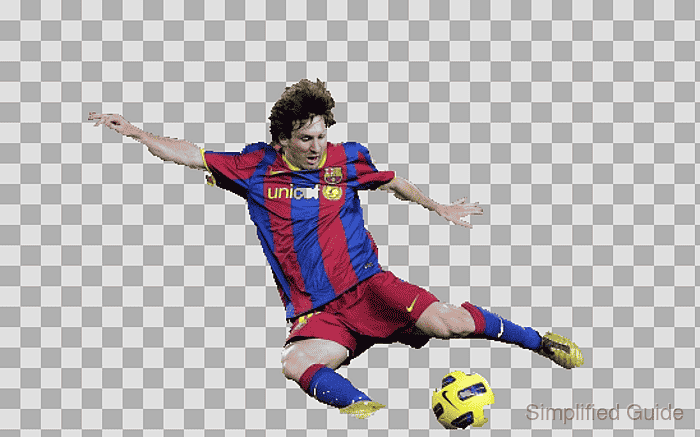
How to segment foreground with GrabCut in OpenCV
Separating a subject from its surroundings is useful when a photo needs a reusable mask or a transparent cutout. OpenCV GrabCut fits images where the subject can be enclosed by a rectangle but nearby colors make a fixed threshold unreliable.
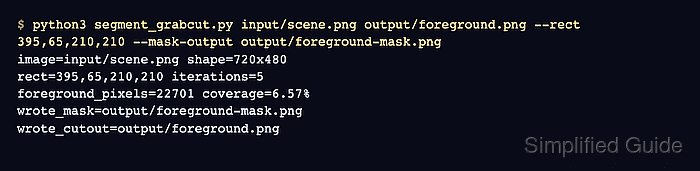
Rectangle initialization marks everything outside the selected region as sure background and estimates the pixels inside it. A second mask-initialized pass can keep subject points and strokes as sure foreground while forcing a known distraction, such as a corner logo, to sure background.
The saved mask and cutout alpha channel must agree at every pixel, the connected subject boundary must include its expected extent, and the exclusion rectangle must stay transparent. A checkerboard preview exposes missing edges or retained background that numeric checks cannot identify.
Related: How to mask an image by color with OpenCV
Related: How to find contours with OpenCV
Steps to segment foreground with OpenCV GrabCut:
- Place a readable source image at input/scene.png.
- Start segment_grabcut.py with the imports and integer-list parser.
- segment_grabcut.py
from argparse import ArgumentParser
from pathlib import Path

import cv2 as cv
import numpy as np


def parse_values(value, count, label):
    try:
        values = tuple(int(part) for part in value.split(","))
    except ValueError as exc:
        raise SystemExit(f"Use {label} as comma-separated integers.") from exc
    if len(values) != count:
        raise SystemExit(f"Use {label} as comma-separated integers.")
    return values
- Append the command-line arguments below return values.
- segment_grabcut.py
parser = ArgumentParser(description="Segment foreground with OpenCV GrabCut.")
parser.add_argument("image", help="Input image path.")
parser.add_argument("cutout", help="Output PNG path for the transparent cutout.")
parser.add_argument("--rect", required=True, help="Initial rectangle as x,y,width,height.")
parser.add_argument(
    "--foreground-point",
    required=True,
    action="append",
    help="Sure-foreground point as x,y; repeat for separate subject regions.",
)
parser.add_argument(
    "--foreground-stroke",
    action="append",
    default=[],
    help="Sure-foreground stroke as x1,y1,x2,y2,thickness; repeat as needed.",
)
parser.add_argument("--exclude-rect", required=True, help="Sure-background rectangle as x,y,width,height.")
parser.add_argument("--iterations", type=int, default=5, help="Iterations per GrabCut pass.")
args = parser.parse_args()
- Append image loading and coordinate validation below args = parser.parse_args().
- segment_grabcut.py
image = cv.imread(args.image, cv.IMREAD_COLOR)
if image is None:
    raise SystemExit(f"Could not read image: {args.image}")

image_height, image_width = image.shape[:2]
rect = parse_values(args.rect, 4, "--rect x,y,width,height")
foreground_points = [
    parse_values(value, 2, "--foreground-point x,y") for value in args.foreground_point
]
foreground_strokes = [
    parse_values(value, 5, "--foreground-stroke x1,y1,x2,y2,thickness")
    for value in args.foreground_stroke
]
exclude_rect = parse_values(args.exclude_rect, 4, "--exclude-rect x,y,width,height")

for label, (x, y, width, height) in (("--rect", rect), ("--exclude-rect", exclude_rect)):
    if x < 0 or y < 0 or width <= 0 or height <= 0:
        raise SystemExit(f"{label} width and height must be positive.")
    if x + width > image_width or y + height > image_height:
        raise SystemExit(f"{label} extends beyond the {image_width}x{image_height} image.")

for point_x, point_y in foreground_points:
    if not (0 <= point_x < image_width and 0 <= point_y < image_height):
        raise SystemExit(f"--foreground-point extends beyond the {image_width}x{image_height} image.")

for start_x, start_y, end_x, end_y, thickness in foreground_strokes:
    if thickness <= 0:
        raise SystemExit("--foreground-stroke thickness must be positive.")
    if not (0 <= start_x < image_width and 0 <= start_y < image_height):
        raise SystemExit(f"--foreground-stroke extends beyond the {image_width}x{image_height} image.")
    if not (0 <= end_x < image_width and 0 <= end_y < image_height):
        raise SystemExit(f"--foreground-stroke extends beyond the {image_width}x{image_height} image.")
- Append the initial GrabCut pass below the coordinate validation.
- segment_grabcut.py
mask = np.zeros((image_height, image_width), np.uint8)
background_model = np.zeros((1, 65), np.float64)
foreground_model = np.zeros((1, 65), np.float64)

cv.grabCut(
    image,
    mask,
    rect,
    background_model,
    foreground_model,
    args.iterations,
    cv.GC_INIT_WITH_RECT,
)
- Append the foreground and background refinements below the initial GrabCut pass.
- segment_grabcut.py
exclude_x, exclude_y, exclude_width, exclude_height = exclude_rect
mask[exclude_y : exclude_y + exclude_height, exclude_x : exclude_x + exclude_width] = cv.GC_BGD
for point_x, point_y in foreground_points:
    mask[point_y, point_x] = cv.GC_FGD
for start_x, start_y, end_x, end_y, thickness in foreground_strokes:
    cv.line(mask, (start_x, start_y), (end_x, end_y), cv.GC_FGD, thickness)

cv.grabCut(
    image,
    mask,
    None,
    background_model,
    foreground_model,
    args.iterations,
    cv.GC_INIT_WITH_MASK,
)
- Append binary-mask and alpha-channel construction below the refinement pass.
- segment_grabcut.py
foreground_mask = np.where(
    (mask == cv.GC_FGD) | (mask == cv.GC_PR_FGD),
    255,
    0,
).astype("uint8")

cutout = cv.cvtColor(image, cv.COLOR_BGR2BGRA)
cutout[:, :, 3] = foreground_mask
- Append checkerboard preview construction below the alpha-channel assignment.
- segment_grabcut.py
grid_y, grid_x = np.indices((image_height, image_width))
checker = ((grid_x // 16 + grid_y // 16) % 2).astype("uint8")
checkerboard = np.where(checker[:, :, None] == 0, 224, 176).astype("uint8")
checkerboard = np.repeat(checkerboard, 3, axis=2)
alpha = cutout[:, :, 3:4].astype("float32") / 255
preview = (cutout[:, :, :3] * alpha + checkerboard * (1 - alpha)).astype("uint8")
- Append PNG writing and dynamic result summaries below the preview construction.
- segment_grabcut.py
cutout_path = Path(args.cutout)
mask_path = cutout_path.with_name(f"{cutout_path.stem}-mask.png")
preview_path = cutout_path.with_name(f"{cutout_path.stem}-preview.png")
mask_path.parent.mkdir(parents=True, exist_ok=True)

if not cv.imwrite(str(mask_path), foreground_mask):
    raise SystemExit(f"Could not write mask: {mask_path}")
if not cv.imwrite(str(cutout_path), cutout):
    raise SystemExit(f"Could not write cutout: {cutout_path}")
if not cv.imwrite(str(preview_path), preview):
    raise SystemExit(f"Could not write preview: {preview_path}")

foreground_pixels = cv.countNonZero(foreground_mask)
coverage = foreground_pixels / foreground_mask.size * 100
excluded_pixels = cv.countNonZero(
    foreground_mask[exclude_y : exclude_y + exclude_height, exclude_x : exclude_x + exclude_width]
)

print(f"image={args.image} shape={image_width}x{image_height}")
print(f"rect={args.rect} foreground_points={'|'.join(args.foreground_point)}")
print(f"foreground_strokes={'|'.join(args.foreground_stroke) or 'none'}")
print(f"exclude_rect={args.exclude_rect} iterations_per_pass={args.iterations}")
print(f"foreground_pixels={foreground_pixels} coverage={coverage:.2f}%")
subject_alphas = "|".join(str(foreground_mask[y, x]) for x, y in foreground_points)
print(f"subject_alphas={subject_alphas} excluded_foreground_pixels={excluded_pixels}")
print(f"wrote_mask={mask_path}")
print(f"wrote_cutout={cutout_path}")
print(f"wrote_preview={preview_path}")
- Compare segment_grabcut.py with the consolidated source.
- segment_grabcut.py
from argparse import ArgumentParser
from pathlib import Path

import cv2 as cv
import numpy as np


def parse_values(value, count, label):
    try:
        values = tuple(int(part) for part in value.split(","))
    except ValueError as exc:
        raise SystemExit(f"Use {label} as comma-separated integers.") from exc
    if len(values) != count:
        raise SystemExit(f"Use {label} as comma-separated integers.")
    return values


parser = ArgumentParser(description="Segment foreground with OpenCV GrabCut.")
parser.add_argument("image", help="Input image path.")
parser.add_argument("cutout", help="Output PNG path for the transparent cutout.")
parser.add_argument("--rect", required=True, help="Initial rectangle as x,y,width,height.")
parser.add_argument(
    "--foreground-point",
    required=True,
    action="append",
    help="Sure-foreground point as x,y; repeat for separate subject regions.",
)
parser.add_argument(
    "--foreground-stroke",
    action="append",
    default=[],
    help="Sure-foreground stroke as x1,y1,x2,y2,thickness; repeat as needed.",
)
parser.add_argument("--exclude-rect", required=True, help="Sure-background rectangle as x,y,width,height.")
parser.add_argument("--iterations", type=int, default=5, help="Iterations per GrabCut pass.")
args = parser.parse_args()

image = cv.imread(args.image, cv.IMREAD_COLOR)
if image is None:
    raise SystemExit(f"Could not read image: {args.image}")

image_height, image_width = image.shape[:2]
rect = parse_values(args.rect, 4, "--rect x,y,width,height")
foreground_points = [
    parse_values(value, 2, "--foreground-point x,y") for value in args.foreground_point
]
foreground_strokes = [
    parse_values(value, 5, "--foreground-stroke x1,y1,x2,y2,thickness")
    for value in args.foreground_stroke
]
exclude_rect = parse_values(args.exclude_rect, 4, "--exclude-rect x,y,width,height")

for label, (x, y, width, height) in (("--rect", rect), ("--exclude-rect", exclude_rect)):
    if x < 0 or y < 0 or width <= 0 or height <= 0:
        raise SystemExit(f"{label} width and height must be positive.")
    if x + width > image_width or y + height > image_height:
        raise SystemExit(f"{label} extends beyond the {image_width}x{image_height} image.")

for point_x, point_y in foreground_points:
    if not (0 <= point_x < image_width and 0 <= point_y < image_height):
        raise SystemExit(f"--foreground-point extends beyond the {image_width}x{image_height} image.")

for start_x, start_y, end_x, end_y, thickness in foreground_strokes:
    if thickness <= 0:
        raise SystemExit("--foreground-stroke thickness must be positive.")
    if not (0 <= start_x < image_width and 0 <= start_y < image_height):
        raise SystemExit(f"--foreground-stroke extends beyond the {image_width}x{image_height} image.")
    if not (0 <= end_x < image_width and 0 <= end_y < image_height):
        raise SystemExit(f"--foreground-stroke extends beyond the {image_width}x{image_height} image.")

mask = np.zeros((image_height, image_width), np.uint8)
background_model = np.zeros((1, 65), np.float64)
foreground_model = np.zeros((1, 65), np.float64)

cv.grabCut(
    image,
    mask,
    rect,
    background_model,
    foreground_model,
    args.iterations,
    cv.GC_INIT_WITH_RECT,
)

exclude_x, exclude_y, exclude_width, exclude_height = exclude_rect
mask[exclude_y : exclude_y + exclude_height, exclude_x : exclude_x + exclude_width] = cv.GC_BGD
for point_x, point_y in foreground_points:
    mask[point_y, point_x] = cv.GC_FGD
for start_x, start_y, end_x, end_y, thickness in foreground_strokes:
    cv.line(mask, (start_x, start_y), (end_x, end_y), cv.GC_FGD, thickness)

cv.grabCut(
    image,
    mask,
    None,
    background_model,
    foreground_model,
    args.iterations,
    cv.GC_INIT_WITH_MASK,
)

foreground_mask = np.where(
    (mask == cv.GC_FGD) | (mask == cv.GC_PR_FGD),
    255,
    0,
).astype("uint8")

cutout = cv.cvtColor(image, cv.COLOR_BGR2BGRA)
cutout[:, :, 3] = foreground_mask

grid_y, grid_x = np.indices((image_height, image_width))
checker = ((grid_x // 16 + grid_y // 16) % 2).astype("uint8")
checkerboard = np.where(checker[:, :, None] == 0, 224, 176).astype("uint8")
checkerboard = np.repeat(checkerboard, 3, axis=2)
alpha = cutout[:, :, 3:4].astype("float32") / 255
preview = (cutout[:, :, :3] * alpha + checkerboard * (1 - alpha)).astype("uint8")

cutout_path = Path(args.cutout)
mask_path = cutout_path.with_name(f"{cutout_path.stem}-mask.png")
preview_path = cutout_path.with_name(f"{cutout_path.stem}-preview.png")
mask_path.parent.mkdir(parents=True, exist_ok=True)

if not cv.imwrite(str(mask_path), foreground_mask):
    raise SystemExit(f"Could not write mask: {mask_path}")
if not cv.imwrite(str(cutout_path), cutout):
    raise SystemExit(f"Could not write cutout: {cutout_path}")
if not cv.imwrite(str(preview_path), preview):
    raise SystemExit(f"Could not write preview: {preview_path}")

foreground_pixels = cv.countNonZero(foreground_mask)
coverage = foreground_pixels / foreground_mask.size * 100
excluded_pixels = cv.countNonZero(
    foreground_mask[exclude_y : exclude_y + exclude_height, exclude_x : exclude_x + exclude_width]
)

print(f"image={args.image} shape={image_width}x{image_height}")
print(f"rect={args.rect} foreground_points={'|'.join(args.foreground_point)}")
print(f"foreground_strokes={'|'.join(args.foreground_stroke) or 'none'}")
print(f"exclude_rect={args.exclude_rect} iterations_per_pass={args.iterations}")
print(f"foreground_pixels={foreground_pixels} coverage={coverage:.2f}%")
subject_alphas = "|".join(str(foreground_mask[y, x]) for x, y in foreground_points)
print(f"subject_alphas={subject_alphas} excluded_foreground_pixels={excluded_pixels}")
print(f"wrote_mask={mask_path}")
print(f"wrote_cutout={cutout_path}")
print(f"wrote_preview={preview_path}")
- Run GrabCut with sure-foreground points on the torso, extended shoe, and ball plus sure-foreground strokes through the hair.
$ python3 segment_grabcut.py input/scene.png output/foreground.png --rect 50,50,450,290 --foreground-point 250,150 --foreground-point 440,272 --foreground-point 365,310 --foreground-stroke 225,84,243,68,5 --foreground-stroke 243,68,257,91,5 --exclude-rect 445,290,103,52
image=input/scene.png shape=548x342
rect=50,50,450,290 foreground_points=250,150|440,272|365,310
foreground_strokes=225,84,243,68,5|243,68,257,91,5
exclude_rect=445,290,103,52 iterations_per_pass=5
foreground_pixels=27808 coverage=14.84%
subject_alphas=255|255|255 excluded_foreground_pixels=0
wrote_mask=output/foreground-mask.png
wrote_cutout=output/foreground.png
wrote_preview=output/foreground-preview.png
Pixels outside the initial rectangle or inside the exclusion rectangle become sure background, so keep every wanted subject region outside the exclusion area and inside the initial rectangle.
- Verify the saved PNG outputs against the required connected player boundary, ball region, and excluded-logo rectangle.
$ python3 - <<'PY' import cv2 as cv import numpy as np mask = cv.imread("output/foreground-mask.png", cv.IMREAD_GRAYSCALE) cutout = cv.imread("output/foreground.png", cv.IMREAD_UNCHANGED) if mask is None or cutout is None: raise SystemExit("Could not read the generated PNG files.") if cutout.ndim != 3 or cutout.shape[2] != 4: raise SystemExit("The cutout does not have an alpha channel.") alpha = cutout[:, :, 3] mismatch_pixels = cv.countNonZero(cv.absdiff(mask, alpha)) if mismatch_pixels: raise SystemExit(f"Mask and alpha differ at {mismatch_pixels} pixels.") subject_points = ((250, 150), (440, 272), (365, 310)) subject_alphas = tuple(int(alpha[y, x]) for x, y in subject_points) if any(value == 0 for value in subject_alphas): raise SystemExit(f"A required subject point is transparent: {subject_alphas}") component_count, labels, stats, _ = cv.connectedComponentsWithStats((alpha > 0).astype("uint8"), 8) player_label = labels[150, 250] ball_label = labels[310, 365] if player_label == 0 or ball_label == 0 or player_label == ball_label: raise SystemExit("The player and ball components are not isolated as expected.") player_bbox = tuple(int(value) for value in stats[player_label, :4]) player_right = player_bbox[0] + player_bbox[2] player_bottom = player_bbox[1] + player_bbox[3] connected_hair_pixels = int(np.count_nonzero((labels == player_label)[:80])) if player_bbox[0] > 69 or player_bbox[1] > 65 or player_right < 457 or player_bottom < 328: raise SystemExit(f"The connected player boundary is incomplete: {player_bbox}") if connected_hair_pixels < 500: raise SystemExit(f"The connected hair region is incomplete: {connected_hair_pixels} pixels") ball_pixels = int(stats[ball_label, cv.CC_STAT_AREA]) if ball_pixels < 1500: raise SystemExit(f"The retained ball region is incomplete: {ball_pixels} pixels") exclude_x, exclude_y, exclude_width, exclude_height = (445, 290, 103, 52) excluded_alpha_pixels = cv.countNonZero( alpha[exclude_y : exclude_y + exclude_height, exclude_x : exclude_x + exclude_width] ) if excluded_alpha_pixels: raise SystemExit(f"The excluded logo region retains {excluded_alpha_pixels} opaque pixels.") foreground_pixels = cv.countNonZero(alpha) bbox = cv.boundingRect(alpha) print(f"player_bbox={player_bbox} connected_hair_pixels_above_row_80={connected_hair_pixels}") print(f"ball_pixels={ball_pixels} subject_alphas={subject_alphas}") print(f"excluded_alpha_pixels={excluded_alpha_pixels} mask_alpha_mismatch_pixels={mismatch_pixels}") print(f"foreground_bbox={bbox[0]},{bbox[1]},{bbox[2]},{bbox[3]} foreground_pixels={foreground_pixels}") PY player_bbox=(69, 61, 388, 267) connected_hair_pixels_above_row_80=557 ball_pixels=1658 subject_alphas=(255, 255, 255) excluded_alpha_pixels=0 mask_alpha_mismatch_pixels=0 foreground_bbox=69,61,388,275 foreground_pixels=27808 - Inspect the retained checkerboard preview for the complete hair and extended shoe outlines, isolated ball, and absent corner logo.